EasyManua.ls Logo

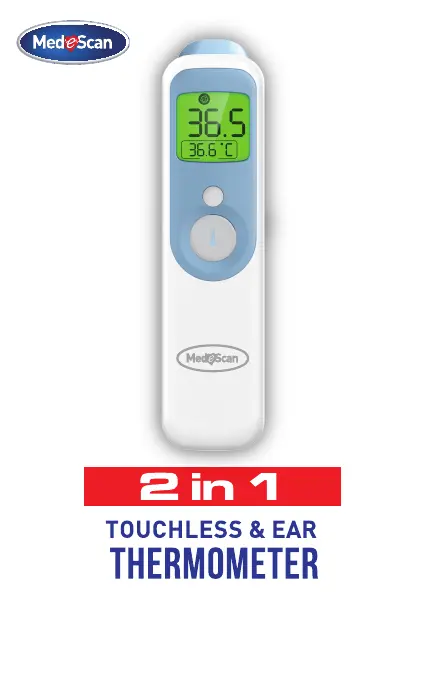
MedeScan 2 IN 1 - User Manual

MedeScan 2 IN 1
28 pages
Print Icon
To Next Page IconTo Next Page
Loading...
Manual Ver : 1.0
27/12/2019

Questions and Answers

  • S
    Sandra MelendezAug 5, 2025
    Why MedeScan Thermometer failed to power on?
    • N
      Natalie WalshAug 5, 2025
      If your MedeScan Thermometer fails to power on, it could be due to several reasons. First, the battery level might be too low; in this case, replace it with a new battery. Second, check if the polarities of the batteries are reversed and ensure they are in the correct position. If neither of these solutions works, the thermometer might be damaged, and you should contact your dealer.
  • S
    Sheila BentleyAug 12, 2025
    What to do if my MedeScan 2 IN 1 Thermometer reading is too low?
    • B
      Bryan HarrisAug 12, 2025
      If the reading on your MedeScan Thermometer is too low, consider these potential causes: The lens of the probe could be dirty, so clean it gently with a cotton swab. Also, ensure that you are holding the thermometer at the correct distance; it should be in contact with the forehead or placed in the ear canal. Finally, if you've just come from a cold environment, wait at least 30 minutes in a warmer room before taking a reading.
  • J
    James FordAug 19, 2025
    Why MedeScan 2 IN 1 Thermometer reading is too high?
    • J
      Joseph FieldsAug 20, 2025
      If your MedeScan Thermometer gives a reading that is too high, it might be because you have just come from a hot environment; try staying in a cool room for at least 30 minutes before taking another reading. Another reason might be that the ambient temperature is not within the correct range. The thermometer will produce one long beep and a red backlight for 3 seconds if this is the case. Ensure you take measurements when the ambient temperature is between 10°C (50.0°F) and 40°C (104°F).
  • N
    Nicholas BooneAug 27, 2025
    What to do if power voltage is lower than 2.4V on MedeScan 2 IN 1?
    • V
      Victor HarrisAug 27, 2025
      If the power voltage of your MedeScan Thermometer is lower than 2.4V, the battery icon will flicker, and the device will turn off automatically after 3 seconds. Replace the battery with a new one.

Summary

Introduction

Foreword

Introduction to the infrared thermometer and its purpose.

Package Contents

Lists the items included in the product package.

Product Description

Overview

Explains how the infrared thermometer measures body temperature.

Structure

Details the components of the infrared thermometer device.

Operating Principle

Indications for Use

Specifies the intended applications and users for the thermometer.

Contraindications

Lists conditions or situations where the thermometer should not be used.

Features

Product Structure

Display Description

How to Use Your Thermometer

In Order to Avoid Inaccuracy

Provides guidelines to ensure accurate temperature readings.

Take Your Forehead Temperature

Step-by-step instructions for measuring forehead temperature.

Take Your Ear Temperature

Step-by-step instructions for measuring ear temperature.

Take Room;Object Temperature

Instructions for measuring the temperature of rooms or objects.

After a Measurement

Procedures to follow after taking a temperature reading.

Read Your Temperature

Explains how to interpret temperature readings and color indicators.

Switching Between Mute and Un-Mute

How to toggle the audio mute function on the thermometer.

Checking 40 Sets of Memory Data

Instructions on accessing stored temperature readings.

°C;°F Conversion

How to switch between Celsius and Fahrenheit units.

Automatically Turn Off

Information about the automatic shutdown feature.

Replace the Battery

Instructions for replacing the thermometer's batteries.

Temperature Taking Tips

Care and Cleaning

Error and Troubleshooting

Technical Specifications

Symbols

Appendix: EMC Information and Declarations

Warranty and After-Sale Service

MedeScan 2 IN 1 Specifications

General IconGeneral
BrandMedeScan
Model2 IN 1
CategoryThermometer
LanguageEnglish

Related product manuals