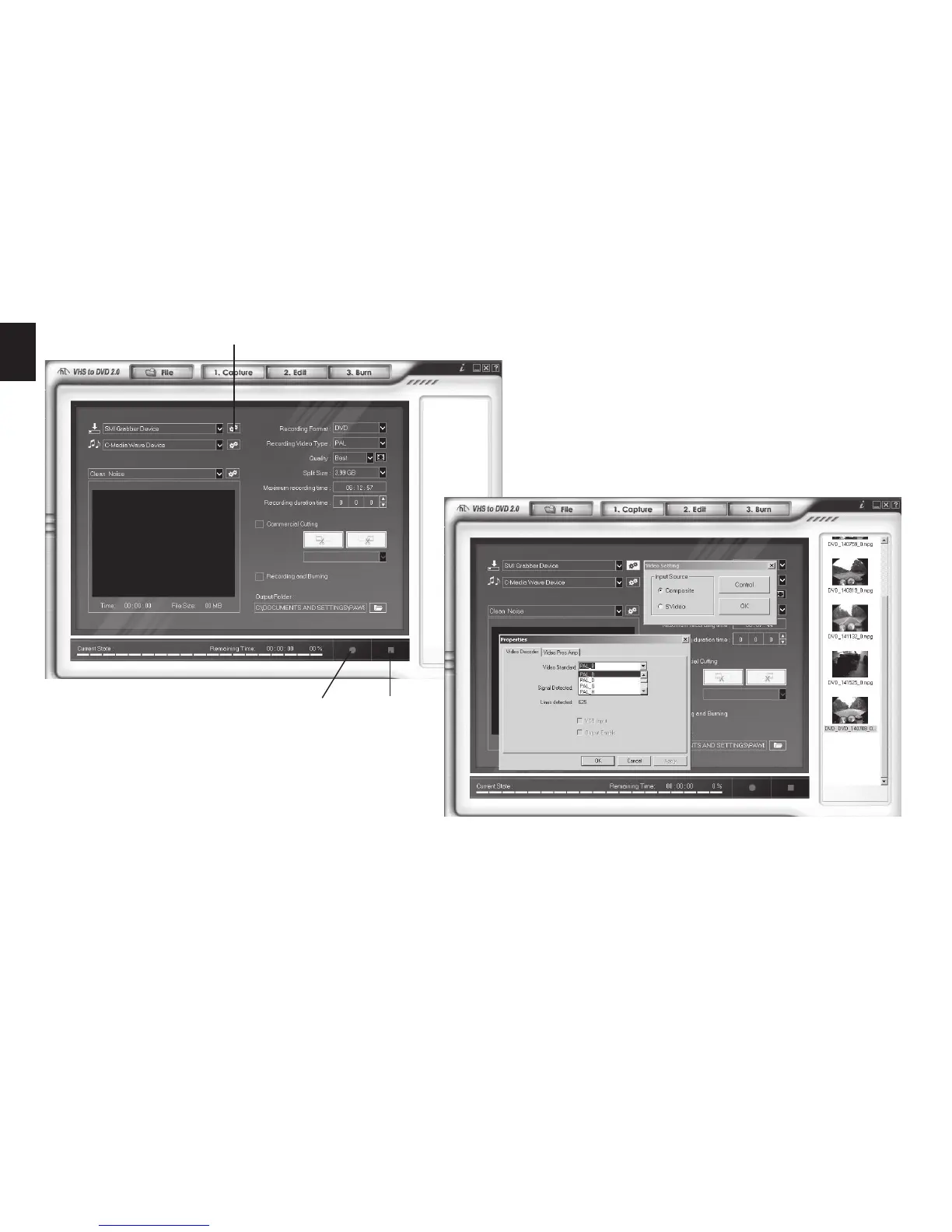
Click “Video settings” button and select appro-
priate input type, then click “Control” button to
open advanced options, select video source sys-
tem (PAL, NTSC, SECAM)
To start capturing press “Record” button, to stop
and save sequence press “Stop” button. Saved
sequence will be added to the right panel.
Go to “Edit” tab and drag icons from right panel at bot-
tom panel. Between clips you can drag transition ef-
fects.
Video settings
Record Stop


 To Next Page