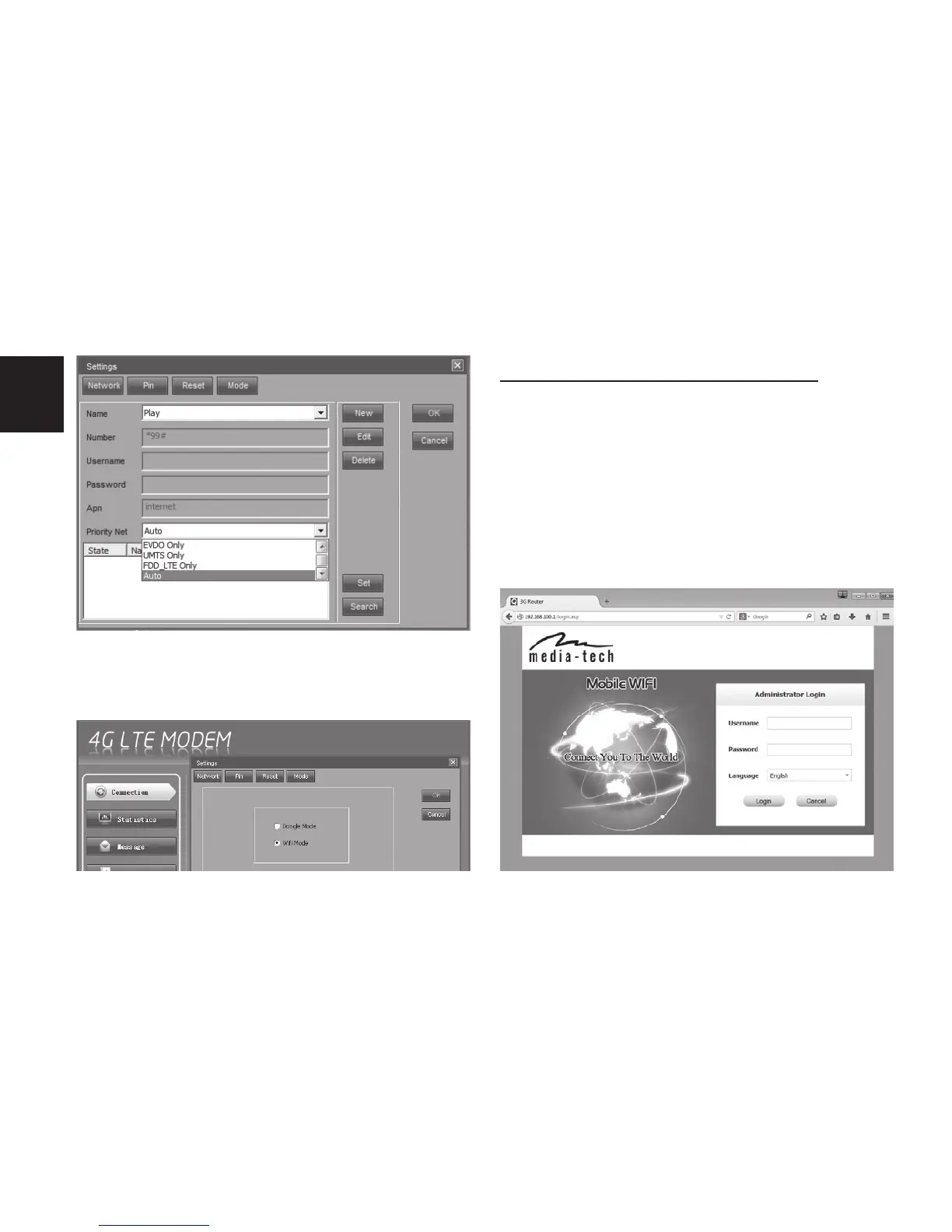
5. If you want to switch device into “WiFi”
mode go to ”Settings/Mode” and select
“WiFi mode” and click “OK”.
“WiFi” mode conguration
Note! Before proceeding make sure that you
have switched device into “WiFi mode” as de-
scribed above.
1. Plug device to USB power supply, use
PC computer and scan for new WiFi net-
works, connect to “MT4222-XX” network
(enter default password when promp-



 To Next Page