EasyManua.ls Logo

Media5 Mediatrix G7 Series - User Manual

Media5 Mediatrix G7 Series
17 pages
Print Icon
To Next Page IconTo Next Page
Loading...
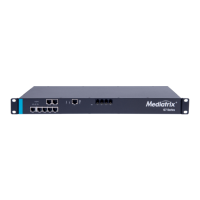
Model M - Mediatrix G7 Series for Brazil
2022-05-04
Hardware Installation Guide
DGW 48.5.2718
Download PDF Document
Safety Recommendations and Information
Danger, Warning, Caution, and Note Definitions
Electrical Safety Guidelines
General Safety Practices
Electrostatic Discharge Prevention
Translated Warning Definition
Requirements
Location Requirements
Wiring Guidelines
Mediatrix G7 Characteristics
Getting Started
Installation Check List
Package Check List
Cleaning Instructions
Mounting Tools and Equipment
Connectors and Indicators
Installing The Mediatrix Unit
Installing the Unit on a Flat Surface
Connecting the Telephony Cables
Connecting the Mediatrix Unit Using a DHCP Server
Connecting the Mediatrix Unit Using a Static IP Address
Verifying the Installation
Cables
Gigabit Ethernet Connection (RJ-45)
PRI Connection (RJ-48)
BRI S/T Connection (RJ-48)
FXS and FXO Connections (RJ-11)
Troubleshooting
Locating the Product Serial Number
Troubleshooting
LED Patterns
RESET/DEFAULT Button
Partial Reset
Performing a Partial Reset
Disabling the Rescue Interface
Factory Reset
Performing a Factory Reset
Standards Compliance and Disclaimers
Supported Standards
Federal Communications Commission (FCC) Disclaimer
Innovation, Science and Economic Development Canada (ISED) Disclaimer
CE Marking
RoHS China
Other Disclaimers
FXO Card - Standards of Compliane and Disclaimers
FXO Card - Supported Standards
FXO Card - Federal Communications Commission (FCC) Disclaimer
FXO Card - Innovation, Science and Economic Development Canada (ISED) Disclaimer
PRI/T1/E1/J1 Card - Standards Compliance and Disclaimers
PRI/T1/E1/J1 - Card Supported Standards
PRI/T1/E1/J1 Card - Federal Communications Commission (FCC) Disclaimer
PRI/T1/E1/J1 Card - Innovation, Science and Economic Development Canada (ISED) Disclaimer
Stock Keeping Unit (SKU) Number for Model M
Product Disposal Instructions
DGW Documentation
Copyright Notice
Top
Safety Recommendations and Information
Danger, Warning, Caution, and Note Definitions
Danger: Indicates a hazardous situation which, if not avoided, will result in death or serious injury.
Warning: Indicates a hazardous situation which, if not avoided, could result in death or serious injury.
Caution: Indicates a hazardous situation which, if not avoided, could result in minor or moderate injury or damage to property or equipment.
Note: Indicates important information not related to personal injury.

Other manuals for Media5 Mediatrix G7 Series

Question and Answer IconNeed help?

Do you have a question about the Media5 Mediatrix G7 Series and is the answer not in the manual?

Summary

Safety Recommendations and Information

Danger, Warning, Caution, and Note Definitions

Defines different levels of hazard warnings used in the manual.

Electrical Safety Guidelines

Provides critical safety precautions related to electrical hazards and the unit.

General Safety Practices

Outlines general safety rules for using the product and its environment.

Electrostatic Discharge Prevention

Details procedures to prevent damage from static electricity during handling.

Translated Warning Definition

Provides hazard warning definitions in multiple languages for broader understanding.

Requirements

Location Requirements

Specifies environmental and physical placement guidelines for the unit.

Wiring Guidelines

Outlines best practices for connecting cables to the unit.

Mediatrix G7 Characteristics

Lists the physical and electrical specifications of the Mediatrix G7.

Getting Started

Installation Check List

A checklist to verify all installation tasks have been completed correctly.

Package Check List

Lists all items included in the product packaging.

Cleaning Instructions

Provides guidance on how to clean the Mediatrix unit safely.

Mounting Tools and Equipment

Lists the necessary tools and equipment for installing the unit.

Connectors and Indicators

Details the various ports and status LEDs on the Mediatrix unit.

Installing The Mediatrix Unit

Installing the Unit on a Flat Surface

Step-by-step guide for placing the unit on a flat surface.

Connecting the Telephony Cables

Instructions for connecting telephone cables to the unit.

Connecting the Mediatrix Unit Using a DHCP Server

Steps to connect the unit using DHCP for network configuration.

Connecting the Mediatrix Unit Using a Static IP Address

Steps to connect the unit using a static IP for network configuration.

Verifying the Installation

Procedures to confirm the unit is installed and configured correctly.

Cables

Gigabit Ethernet Connection (RJ-45)

Details on using RJ-45 cables for Gigabit Ethernet connectivity.

PRI Connection (RJ-48)

Specifics on using RJ-48 cables for PRI connections.

BRI S;T Connection (RJ-48)

Specifics on using RJ-48 cables for BRI S/T connections.

FXS and FXO Connections (RJ-11)

Details on using RJ-11 cables for FXS and FXO connections.

Troubleshooting

Locating the Product Serial Number

Instructions to find the unit's serial number for identification.

LED Patterns

Explains the meaning of different LED status indicators on the unit.

RESET;DEFAULT Button

Describes the functionality of the reset button for configuration management.

Partial Reset

Explains how to perform a partial reset to restore default settings.

Performing a Partial Reset

Detailed steps on how to execute a partial reset.

Disabling the Rescue Interface

Guide on how to disable the rescue interface after use.

Factory Reset

Performing a Factory Reset

Detailed steps to reset the unit to its original factory settings.

Standards Compliance and Disclaimers

Supported Standards

Lists the standards the Mediatrix units comply with.

Federal Communications Commission (FCC) Disclaimer

FCC compliance statement and usage guidelines.

CE Marking

Information about CE marking and European directives.

RoHS Declaration Of Compliance

Statement regarding compliance with RoHS directives for hazardous substances.

RoHS China

Compliance information related to China's regulations on hazardous substances.

Other Disclaimers

Contains miscellaneous disclaimers and operational notes.

FXO Card - Standards of Compliane and Disclaimers

Standards and disclaimers specifically for the FXO card.

FXO Card - Supported Standards

Lists the standards supported by the FXO card.

PRI;T1;E1;J1 Card - Standards Compliance and Disclaimers

Standards and disclaimers for PRI/T1/E1/J1 cards.

PRI;T1;E1;J1 - Card Supported Standards

Lists the standards supported by the PRI/T1/E1/J1 card.
Stock Keeping Unit (SKU) Number for Model M

Product Disposal Instructions

DGW Documentation

Copyright Notice

Media5 Mediatrix G7 Series Specifications

General IconGeneral
BrandMedia5
ModelMediatrix G7 Series
CategoryGateway
LanguageEnglish

Related product manuals