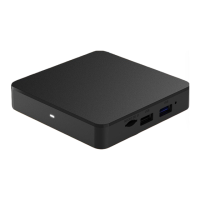
About the Xtream
Voice Remote
1
POWER turns the
television on/off.
2
VOL and MUTE
control the TV audio.
3
The TiVo button takes
you to the Home screen.
4
While navigating
the menus:
• UP, DOWN, LEFT,
or RIGHT move around.
• The center button
(OK/Select) chooses
menu items.
While watching video:
• DOWN displays the
info banner.
• UP opens Mini Guide.
• OK/SELECT brings up
Trick Play controls.
With Trick Play
controls visible:
• DOWN opens the Continue
Watching and Favorite
Channels panels.
5
BACK starts full-screen
video on the Home
screen and goes back
to the previous screen
on other Menu screens.
6
Press VOD to go
directly to the
Video-On-Demand library.
7
Press the NETFLIX button
to launch Netix.
8
Use INPUT to change your
video source on your TV.
9
GUIDE takes you to
the Program Guide.
10
Use CHANNEL UP/DOWN
to change the channel
or move quickly through
lists and the Guide.
11
‘i’ (Info) brings up the
full Info banner while
watching a show and opens
an Info card when a title
is highlighted in the menus.
Press and hold for
accessibility options.
12
Use EXIT to switch to
full-screen video while
using menus, or to jump
back to the last channel
viewed while watching live
TV. Exit also exits a Start
Over/Catch Up show.
13
Press and release the
Google Assistant button
to talk to Google.
14
Press the grid button
to jump to the Apps
& Games screen.
15
Use the NUMBER
BUTTONS to directly
enter numbers
(e.g., channel numbers
or Parental Control PIN).


 To Next Page
 Loading...