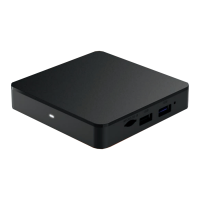
Need help?
Do you have a question about the Mediacom Xtream1 Box and is the answer not in the manual?
Use Android phone for quick activation by sharing network/Google account info.
Works with Google Assistant; sign in with Google account for Voice Control.
Download apps from Google Play Store for quick access.
Cast photos, videos, and music from phone to TV via built-in Chromecast.
Access support via the official website for assistance.
Get support via social media channels like Twitter and YouTube.
Contact customer support via phone for assistance.
Enroll in Total Care Text Messaging for support via SMS.
Download the MediacomConnect MobileCare App for support.
 General
| Brand | Mediacom |
|---|---|
| Model | Xtream1 Box |
| Category | Set-top boxes |
| Language | English |

 To Next Page