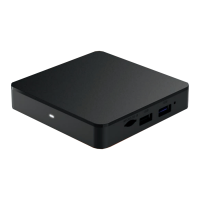
1
If you have an Android phone, you can
use it to complete a Quick Setup.
• This will share the home network credentials
and Google Account information with the device
allowing you to quickly complete activation.
• If you do not have an Android phone the on-screen
instructions will walk you through the rest of the process,
including connecting to your home wi- network.
2
This device works with Google Assistant.
• Simply sign in with your Google account
to enable Voice Control.
• If you do not have a Google account, or wish to setup
this feature later, you can skip this step during activation.
3
In addition to the pre-installed apps, this Xtream1 box
allows you to download additional apps from the
Google Play store for quick and easy access.
• To load additional apps, go to Apps & Games >
select Google Play Store > download desired app(s).
• Please note that use of third-party apps such as Netix
and YouTube count toward your monthly data allowance.
4
It also comes standard with Chromecast built-in so you can
cast photos, videos, and music from your phone to your TV.
A Few Items to Note


 To Next Page