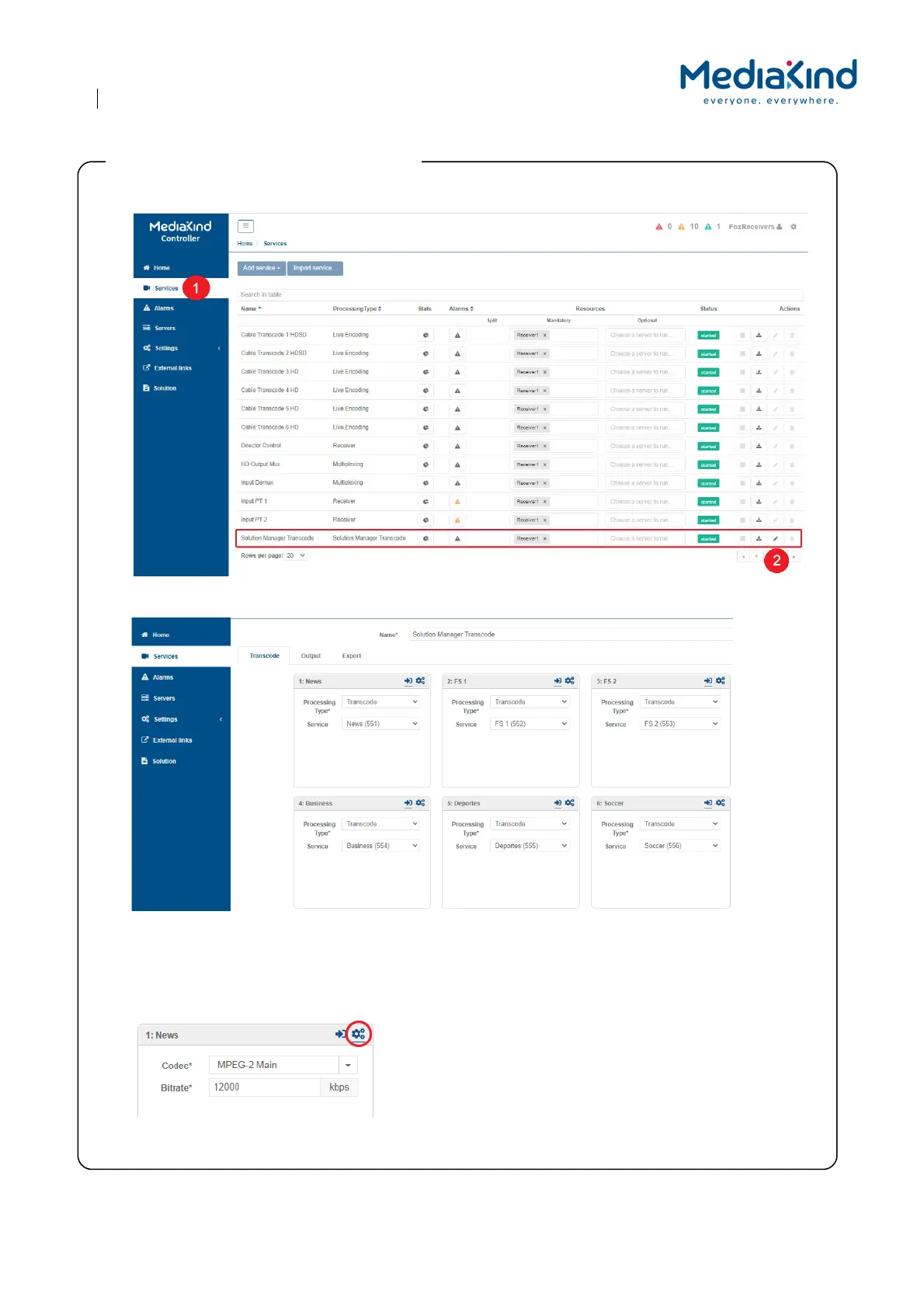
1. Choose Services.
2. Go to the Solution Manager Transcode and click on the Edit icon.
3. Check that the Services you think need to be entitled, are entitled, once the Fox representative informs you
that the receiver is now entitled.
4. The default Codec for the transcoded service output is MPEG-2 Main. If you need H.264 (AVC), click on th
e
Cog ico
n on the service you need to adjust, and select H.264 Main
.
5. Pr
ess Save and Continue.
Step 5: Check the entitled services and adjust



 To Next Page