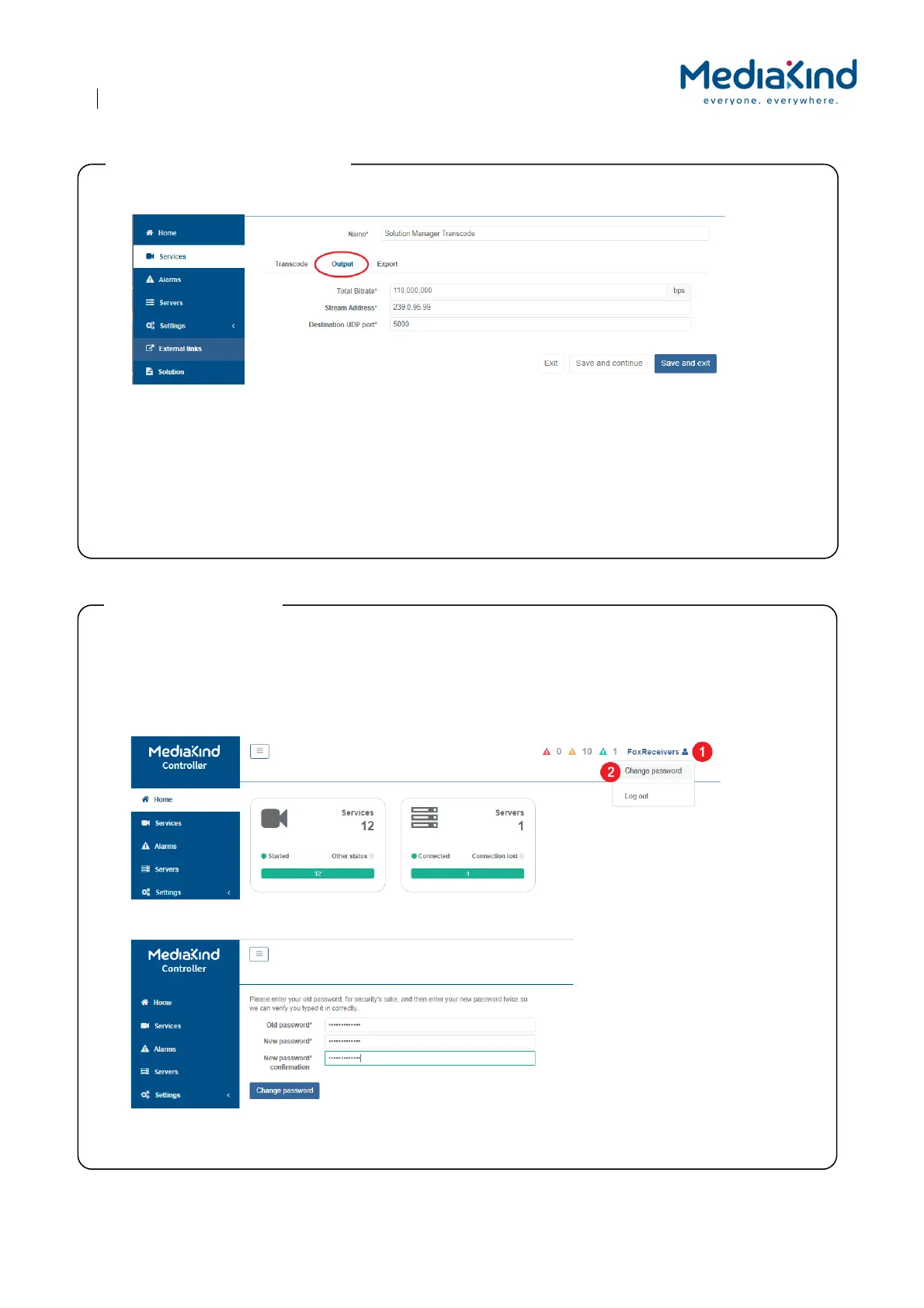
1. Click on the Output tab.
2. Enter the output multicast details:
• Total Bitrate must be enough for all services and overhead of PSI/SI tables, etc.
• Stream Address is the multicast or unicast address. Multicast ranges are from 224.0.0.0 to 239.255.255.25
5.
• Destina
tion UDP port is in the range 0 to 65353, although ports 0 to 1023 should be treated as
reserved as
'w
ell known ports'.
3. Press Save and Exit or Save and Continue to have these settings applied.
Step 6: Configure the output MPTS
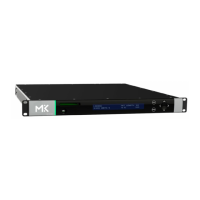
For improved security you may wish to change the password of the FoxReceivers user.
NOTE: You cannot change the username, nor add users.
1. On any page, on the top right corner, click on the username FoxReceivers.
2. Select Change password.
3. Enter the old password then enter the new password twice.
4. Click Change password.
Step 7: Change Password



 To Next Page