EasyManua.ls Logo

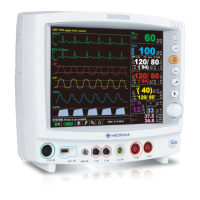
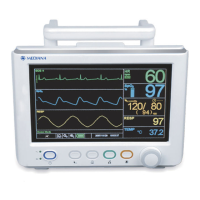
Mediana M20 - Service Manual

Mediana M20
108 pages
Print Icon
To Next Page IconTo Next Page
Loading...
SERVICE MANUAL
Patient Monitor M20
EU representative
OBELIS S.A
Bd. Géral Wahis, 53, 1030 Brussels, Belgium
Manufacturer
Mediana Co., Ltd.
132, Donghwagongdan-ro,
Munmak-eup, Wonju-si, Gangwon-do, Korea
Tel: (82) 2 542 3375 (82) 33 742 5400
Fax: (82) 2 542 7447 (82) 33 742 5483
Revised Date: 2015-08
Part Number: A7114-6
Copyright © 2015 All rights reserved.

Table of Contents

Questions and Answers

  • A
    Alexis VangSep 9, 2025
    Why is there no sound during POST on my Mediana Monitor?
    • M
      mariakimSep 9, 2025
      If there's no sound during the POST on your Mediana Monitor, the speaker might be broken, or the speaker wire could be loose or disconnected. Reconnect the wire or replace the speaker. If the issue persists, the Main Board might be malfunctioning and need replacement.
  • L
    Lisa WilliamsAug 23, 2025
    What to do if the cuff on my Mediana M20 Monitor does not inflate?
    • Y
      ycolemanAug 23, 2025
      If the cuff on your Mediana Monitor isn't inflating, the cuff or cuff hose may be folded. Unfold the cuff or cuff hose. Also, the NIBP tube inside the monitor might be blocked or kinked; check the tube assembly between the NIBP module and hose fitting. If these steps don't resolve the issue, the NIBP module or the Main board may be broken, requiring replacement.
  • S
    Sherry MillsAug 25, 2025
    Why Mediana M20 Monitor does not power on with battery?
    • D
      danielle32Aug 25, 2025
      If your Mediana Monitor doesn't power on with the battery, it could be due to several reasons. The battery might not be installed correctly; check the battery installation. Alternatively, the battery could be totally discharged; recharge it for 4, 8, or 12 hours, or replace it if the problem persists. It's also possible that the SMPS isn't charging the battery, in which case the SMPS should be replaced. Finally, a malfunctioning Main board could be the cause, requiring its replacement.
  • M
    Morgan OrtizAug 27, 2025
    What to do if the SpO2 sensor on my Mediana M20 Monitor does not light up?
    • M
      martinezericaAug 27, 2025
      If the SpO2 sensor on your Mediana Monitor isn't lighting up, first check the connection between the SpO2 sensor and the extension cable; reconnect if loose. If it still doesn't light, the SpO2 sensor itself might be broken and need replacement. Alternatively, the SpO2 module or the Main Board could be faulty, requiring replacement.
  • A
    Anna Simpson MDAug 27, 2025
    Why is there no display response when I turn the knob on my Mediana Monitor?
    • M
      mgilmoreAug 28, 2025
      If your Mediana Monitor isn't responding to knob operation, the knob itself or its wire might be loose. Replace the key assembly board or check the wire connection. Alternatively, the Main Board could be broken, requiring replacement.
  • J
    jack38Aug 29, 2025
    How to fix a black LCD display on a Mediana M20 after POST?
    • V
      vanessaleeAug 29, 2025
      If the LCD display on your Mediana Monitor is blacked out after the normal POST, the LCD cable might be disconnected. Reconnect or replace the cable. It's also possible that the inverter wire is disconnected or the inverter is broken; reconnect the wire or replace the inverter. If neither of these solutions works, the LCD itself may be damaged and need replacement.
  • M
    Marilyn MartinSep 18, 2025
    What to do if there is no display on the numeric window of my Mediana M20 Monitor?
    • V
      vjohnsonSep 18, 2025
      If there is no display on the numeric window of your Mediana Monitor even though the sensor is fine, the SpO module is likely broken and needs replacement.
  • M
    Ms. Tracy RobinsonSep 22, 2025
    Why can't I push the knob on my Mediana M20 Monitor?
    • L
      Lindsay KelleySep 22, 2025
      If you cannot push the knob on your Mediana Monitor, the encoder is likely broken and the key assembly board needs to be replaced.
  • H
    Heather JonesSep 7, 2025
    What causes rapid and erratic detections on my Mediana M20 Monitor?
    • E
      erussellSep 8, 2025
      Rapid, large, and erratic detections on your Mediana Monitor can be caused by a broken wire in the patient lead or a poorly applied sensor. Replace the wire and electrode. If the problem continues, the ECG module or the Main board may be broken and require replacement.
  • D
    david41Sep 4, 2025
    Why doesn't the temperature value display on my Mediana M20?
    • K
      Karen BrownSep 5, 2025
      If the temperature value isn't displaying on your Mediana Monitor, the sensor might not be properly located. Check the connection of the Temperature sensor to the skin. If the connection is good, the Temperature module or Main Board may be broken and require replacement.

Summary

Safety Information

General Safety Information

General safety guidelines for the M20 monitor.

Warnings

Alerts to potential serious outcomes for patient or user.

Cautions

Identifies conditions causing damage to equipment or property.

Intended Use for the M20 Monitor

Indications For Use

Lists parameters monitored and contraindications.

Identifying the M20 Monitor Configurations

Monitor Component Identification

Panel Component Layout

Identifies and describes components on all monitor panels.

Routine Maintenance

Cleaning

Procedures for surface cleaning of the monitor and accessories.

Periodic Safety and Functional Checks

Annual checks for safety and proper functionality.

Batteries

Guidelines for battery care, charging, and replacement.

Performance Verification

General

Overview of tests for verifying performance after repairs or during maintenance.

Required Equipment

Lists necessary equipment for performance verification tests.

Performance Tests

Procedures for testing monitor functions like power, battery, and POST.

General Operation Tests

Alarms and Alarm Audio Paused

Tests alarm functionality and temporary silencing of audio alerts.

QRS Volume Control

Procedure to adjust and verify audible beep volume for pulse rate.

Sensor LED Test

Verifies the functionality of the SpO2 sensor's LED intensity control.

Restoring Power-On Default Settings

Verifies alarm limits and settings revert to factory defaults.

Printer Test (Option)

Measurement Operations

ECG Operation

Tests to verify ECG monitoring, lead detection, and waveform display.

NIBP Operation

Tests to verify the functionality of the NIBP pneumatic system.

Pulse Oximetry Operation

Tests to verify SpO2 and pulse rate measurements.

Safety Tests

Protective Earth Continuity

Checks the integrity of the monitor's grounding wire.

Electrical Leakage

Tests for earth, enclosure, and patient leakage currents.

Patient Leakage Current

Measures leakage current from patient connections to earth.

Patient Auxiliary Current

Measures auxiliary current between different patient connections.

Verification Check Sheet

Service Menu and Factory Defaults

Service Menu

Procedures for configuring monitor settings and power-on defaults.

Factory Default Settings

Lists default parameter settings for different patient modes.

Firmware Download

How to Download

Step-by-step instructions for downloading firmware via USB or TCP/IP.

Troubleshooting

General

Information to assist in troubleshooting the M20 monitor.

Troubleshooting Guide

Categorized list of common problems and their symptoms.

Technical Alarm Condition

Lists error codes and conditions causing technical alarms.

Disassembly Guide

General

Describes disassembly procedures and required tools.

Battery Replacement

Steps to replace the monitor's battery pack.

Monitor Disassembly

Procedures for separating the front and rear case assemblies.

Main Board disassembly

Steps for removing the main logic board.

Spare Parts

Packing for Shipment

Specifications

Display

Technical specifications for the monitor's display.

Physical Characteristics and Printer

Physical dimensions, weight, and printer specs.

Electrical

Specifications for power requirements, fuses, and battery.

Tone Definition

Describes the characteristics of various alarm and notification tones.

Measurement Parameters

ECG

Detailed measurement parameters for Electrocardiography.

NIBP

Detailed measurement parameters for Non-Invasive Blood Pressure.

SpO2

Detailed measurement parameters for oxygen saturation.

Temperature

Detailed measurement parameters for temperature monitoring.

Compliance

System Processing

System Overview

General description of the M20 monitor's functions and operation.

System Block Diagram

Visual representation of the monitor's internal system architecture.

Unit Description

Description of the monitor's main functional units.

ECG Processing

Explains how ECG signals are acquired and processed.

Mediana M20 Specifications

General IconGeneral
BrandMediana
ModelM20
CategoryMonitor
LanguageEnglish

Related product manuals