Starting up
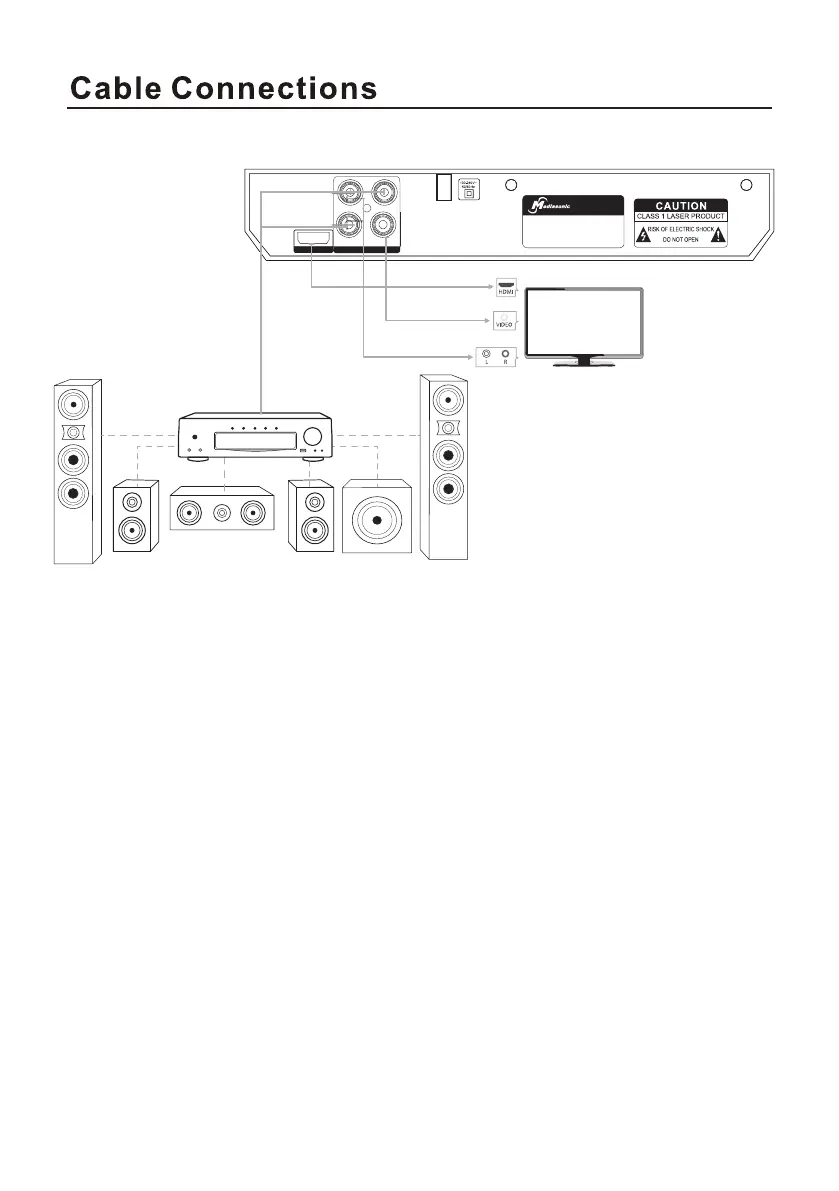
Connection Diagram
MODEL:HW210AX
POWER CONSUMPTION:10W
POWER SOURCE:100-240V~50/60Hz
AUD IO OU T/V IDEO OUT
HD OUT
R COAX
L VIDEO
DV D PLAYER
• Connect the DVD Player to your TV and/or amplifier as illustrated above.
• Turn TV on and select appropriate input port: HDMI or AV.
• Plug DVD Player to an AC outlet.
• Press POWER on front panel or on remote control. “Read” or “No Disc”
will be displayed on TV with or without a loaded disc.
• Press OPEN/CLOSE on front panel or remote, the tray will come
out/back in automatically.
• With a loaded disc, disc type will be shown on the upper left corner of
the screen.
• Press POWER on front panel or remote to switch the unit into standby
mode.



 To Next Page