Need help?
Do you have a question about the Mediatrix 1204 and is the answer not in the manual?
Describes the target audience for the manual, assuming basic LAN knowledge.
Explains the difference between Switched Circuit Network (SCN) and Public Switched Telephone Network (PSTN).
Lists other documents included with the Mediatrix 1204, such as the Quick Start booklet.
Explains how to interpret symbols and navigate the manual for product information.
Details warnings for circuit breakers, power systems, LAN ports, sockets, and electrical shock hazards.
Provides general safety guidelines like not disassembling or exposing the product to liquids.
Guides users on how to obtain technical support through partner channels.
Introduces the Mediatrix 1204 as an analog gateway connecting PSTN to VoIP networks.
Highlights benefits like cost savings, integration with existing equipment, and bypass of long-distance charges.
Explains the process of call establishment and voice signal transmission over IP networks.
Lists main hardware and software features, including FXO ports and fax interface capabilities.
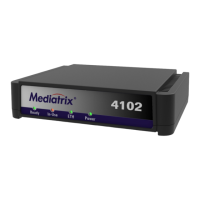
Describes the function of the Ready, In Use, LAN, and Power LEDs on the front panel.
Details the Ethernet and PSTN (FXO) ports and the power input on the back panel.
Explains the states of the Ready, In Use, LAN, and Power LEDs, including behavior during software download.
Describes Caller ID support, detection standards, and limitations like CIDCW.
Lists necessary items like a TFTP server, DHCP server, and remote party endpoints for proper operation.
Provides crucial safety precautions to follow during installation to prevent hazards.
Lists the items included in the Mediatrix 1204 package.
Guides on selecting a suitable environment, considering accessibility, cabling, and airflow.
Details methods for rack-mounting and wall-mounting the unit, including necessary kits.
Covers first-time setup, reserving IP addresses, and using the default settings switch for configuration.
Explains how to find and configure the device's IP address using DHCP or static methods.
Provides step-by-step instructions for physically connecting the Mediatrix 1204 to power and the network.
Explains how to access the device's web interface using a browser and the required format.
Describes the left-side menu structure used to access different configuration pages.
Details the process of logging in to the configuration interface using username and password.
Introduces buttons like Update, Download, Reset, RAM Check, and ROM Check for managing settings.
Guides on how to apply changes made in the configuration web pages, including effects and notes on settings.
Explains how to restart the device or reset configuration fields to previous values.
Covers essential network settings like IP addresses, subnet masks, and default routers for network operation.
Details how to set local IP, subnet mask, DNS, default router, and Syslog server addresses.
Explains the utility of Syslog for monitoring and troubleshooting, including configuration steps.
Guides on how to change the default administrator username and password for security.
Covers parameters for registering the Mediatrix 1204 with a gatekeeper, including type and H.323 ID.
Explains the process of gatekeeper registration, including states, messages exchanged, and handling of unreachable gatekeepers.
Describes the mechanism to verify gatekeeper availability and behavior when the option is enabled or disabled.
Provides practical examples illustrating gatekeeper registration scenarios and unregistration requests.
Allows configuration of individual FXO ports, including enabling/disabling and applying settings to all ports.
Covers voice coding algorithms (codecs), packetization periods, and capabilities for voice transmission.
Details settings for fax transmission, including codec selection, T.38 support, and behavior for clear channel fax.
Explains parameters like input sound level, jitter buffer protection, silence detection, and custom tone detection.
Configures how PSTN calls are handled when routed to the IP network, including speed dialing and dialing rules.
Configures how IP network calls are routed to the PSTN, including automatic prefix dialing and line type settings.
Addresses issues with detecting far-end disconnects and provides solutions like using ground start trunks.
Configures call initiation parameters like Early H.245, Fast Connect, DTMF transport, and line release timeouts.
Describes the gateway's role in call establishment between PSTN and VoIP networks.
Outlines standard call scenarios, including PSTN-to-PSTN, PSTN-to-IP endpoint, and IP endpoint-to-PSTN.
Explains how to make calls directly to unregistered H.323 endpoints without using a gatekeeper.
Details how dialing rules parse received digits for IP addresses or E.164 aliases and their priority order.
Specifies rules for dialing IP addresses, including prefixes, dots, termination, and timeouts.
Provides practical examples demonstrating various dialing rule configurations and their outcomes.
Lists required applications like TFTP server and software files for the upgrade process.
Guides on setting up a TFTP server, specifying the root path for software files.
Instructs on extracting contents from the software zip file into a correctly named directory.
Details the steps to initiate and complete a software download, including using the web interface and update button.
Explains the rescue application that automatically initiates a new download if the process is interrupted.
Covers basic handling, storage, cleaning, and environmental considerations like temperature and humidity.
Provides solutions for problems like unit non-operation, inability to make calls, and FXO port call failures.
Addresses issues with fax transmission, including poor line conditions and T.38/clear channel problems.
Helps resolve problems related to accessing the web interface, such as connection errors and display issues.
Guides on resolving errors during software communication with the server or file transfer.
Explains how to set up DHCP options for the Mediatrix 1204, recommending specific server types.
Lists essential network parameters like subnet mask, routers, and DNS servers to configure on the DHCP server.
Details the process of setting vendor-specific information in the DHCP server, including format and character limits.
Defines terms like Dial Tone, Busy Tone, Frequencies, and Impedance used in country-specific settings.
Lists parameters like dial tone frequency, busy tone sequence, and input impedance for various countries (Austria, France, etc.).
Lists agency approvals, safety standards, emissions, immunity, and telecom standards the Mediatrix 1204 complies with.
Provides compliance information for FCC Part 15 and Part 68, including operational limits and potential interference.
Covers Industry Canada certification and CE marking requirements for the device.
Defines key technical terms used throughout the manual, such as 10 BaseT, A-Law, Area Code, DSP, and DTMF.


 To Next Page
 General