EasyManua.ls Logo

Medion LIFE P15223 - User Manual

Medion LIFE P15223
144 pages
Go to English
Print Icon
To Next Page IconTo Next Page
Loading...
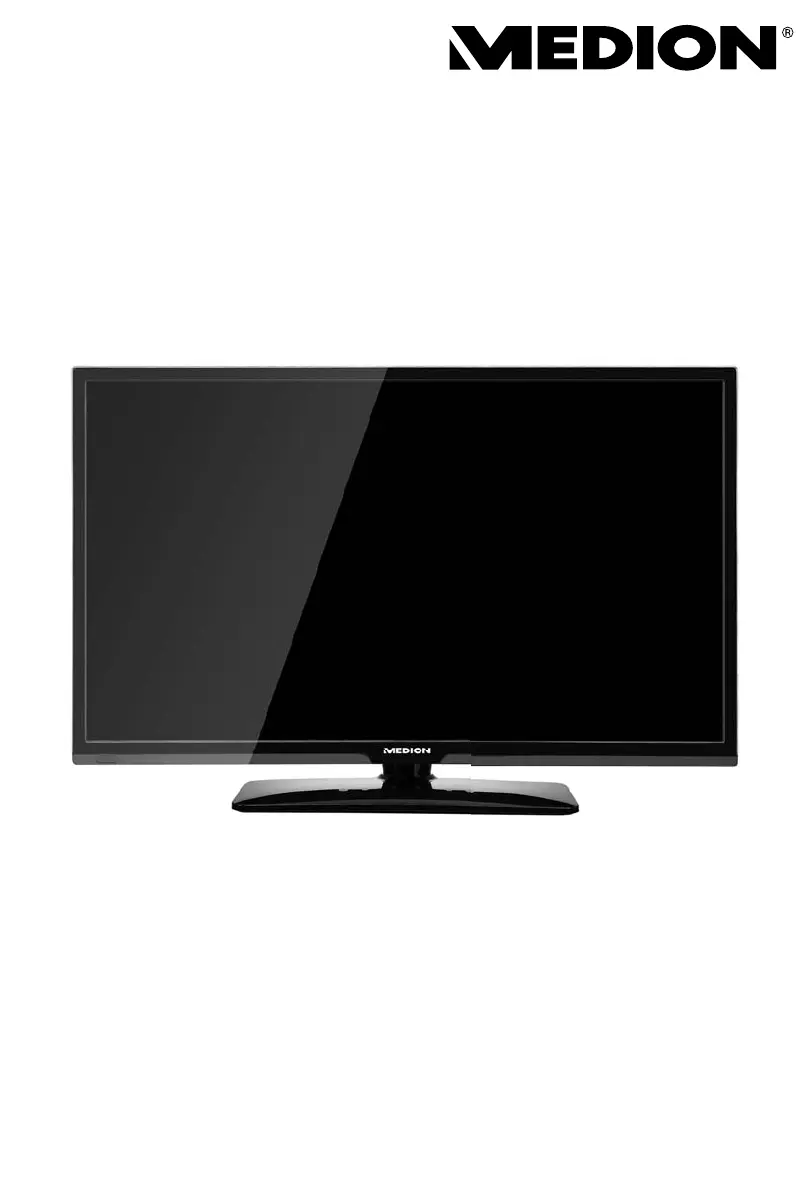
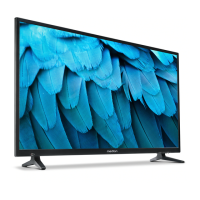
69,9 cm (27,5“) LCD LED-Backlight TV
MEDION® LIFE® P15223 (MD 21410)
Bedienungsanleitung
Instruction Manual

Table of Contents

Questions and Answers

  • H
    Heather SmithAug 16, 2025
    How to fix no picture and sound on Medion LIFE P15223 LCD TV?
    • J
      Jessica MarshallAug 16, 2025
      If your Medion LCD TV has no picture and no sound, first, ensure the power cable is properly inserted into the socket. Also, verify that the signal receiver is set to TV.
  • A
    allisonamandaAug 19, 2025
    Why is there no sound on my Medion LIFE P15223 LCD TV?
    • Q
      qrobersonSep 12, 2025
      If there is no sound on your Medion LCD TV, check the following: * Ensure the volume is not set to the minimum level. * Make sure the mute setting is not active by pressing the button with the crossed-out loudspeaker symbol on the remote control. * Check if headphones are connected. * If a satellite receiver or DVD player is connected via a SCART cable, ensure the cable is properly connected to the SCART socket.
  • A
    Amber SilvaAug 22, 2025
    What to do if Medion LIFE P15223 remote control is not working?
    • S
      Shawn HaneyAug 22, 2025
      If the remote control for your Medion LCD TV is not working, check if the batteries are fully charged and inserted in the right direction. Also, ensure the sensor field on the TV is not exposed to strong light.
  • E
    Elizabeth LopezAug 25, 2025
    How to troubleshoot no AV picture on Medion LIFE P15223 LCD TV?
    • M
      Michael SmithAug 26, 2025
      If there is no AV picture on your Medion LCD TV, check that the contrast and brightness settings are correct. Also, verify that all external devices have been connected properly and that you have selected the correct AV source.
  • F
    fburnsAug 28, 2025
    How to make picture sharper on Medion LCD TV?
    • T
      Timothy MackAug 28, 2025
      If the picture on your Medion LCD TV is not sharp, the reception might be poor, so check if the antenna is connected properly. You can also check the settings for sharpness and noise reduction in the PICTURE menu.
  • A
    Abigail PatelAug 31, 2025
    Why Medion LIFE P15223 has no picture or sound but noise?
    • J
      Jessica GatesAug 31, 2025
      If your Medion LCD TV has no picture and no sound but you can hear noise, the reception might be poor. Check if the antenna is connected properly.
  • E
    Elizabeth BrewerSep 3, 2025
    How to adjust brightness on Medion LCD TV?
    • M
      Morgan BridgesSep 3, 2025
      If the picture on your Medion LCD TV is too bright or too dark, check the settings for contrast and brightness.
  • M
    Mrs. Paula WoodSep 6, 2025
    Why is there a double picture on my Medion LCD TV?
    • S
      smartinSep 6, 2025
      If you are seeing a double or triple picture on your Medion LCD TV, check if the antenna is aligned properly. The issue might also be due to waves reflected off buildings or mountains.
  • J
    jhaleySep 9, 2025
    Why is the picture pixelated on my Medion LIFE P15223 LCD TV?
    • C
      Christine PetersSep 9, 2025
      Pixelation on your Medion LCD TV's picture may be due to interference from cars, trains, power lines, or neon lights. Also, interference between the antenna and power cables could be the cause; try positioning the cables further apart.
  • C
    Catherine WigginsSep 12, 2025
    Why does my Medion LIFE P15223 LCD TV have stripes on the display?
    • J
      James PerezSep 12, 2025
      If you see stripes on the display of your Medion LCD TV or the colors are faded, there might be interference from another device. Try operating the TV as far away as possible from the device that might be causing the interference.

Summary

1. About These Instructions

1.2. Proper Use Guidelines

Details intended private use, limitations, and prohibited modifications of the device.

2. Safety Information

2.1. Operating Safety Precautions

Guidelines for safe use, including by children, maintenance, and general operation.

2.5. Electrical Connection Safety

Details safe power supply connection, earthing, and cable management to prevent hazards.

2.6. Battery Handling and Safety

Warns about battery risks and provides safe handling instructions to prevent explosion and leakage.

3. Device Overview

3.2. Rear Panel Connections

Details all input/output ports and their functions on the back of the TV for connectivity.

3.3. Remote Control Functions

Explains the purpose of each button on the remote control for operating the TV effectively.

4. First-Time Device Setup

4.4. Antenna and Signal Connections

Explains how to connect aerials (analogue, DVB-T/C) and satellite systems for reception.

4.6. Power and Initial Operation

Covers power connection, switching on/off, and the first-time channel installation process.

5. Operating the TV

6. Teletext Features

7. Connecting External Devices

7.4. Connecting Video Playback Devices

Connecting DVD/Blu-Ray players, video recorders, and DVD recorders via various interfaces.

7.7. Connecting Tuners and Receivers

Connecting satellite, DVB-T, or decoder boxes for television signal reception.

7.10. Connecting HDMI;DVI and PC Inputs

Connecting devices with HDMI/DVI outputs and PCs to the TV for display and audio.

8. Menu System Navigation

9. Media Player Functionality

10. EPG - Programme Guide

11. Troubleshooting and Support

11.1. Common Issues and Solutions

Table of common errors like no picture/sound and their respective troubleshooting actions.

Medion LIFE P15223 Specifications

General IconGeneral
Resolution3840 x 2160 (4K UHD)
Display TypeLCD
Smart TVYes
HDMI Ports3
USB Ports2
Wi-FiYes
BluetoothNo
Refresh Rate60 Hz
Aspect Ratio16:9
Weight14.5 kg
Built-in TunerDVB-T2/C/S2
HDRYes (HDR10)

Related product manuals