EasyManua.ls Logo

MEDISTIM VQ4122 - User Manual

MEDISTIM VQ4122
34 pages
Print Icon
To Next Page IconTo Next Page
Loading...
MEDISTIM V
eri
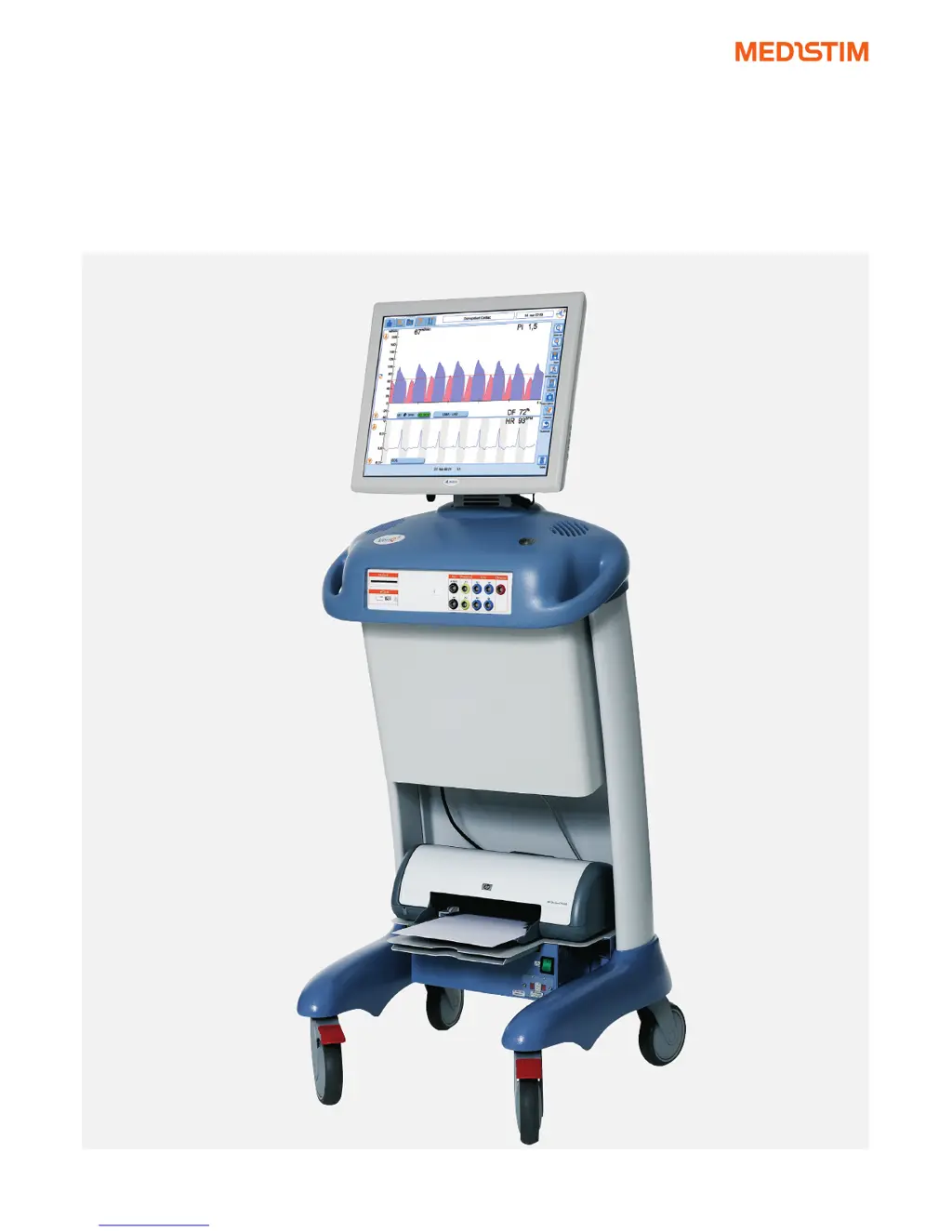
Q™ SYSTEM USER MANUAL
Mod. VQ4122 | VQ2111 | VQ1111 | VQ4001 | VQ2011 | VQ1011 | VQ1001 |

Table of Contents

Questions and Answers

  • K
    Kristin GrayAug 14, 2025
    What to do if MEDISTIM Medical Equipment Flow/Doppler Probe is not detected?
    • P
      Paul JacksonAug 14, 2025
      If the Flow/Doppler Probe isn't detected, or Pressure/Aux signals aren't recognized, or you see a 'probe failed' message with 0% ACI, first ensure the probe connector is fully inserted into the port. Next, inspect the connector for broken or bent pins. If the problem persists, try the probe in another port of the same type. If it still fails, dispose of the probe and replace it with a new one.
  • M
    Michael MartinezAug 17, 2025
    How to fix no picture on MEDISTIM VQ4122 monitor with green power button?
    • J
      Jennifer HowardAug 17, 2025
      If there's no picture on the monitor but the power button is green, the monitor might be powered off. Use the power switch on the monitor if needed and check the On-Screen Display (OSD) settings. Also, ensure the DVI-D cable and monitor power cable are properly connected to the monitor.
  • N
    nicole71Aug 21, 2025
    What to do if MEDISTIM VQ4122 Medical Equipment generates no print?
    • S
      Sarah MclaughlinAug 21, 2025
      If no print is generated, the printer might be out of paper. Load paper into the printer. Also, check if the printer is turned off and switch it on if necessary. Finally, make sure the printer power and USB cables are correctly attached.
  • W
    wmillerAug 26, 2025
    Why MEDISTIM Medical Equipment system does not start when pressing power button?
    • S
      Samantha FernandezAug 26, 2025
      If the system doesn't start when you press the power button, check that the power plug is properly connected to a powered grounded outlet.
  • K
    Kayla HartAug 28, 2025
    What to do if MEDISTIM VQ4122 screen has no response?
    • J
      Javier WilsonAug 28, 2025
      If the screen isn't responding when you press it, the touch USB cable might be disconnected from the monitor. Reconnect the cable and then reboot the system.
  • D
    Debra AndersonSep 1, 2025
    How to improve poor printing quality of MEDISTIM VQ4122 Medical Equipment?
    • D
      dsanchezSep 2, 2025
      If the printing quality is poor, the ink cartridge might be out of ink. Replace the ink cartridge.
  • N
    Nicole CastroSep 5, 2025
    What to do if MEDISTIM VQ4122 Medical Equipment screen evokes incorrect function?
    • M
      Morgan SmithSep 5, 2025
      If pressing the screen evokes an incorrect function, the touch screen might be dirty. Clean the screen.
  • A
    abrockSep 8, 2025
    What to do if Probes / Aux or Pressure contacts cannot be inserted into MEDISTIM VQ4122 Medical Equipment port?
    • D
      Deborah SchroederSep 9, 2025
      If probes, aux, or pressure contacts can't be inserted into the port, the pinhole(s) of the port might be obstructed. If available, use another port. Report this issue to a technician and block the failing port with tape until it's resolved.

Summary

Indications for Use and System Requirements

Indications for Use Statement

Outlines the FDA-cleared statement for the Medistim VeriQ™ System's intended use.

Technical Description of the Medistim VeriQ System

Principles of Measurement: Transit Time and Doppler

Details the working principles behind Transit Time and Doppler measurements.

Delivery and System Configuration

Auxiliary Inputs and Calibration

Details the use and calibration of auxiliary inputs for ECG and pressure.

Operating the Medistim VeriQ System

Preparations by the System Operator

Outlines operator tasks before measurements, including probe and patient data prep.

Probe Verification Procedure

Explains how to verify probe identity and acoustical coupling.

Operator Tasks During Surgical Procedures

Details the operator's role during procedures, including Doppler and flow measurements.

Stenosis Detection and Quantification

Explains how to detect and quantify stenosis using the system.

Transit Time Flow Measurements

Describes how to perform and save transit time flow measurements.

Saving and Reviewing Measurements

Details how to save measurements, perform memory scroll, and review data.

Surgeons Tasks: Doppler and Flow Measurements

Describes surgeon's techniques for Doppler velocity and flow measurements.

Reporting Measurement Data

Explains how to select, print, or export measurement reports.

System Settings Configuration

Details the various system settings and configuration options available.

Data Management Functions

Covers searching, editing, printing, deleting, and exporting measurement data.

Derived Traces and FFT Analysis

Explains how to calculate derived traces and perform Fast Fourier Transformation.

Trend Measurements and Analysis

Covers recording flow trends, saving, reviewing, and editing trend curves.

Measurement and Analysis (M&A) Tools

Details how to enter M&A mode and utilize various calculation indexes.

Troubleshooting the Medistim VeriQ System

Basic Troubleshooting Steps

Offers common tips for resolving basic system operation issues.

Technical Specifications

Detailed Technical Specifications

Provides comprehensive specifications including physical, electrical, and ultrasonic parameters.

Appendix A: Probe Application Overview

Probe Application and Size Guide

A guide matching Medistim probes to specific surgical procedures and vessel sizes.

Appendix B: Probe Cleaning, Disinfection, and Sterilization

MEDISTIM VQ4122 Specifications

General IconGeneral
Product NameMEDISTIM VQ4122
CategoryMedical Equipment
Probe CompatibilityCompatible with Medistim flow probes
DisplayLCD screen
Operating Temperature10°C to 40°C
Storage Temperature-20°C to 60°C
ConnectivityUSB
Measurement PrincipleUltrasound transit-time
Humidity15% to 95% relative humidity, non-condensing

Related product manuals