EasyManua.ls Logo

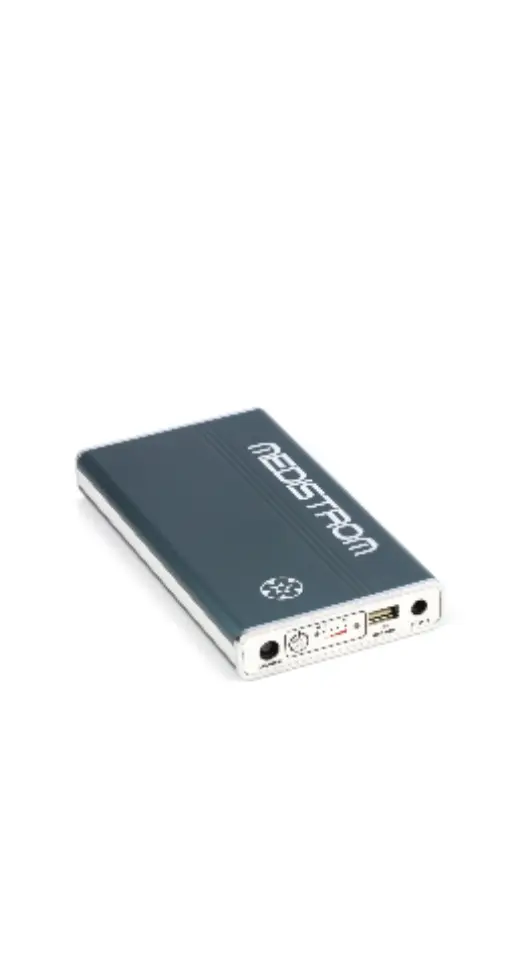
Medistrom Pilot-24 Lite - User Manual

Default Icon
16 pages
Print Icon
To Next Page IconTo Next Page
Loading...
PRODUCT MANUAL
Medistrom Pilot-12 Lite
Medistrom Pilot-24 Lite
Battery and Backup Power Supply
Thank you for purchasing the Medistrom
CPAP Battery Portable Power Supply.
Please read this product manual carefully
before putting the equipment into
operation for the rst time.
Manual Version: EU 03-11-2020

Questions and Answers

  • K
    Kevin JohnsonAug 18, 2025
    What to do if the Medistrom Power Supply battery capacity is below 5%?
    • G
      Gabrielle SimmonsAug 18, 2025
      If the Medistrom Power Supply battery capacity is below 5%, it means the battery power level is critically low. You should charge the battery as soon as possible to avoid it entering an Over Discharge State. Not charging the battery for a prolonged period will cause it to go into Over Discharge State.
  • M
    Michael SimpsonAug 20, 2025
    What AC adapter should I use for Medistrom Pilot-24 Lite Power Supply?
    • T
      Theresa MarshAug 20, 2025
      For the Medistrom Pilot-12 Lite, use the AC adapter provided with your Respironics DreamStation or Respironics System One S60, or other compatible power adapters. For the Pilot-24 Lite, use the AC adapter provided with your ResMed S9 or ResMed AirSense 10, or the Medistrom AC adapter.
  • K
    Karen GreenAug 23, 2025
    Why is the blue LED flashing rapidly with short beeps on my Medistrom Power Supply?
    • G
      gonzalesderekAug 23, 2025
      If the blue LED on your Medistrom Power Supply is flashing rapidly and accompanied by a short (200ms) beeping pattern, it could be due to an incorrect AC adapter. For Pilot-12 Lite, use the AC adapter provided with your Respironics DreamStation or Respironics System One S60 or other compatible power adapters. For Pilot-24 Lite, use the AC adapter provided with your ResMed S9 or ResMed AirSense 10 or the Medistrom AC adapter.
  • M
    mary03Aug 26, 2025
    What to do if my Medistrom Power Supply is not providing power?
    • A
      Aaron RiveraAug 26, 2025
      To resolve this, press the Multi Function Button to wake the battery from Stand-by Mode. Disconnect all devices and cables. Plug your DC output cable into the DC Out port on the battery and press the Multi Function Button. For USB Devices: Disconnect all devices and cables. Plug your DC output cable into the DC Out port on the battery then plug in your USB device into the USB Out port and press the Multi Function Button.
  • G
    Gary MarshallAug 28, 2025
    Why is the blue LED flashing every 0.5 seconds on my Medistrom Power Supply?
    • J
      Joshua WilliamsAug 28, 2025
      If the blue LED is flashing every 0.5 seconds on your Medistrom Power Supply, it means the battery capacity is below 5%. You should charge the battery as soon as possible to avoid it entering an Over Discharge State.
  • P
    Patrick MoralesAug 30, 2025
    Why is the blue LED flashing with long beeps on my Medistrom Power Supply?
    • C
      Carrie SpencerAug 30, 2025
      If the blue LED on your Medistrom Power Supply is flashing accompanied by a long (1s) beeping pattern, it indicates that the environmental temperature is too high for the battery to operate safely. Ensure the battery is placed where there is no excess heat, away from radiators or electronic devices. Do not use the battery in temperatures exceeding 40° C / 104° F.
  • D
    Daniel VegaSep 2, 2025
    What to do if the blue LED is flashing rapidly with short beeps on my Medistrom Power Supply?
    • H
      hollybaileySep 2, 2025
      If the blue LED on your Medistrom Power Supply is flashing rapidly and accompanied by a short (200ms) beeping pattern, the power source may be damaged. The power strip or outlet wiring may be damaged. Plug the AC adapter directly into a wall outlet or try using the battery with a different wall outlet.
  • W
    William WatsonSep 4, 2025
    Why is the blue LED flashing with alternating short and long beeps on my Medistrom Power Supply?
    • C
      Christine CastroSep 4, 2025
      If the blue LED on your Medistrom Power Supply is flashing accompanied by a short (500ms) and long (1s) alternate beeping pattern, it could be due to an incompatible PAP device. Ensure that the PAP device you are using is compatible with the Pilot-12 Lite or Pilot-24 Lite.
  • W
    williamguerraSep 7, 2025
    Why is the blue LED flashing with a short short long beeping pattern on my Medistrom Power Supply?
    • E
      erodriguezSep 7, 2025
      If the blue LED on your Medistrom Power Supply is flashing accompanied by a short (500ms) short (500ms) long (1s) beeping pattern, it means that the PAP device connected to battery is incompatible. Ensure that the PAP device you are using is compatible with the Pilot-12 Lite or Pilot-24 Lite.
  • A
    Amanda HancockSep 9, 2025
    Why are four green LEDs flashing with a long beep on my Medistrom Power Supply?
    • M
      Michael SalinasSep 9, 2025
      If the four green LEDs are flashing together and accompanied by a long (1s) beeping pattern on your Medistrom Power Supply, it indicates that an incorrect AC adapter is being used. For Pilot-12 Lite, use the AC adapter provided with your Respironics DreamStation or Respironics System One S60 or other compatible power adapters. For Pilot-24 Lite, use the AC adapter provided with your ResMed S9 or ResMed AirSense 10 or the Medistrom AC adapter. If the problem persists, contact Medistrom technical support at 1-888-407-4791 (North America), 1-300- 146-358 (Australia) or email support@ medistrom.com.

Summary

Pilot-12 Lite Package Contents

Pilot-12 Lite Package Contents

Details the items included in the Pilot-12 Lite package.

Pilot-12 Lite PAP Device Compatibility

Lists the specific PAP devices compatible with the Pilot-12 Lite.

Important Pilot-12 Lite Safety Usage Information

Provides crucial safety instructions for using the Pilot-12 Lite.

Pilot-12 Lite Intended Use and Compatibility

Explains the intended applications and compatibility of the Pilot-12 Lite.

Pilot-12 Lite Control Panel

Describes the functions of the Pilot-12 Lite's control panel buttons and indicators.

Pilot-12 Lite Setup

Guides users through the process of setting up and connecting the Pilot-12 Lite.

Pilot-12 Lite Specifications

Lists the technical specifications of the Pilot-12 Lite battery.

Pilot-24 Lite Package Contents

Pilot-24 Lite Package Contents

Details the items included in the Pilot-24 Lite package.

Pilot-24 Lite PAP Device Compatibility

Lists the specific PAP devices compatible with the Pilot-24 Lite.

Important Pilot-24 Lite Safety Usage Information

Provides crucial safety instructions for using the Pilot-24 Lite.

Pilot-24 Lite Intended Use and Compatibility

Explains the intended applications and compatibility of the Pilot-24 Lite.

Pilot-24 Lite Control Panel

Describes the functions of the Pilot-24 Lite's control panel buttons and indicators.

Pilot-24 Lite Setup

Guides users through the process of setting up and connecting the Pilot-24 Lite.

Pilot-24 Lite Specifications

Lists the technical specifications of the Pilot-24 Lite battery.

Care Instructions for Pilot Lite

Travelling with Pilot-12;24 Lite Battery Backup Power Supply

Storage and Disposal of your Pilot-12;24 Lite Battery Backup Power Supply

Warnings and Safety Precautions

Warranty Information

Troubleshooting Guide

Serial Number

Symbols

Medistrom Pilot-24 Lite Specifications

General IconGeneral
Battery TypeLithium-ion
Battery Capacity95 Wh
Input Voltage100-240 V AC
Frequency50/60 Hz
Operating Temperature0°C to 40°C (32°F to 104°F)
Storage Temperature-20°C to 60°C (-4°F to 140°F)
CertificationsCE, FCC, RoHS
Weight1.3 lbs (0.59 kg)
CompatibilityCompatible with most medical devices requiring external power
Power65W
ProtectionShort Circuit Protection
Output Voltage19V DC

Related product manuals