USER MANUAL & TECHNICAL DESCRIPTION
N-LINEpro_User Manual_2018-09-20.doc
MEDlight GmbH
Werrestr. 94
32049 Herford
Germany
Phone: +49 5221 99429-0
Fax: +49 5221 99429-40
e-mail: info@medlight.eu
www.medlight.eu
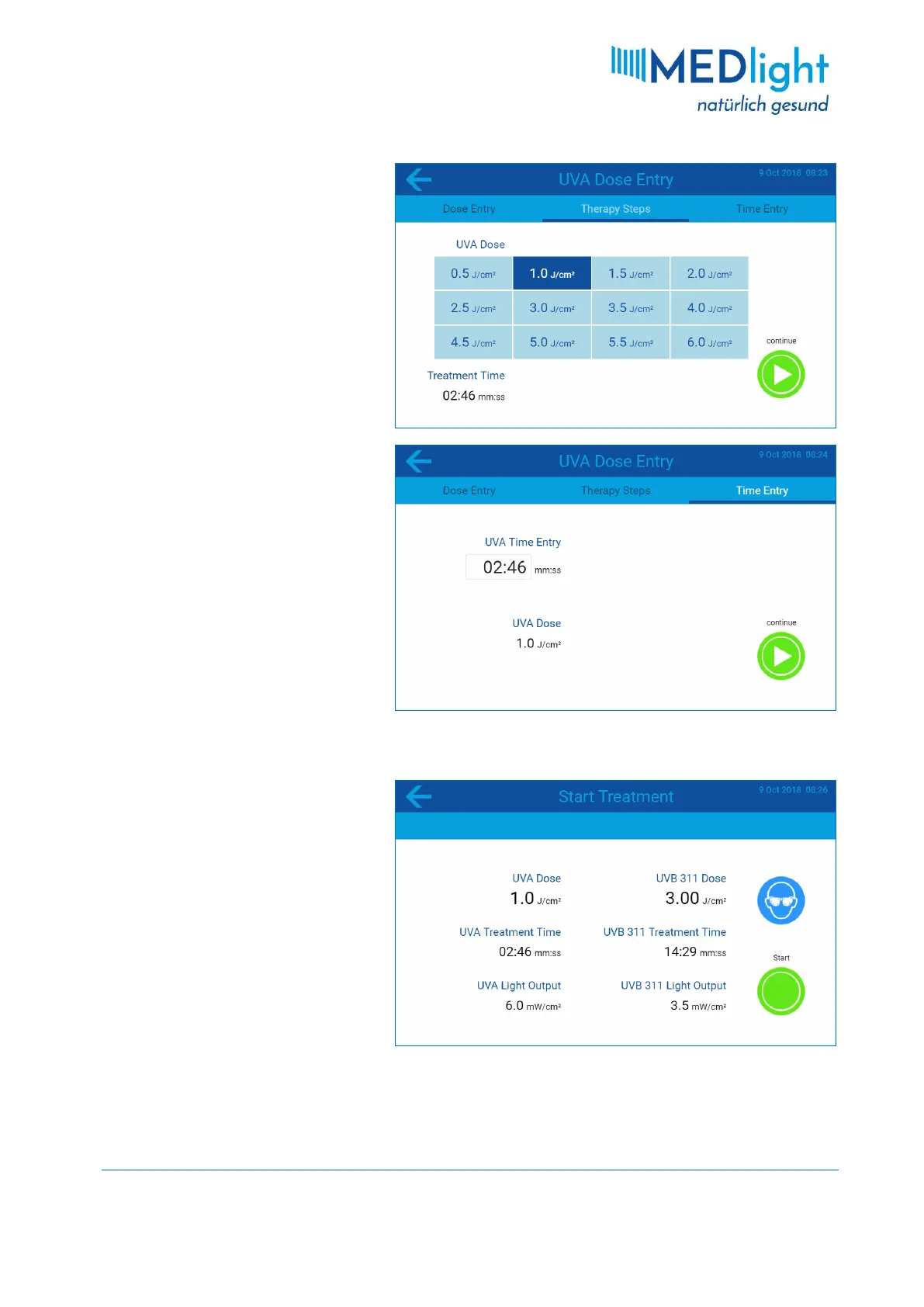
via pre-set therapy steps. For this
input option, swipe from right to left
across the screen or tap on the
THERAPY STEPS menu tab. The twelve
pre-set dose values in this menu can
also be individually adapted to your
needs (see section 3.3.8). Select the
desired dose by tapping on the
corresponding field, then press the
CONTINUE button to confirm the
selection.
However, if you prefer to enter an
exposure time instead of a dose, swipe
again from right to left across the
screen, or tap the TIME ENTRY menu
tab.
Tap on the input field and enter the
desired treatment time in minutes and
seconds via the on-screen keyboard
and press the enter key ( ). The dose
that corresponds to the set treatment
time is displayed below the input field.
To confirm the entered treatment
time and to go to the next program
step, press the CONTINUE button.
3.2.4 Ready State
The cabin is now ready for treatment.
Before the therapy is started, check in
this menu again the correctness of
your previously set therapy
parameters. In case that a correction is
required, press the arrow button ← to
return to the previously described
menu. However, if all entries are
correct, the patient can now enter the
cabin. Please read section 7.1
TREATMENT INSTRUCTIONS before you
press the START button to start the
therapy and switch on the UV tubes!


 To Next Page