USER MANUAL & TECHNICAL DESCRIPTION
N-LINEpro_User Manual_2018-09-20.doc
MEDlight GmbH
Werrestr. 94
32049 Herford
Germany
Phone: +49 5221 99429-0
Fax: +49 5221 99429-40
e-mail: info@medlight.eu
www.medlight.eu
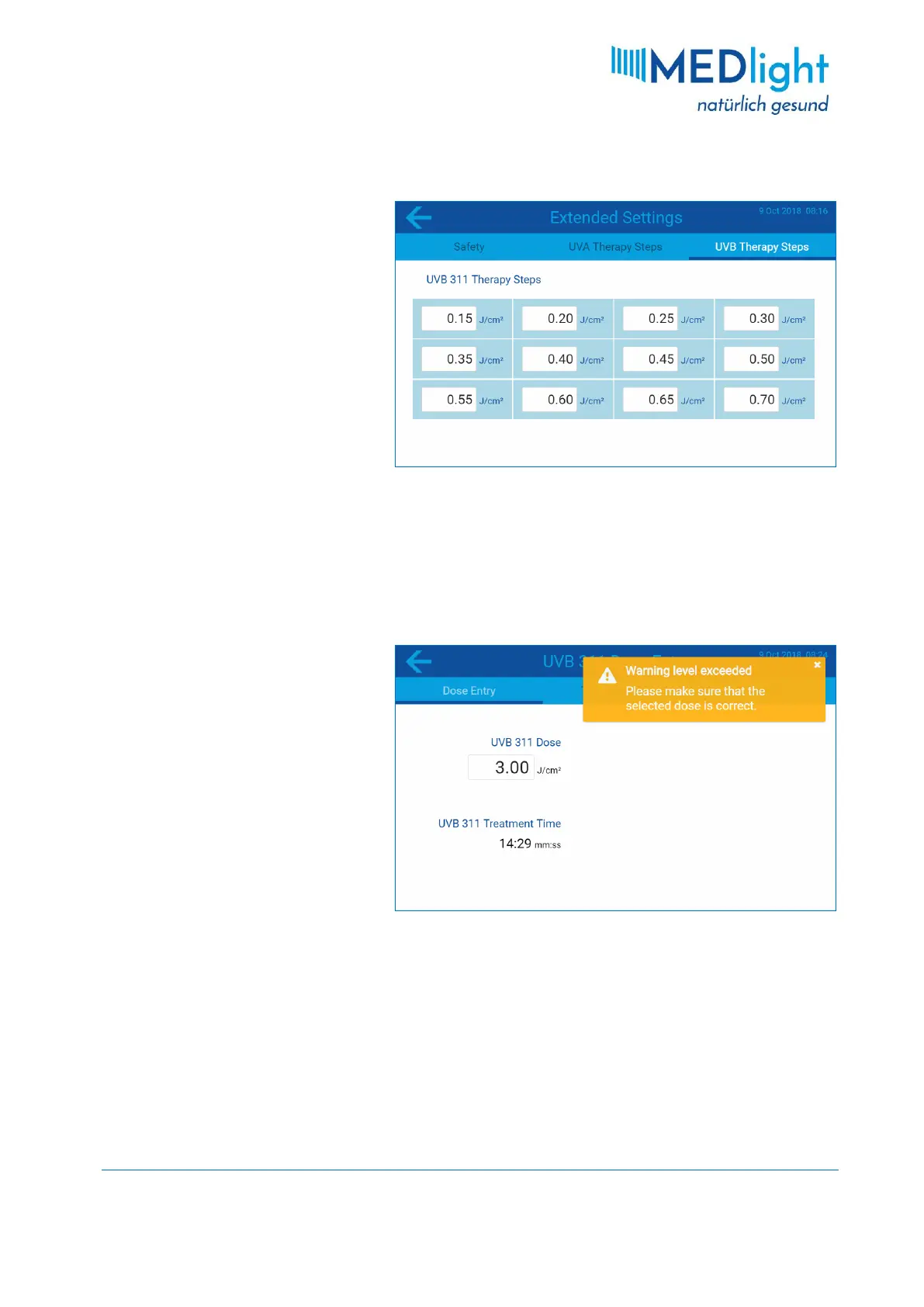
3.3.8 Change Therapy Steps
When you are in the EXTENDED SETTINGS
menu, swipe from right to left across
the screen or tap the THERAPY STEPS
menu tab. Depending on the UV tube
types the cabin is equipped with, you
have either a THERAPY STEPS menu tab
for UVA or one for UVB. In cabins that
are equipped with two different types
of tubes, both menu tabs are
available, as shown in the example. To
change the dose values for the therapy
steps simply tap on the respective
input field and enter the desired dose.
After making the desired changes in the EXTENDED SETTINGS menu, press the arrow button ← in the upper
left corner of the screen to exit the menu.
3.4 System Messages
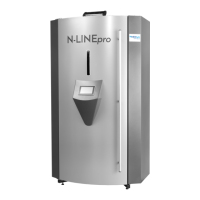
3.4.1 Warning Level Exceeded
If a dose warning level has been set as
described in section 3.3.5 and a dose
equal to or greater than the set
warning threshold is entered, this
message is displayed. Please make
absolutely sure that the selected dose
is actually correct. If this is the case,
you can close the message by tapping
the in the upper right corner of the
message window. Subsequently, you
can proceed with the selected dose as
usual.


 To Next Page