EasyManua.ls Logo

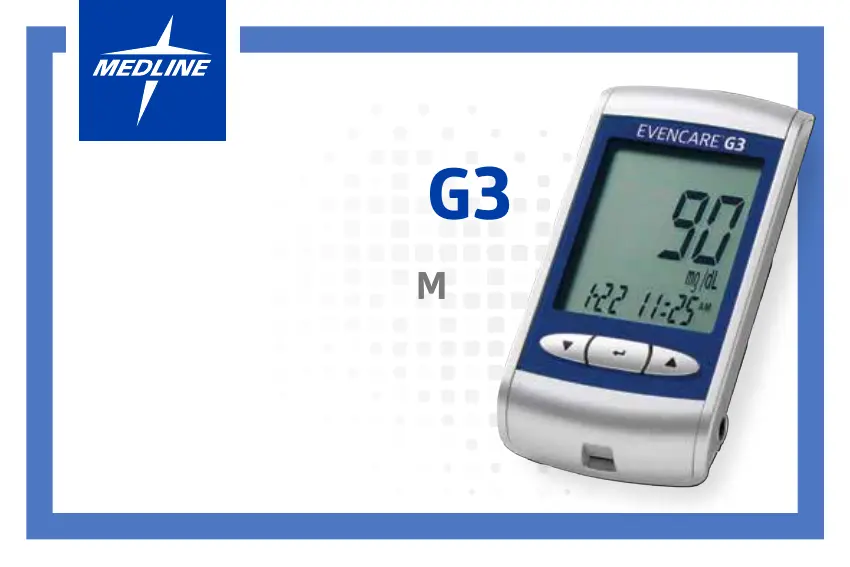
Medline EVENCARE G3 - User Manual

Medline EVENCARE G3
62 pages
Print Icon
To Next Page IconTo Next Page
Loading...
USER’S GUIDE
BLOOD GLUCOSE
MONITORING SYSTEM
EVENCARE
®
G3

Other manuals for Medline EVENCARE G3

Questions and Answers

  • J
    Judith GonzalezAug 13, 2025
    What to do if Medline EVENCARE G3 shows glucose test result is higher than 600 mg/dL?
    • W
      williamskeithAug 13, 2025
      If your Medline Blood Glucose Meter displays a glucose test result higher than 600 mg/dL, wash and dry your hands, then repeat the test using a new test strip on the patient’s fingertip. If the result remains “HI,” it is important to contact the patient’s physician or healthcare provider for further assistance.
  • S
    Stephanie MahoneyAug 17, 2025
    What to do if Medline EVENCARE G3 shows glucose test result is lower than 20 mg/dL?
    • M
      Mark HamiltonAug 17, 2025
      If your Medline Blood Glucose Meter shows a glucose test result lower than 20 mg/dL, wash and dry your hands, and then repeat the test on the patient’s fingertip with a new test strip. If the result is still “LO,” it is important to contact the patient’s physician or healthcare provider.
  • M
    Michael MolinaAug 21, 2025
    How to fix problems with Medline Blood Glucose Meter electronics?
    • T
      theresa11Aug 21, 2025
      If you encounter a problem with the Medline Blood Glucose Meter's electronics, try replacing the battery and turning the meter on again. This may resolve the issue.
  • L
    Linda HughesAug 25, 2025
    What to do if Medline EVENCARE G3 Blood Glucose Meter shows temperature is out of range?
    • T
      Thomas RiveraAug 25, 2025
      If the Medline Blood Glucose Meter displays an error related to temperature, move the meter to a location where the temperature is between 50°F and 104°F. Allow approximately 15 minutes for the meter to adjust to the new temperature before using it.
  • M
    Martin HubbardAug 28, 2025
    What to do if Medline EVENCARE G3 Blood Glucose Meter shows used test strip error?
    • J
      James WheelerAug 28, 2025
      If you get an error on your Medline Blood Glucose Meter while testing, it might be because you used a test strip that has already been used. To solve this, repeat the test using a new test strip.
  • V
    Valerie CraneSep 1, 2025
    What to do if the strip was removed from Medline EVENCARE G3 during testing?
    • T
      Timothy TaylorSep 1, 2025
      If you removed the strip from the Medline Blood Glucose Meter during testing, you will need to repeat the test with a new test strip.
  • J
    Joshua HenrySep 5, 2025
    What to do if Medline Blood Glucose Meter says the size of the blood sample was too small?
    • S
      Sara BradleySep 5, 2025
      If the Medline Blood Glucose Meter indicates that the blood sample size was too small, repeat the test using a new test strip to ensure accurate results.
  • I
    Ivan AllenSep 8, 2025
    Why Medline Blood Glucose Meter has no results stored?
    • D
      Dustin WilliamsonSep 8, 2025
      If there are no results stored in your Medline Blood Glucose Meter, make sure that the date and time are set up correctly. This will help the meter store and display your readings accurately.

Summary

Introduction to EVENCARE G3

Intended Use of the System

Describes the system's purpose and target users for blood glucose monitoring.

Important Safety Instructions

Details safety precautions for handling and using the device.

About the EVENCARE G3 Blood Glucose Monitoring System

Contents of Kit

Lists the items included in the EVENCARE G3 Blood Glucose Monitoring System kit.

EVENCARE G3 Meter Overview

Describes the components and features of the EVENCARE G3 meter.

Meter Display Screen Explanation

Explains the various icons and areas on the meter's display screen.

EVENCARE G3 Blood Glucose Test Strip

Details the features and important handling information for test strips.

EVENCARE G3 Glucose Control Solutions

Explains the purpose and types of control solutions for the system.

Meter Setup Procedures

Inserting the Battery

Provides step-by-step instructions for inserting the battery into the meter.

Setting Date and Time

Guides users on how to set the date and time on the meter.

Setting the Beeper On;Off

Explains how to enable or disable the beeper function for alerts.

Setting the QC Lock Mode

Details how to activate or deactivate the QC lock mode on the meter.

Control Solution Testing

Explains when and how to perform control solution tests.

Testing a Patients Blood Glucose

Lancing Device Usage

Instructions on using the auto-disabling single-use lancing device.

Alternative Site Testing (AST) Information

Provides guidance and limitations for testing on sites other than the fingertip.

Running the Blood Glucose Test

Step-by-step guide on performing a blood glucose test.

Disposing Used Test Strips and Lancets

Instructions on the safe disposal of used test strips and lancets.

Understanding Blood Glucose Test Results

Interpreting Blood Glucose Test Results

Explains how to interpret blood glucose test results and reference ranges.

Viewing Meter Memory and Averages

Viewing Stored Readings and Day Averages

Details how to access and review stored test results and averages.

Caring for the Meter

Cleaning and Disinfecting Procedures

Provides guidelines for cleaning and disinfecting the blood glucose meter.

Storage and Precautions

Outlines proper storage conditions and precautions for the meter and strips.

Troubleshooting Common Issues

System Specifications

Product Warranty Information

Medline EVENCARE G3 Specifications

General IconGeneral
BrandMedline
ModelEVENCARE G3
CategoryBlood Glucose Meter
LanguageEnglish

Related product manuals