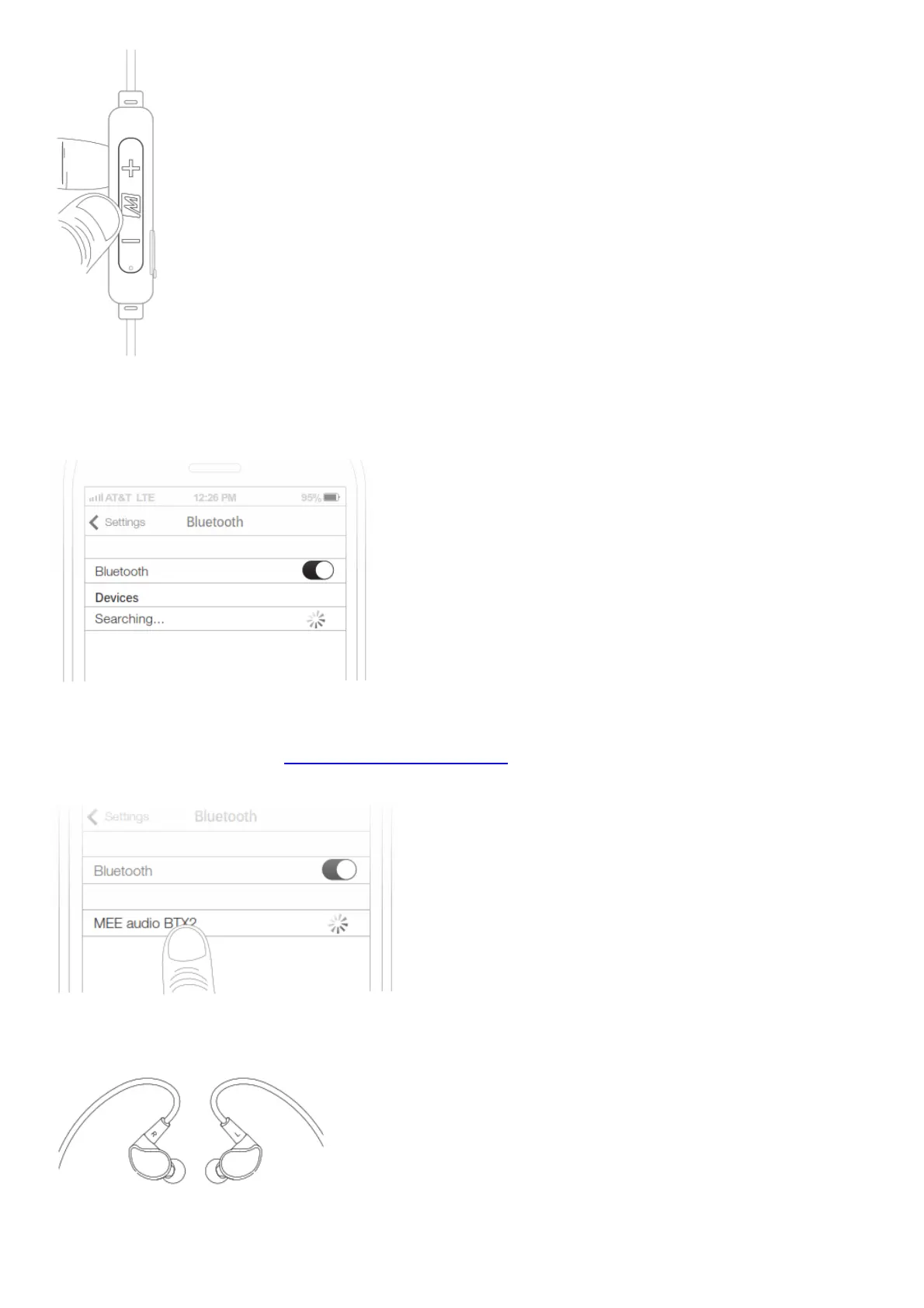
STEP 3: PAIRING (CONTINUED)
Open the Bluetooth menu on the device you wish to pair (usually located in Settings > Bluetooth). If
needed, select “search for devices”, “add new device”, or “refresh”.
STEP 3: PAIRING (CONTINUED)
Select “MEE audio BTX2” and allow pairing to complete. Use “0000” if a pin is required. Visit the
Bluetooth Support Page at MEEaudio.com/Bluetooth for additional Bluetooth pairing and setup
information.
STEP 4: WEARING THE BTX2
Identify the right and left earpieces. Place the cable behind your neck and route the ear hooks over
your ears.



 To Next Page