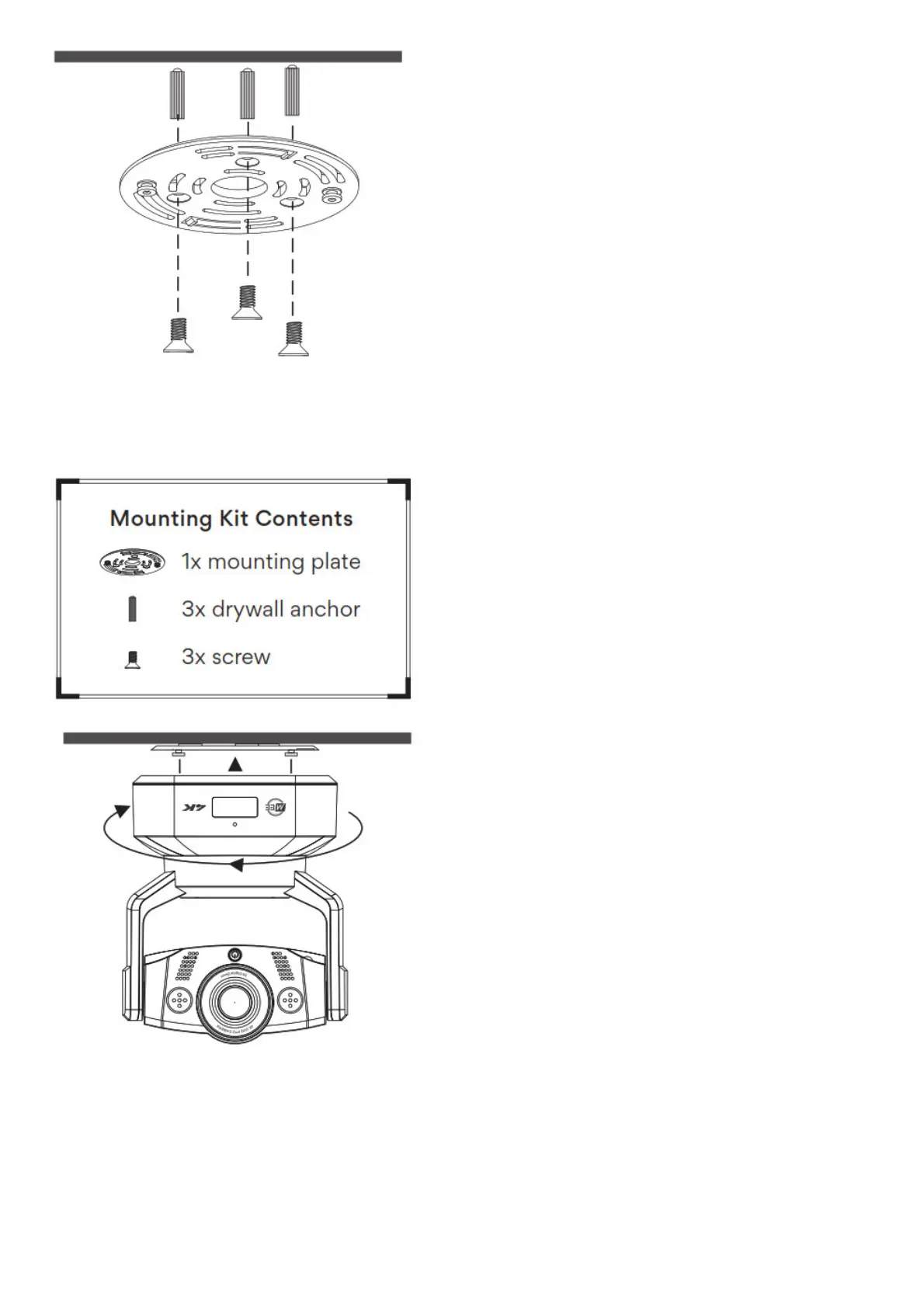
Use the included hardware to attach the mounting plate to the ceiling as shown. Point the arrow on the
mounting plate in the direction you want the camera to face.
Caution: If you’re mounting the camera on drywall, be sure to use the included drywall anchors.
Push the camera against the mounting plate and rotate it clockwise.
Caution: Always hold the camera by the base and avoid touching the lens
Setup
Connect the camera to your computer’s USB port
Note: The camera will perform an automatic scan across its full range of motion when connected
Video Setup


 To Next Page