SETUP (Continued):
CONNECTING TO TV OR OTHER AUDIO DEVICE
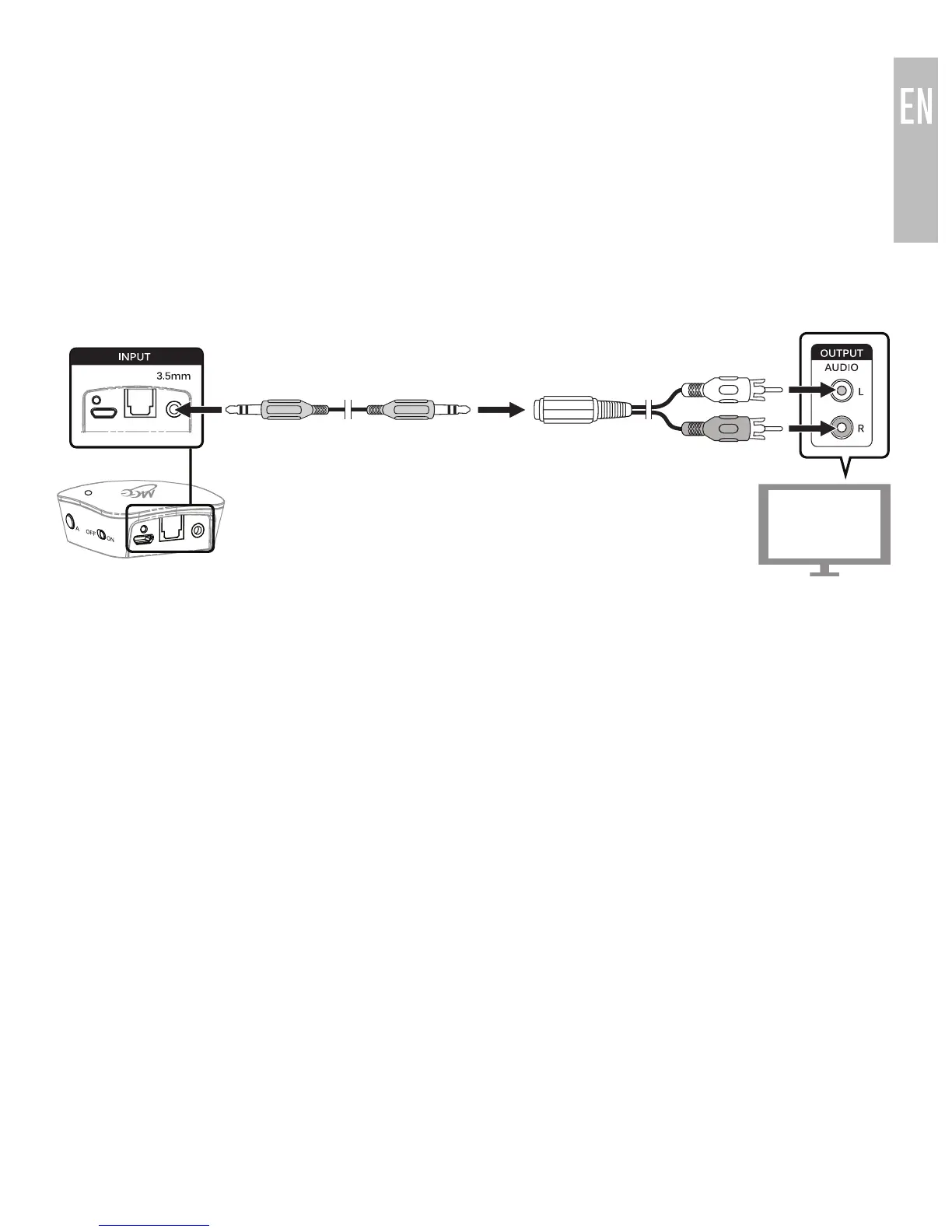
Option 2: RCA audio out (red and white connectors)
Older TVs usually have analog audio output with RCA (red and white)
connectors. To use the RCA output, attach the included RCA adapter to the
3.5mm stereo audio cable. Plug the connectors of the RCA adapter into the
matching-color RCA jacks on the TVs and plug the attached 3.5mm cable into
the 3.5mm input on the rear of the
Connect
.
The volume of RCA audio output is typically fixed and TV speakers can be
controlled independently of the
Connect
.
continue to next page
6


 To Next Page