Charging
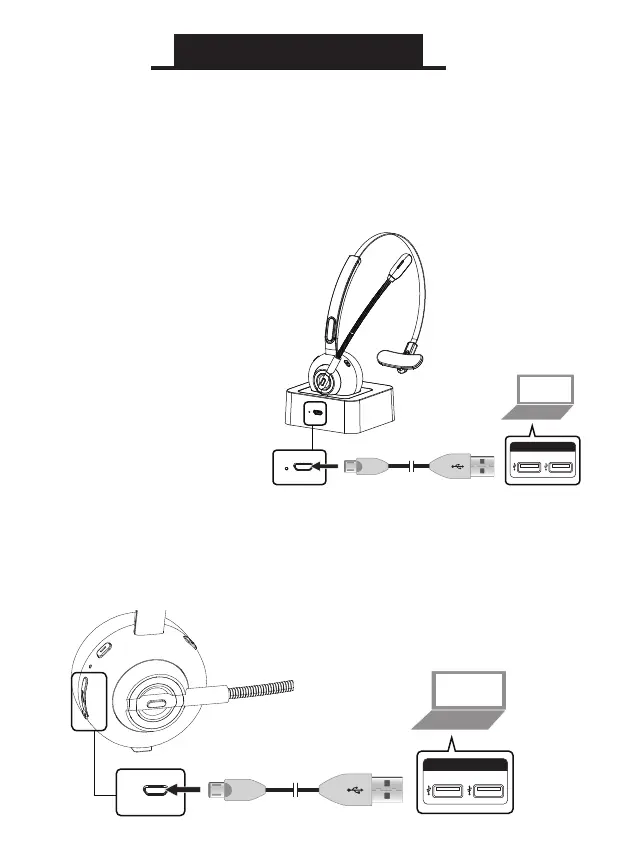
Connect the dock to any
powered USB port using
the included micro-USB
cable. The red power
indicator light on the
charging dock will light up.
Place headset on
charging dock.
Low battery is indicated by a flashing red status indicator
light and “battery low” voice notification every five minutes.
Charging time is approximately 2 hours. The red status
indicator light on the headset will turn blue once fully
charged.
Option 1:
Using Charging Dock
PORT
USB
Directly connect the H6D headset to any powered USB port
using the included micro-USB cable.
Option 2: Using USB Cable
PORT
USB


 To Next Page