interface
+
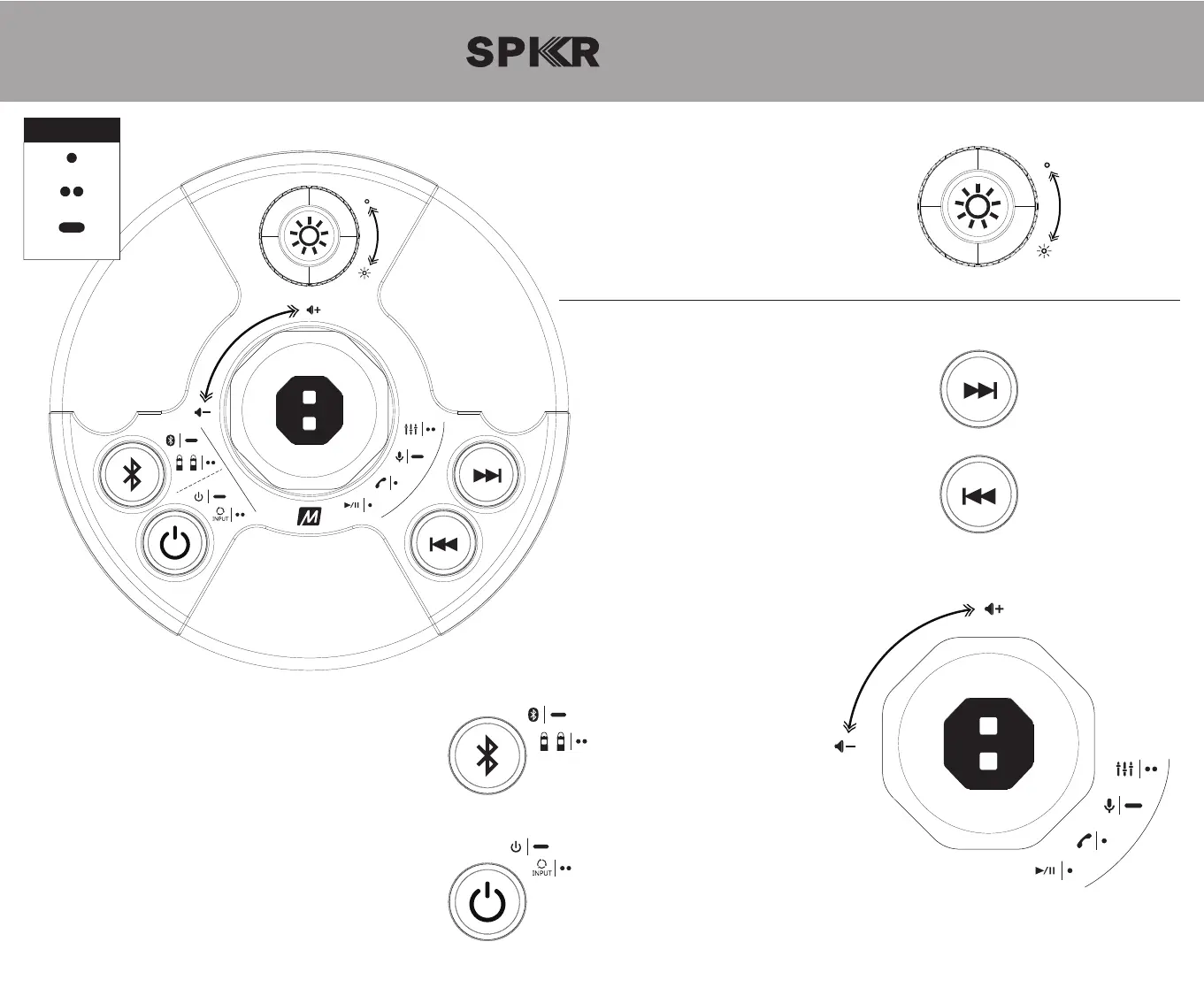
Lantern control
Light on / off: turn knob
Next track button
Next track: single press
Previous track button
Previous track: single press
Bluetooth button
Bluetooth pairing: long press
Enable/disable stereo mode: double press
Factory reset: press and hold 8s
Power button
Power on/off: long press
Change audio source*: double press
*available only if multiple sources are connected
light
Audio control
Volume up/down: turn knob
Play/pause: single press
Siri
®
/ Google Assistant
™
: long press
Answer/hang up phone call: single press
Refuse incoming call: long press
Change MEE audio mode: double press
+
Legend
10s
single press
double press
long press


 To Next Page