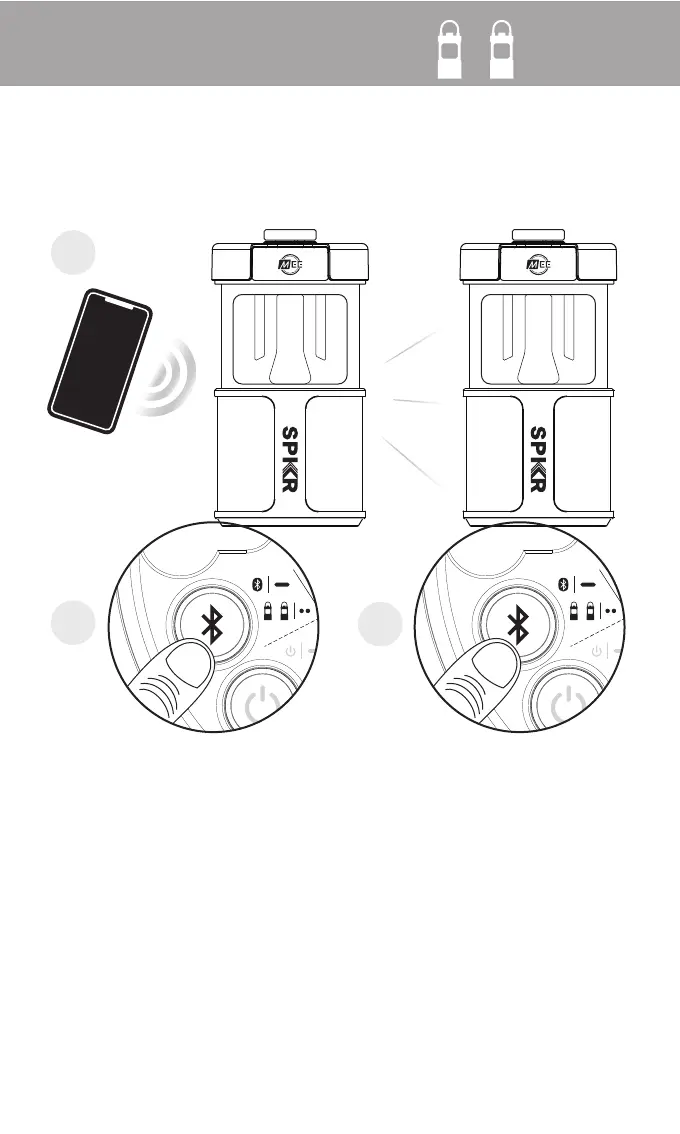
Step 1:
Connect the first lightSPKR to your device. This will
become your left speaker
Step 2:
Double press the Bluetooth button on left speaker
Step 3:
Double press the Bluetooth button on right speaker
Note: Double press the Bluetooth button on left speaker
again to exit stereo mode
stereo mode
2x 2x
1
2
3
+
Stereo mode
Connect two lightSPKRs together in stereo for louder, more natural sound


 To Next Page