Switch audio inputs
Switch between Bluetooth, USB, and AUX input
audio sources
or
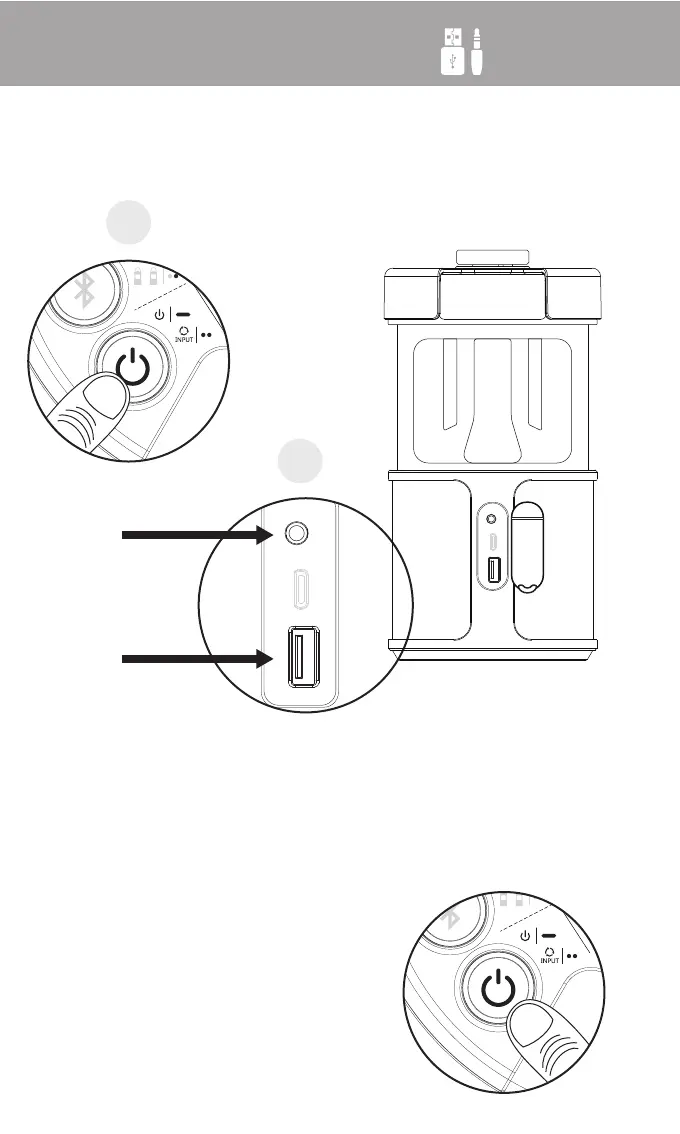
Step 1:
Power on the lightSPKR
Step 2:
Plug a 3.5mm audio cable into the AUX input or a
USB stick with music into the USB port.
Audio source will automatically
switch to the connected device.
Note: When 2 or more sources are
connected, double press power
button to cycle available sources
1
2
AUX
DC 5V
5V 1A
AUX Type-C USB
2x


 To Next Page