8
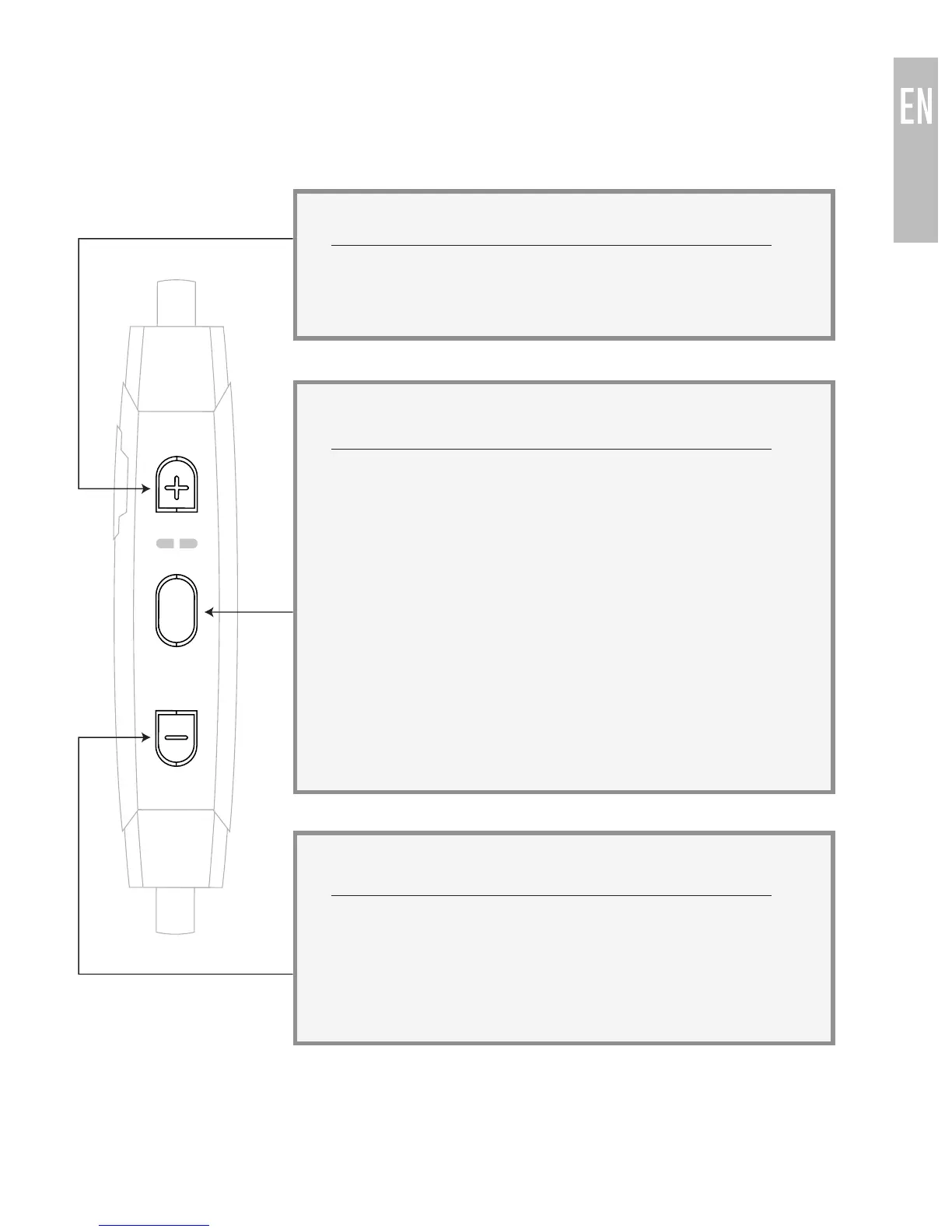
CONTROLS
The X7 can control media and phone calls from a smartphone or tablet.
VOLUME UP / SKIP TRACK BUTTON
[TAP]
[HOLD 1 sec]
- Increase volume
- Next track
MULTIFUNCTION BUTTON
[HOLD 3 sec]
[TAP]
[TAP]
[HOLD 2 sec]
[TAP]
[DOUBLE TAP]
[HOLD 7 sec]
- Power on
- Play / Pause
(during media playback*)
- Answer Incoming Call
- Reject Incoming Call
- End call (during phone call)
- Redial**
- Power off
VOLUME DOWN/PREVIOUS TRACK BUTTON
[TAP]
[HOLD 1 sec]
[HOLD 2 sec]
- Decrease volume
- Previous track
- Mute/unmute microphone
(during phone call)
* You may need to bring your music player application up on the screen for
media playback to start
** Not all devices support this functionality



 To Next Page