EN
61
TROUBLESHOOTING
Code displayed Cause Corrective action
F1 Rain delay activated. No action is required.
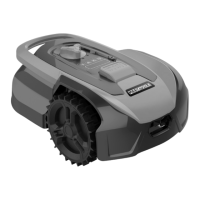
E1 Mower outside cutting zone. 1. Place the mower inside the perimeter wire.
2. If the error code is displayed when the
mower is inside the cutting zone, check that
the charging station is correctly connected
to the mains adapter and that the mains
adapter is correctly connected to a power
outlet that works. If they are correctly
connected, the perimeter wire is clamped
incorrectly – the ends of the wires must
change place.
E11 No perimeter wire signal. If the robot lawn mower is inside the mowing
area (inside the perimeter wire) and the
charging station’s status light is ashing red,
check that both ends of the perimeter wire
are correctly connected to the terminals of
the charging station. If the error code is still
displayed, check there are no breaks in the
perimeter wire.
E2 Wheel motor blocked. 1. Turn o the robot lawn mower and move it
to an area where there are no obstacles.
2. Turn the robot lawn mower on by pressing
the power switch and then the START button
and the OK button.
3. If the error code is still displayed, turn o
the mower, turn it upside down and inspect
for foreign objects that may be preventing the
wheels from rotating.
4. Remove any obstructions, turn the mower
upright and press the power switch. Then
press START and OK.


 To Next Page