EasyManua.ls Logo

Meec tools 027415 - User Manual

Meec tools 027415
100 pages
Go to English
Print Icon
To Next Page IconTo Next Page
Loading...
BETJENINGSANVISNINGER
Oversettelse av originalinstruksjonene
INSTRUKCJA OBSŁUGI
Przekład instrukcji oryginalnej
BRUKSANVISNING
Översättning av originalinstruktioner
OPERATING INSTRUCTIONS
Original instructions
BEDIENUNGSANLEITUNG
Übersetzung der Originalanleitung
YTTÖOHJE
Alkuperäisten ohjeiden käännös
INSTRUCTIONS D’UTILISATION
Traduction des instructions d’origine
BEDIENINGSINSTRUCTIES
Vertaling van de originele instructies
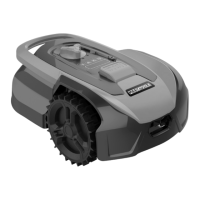
ROBOTIC LAWN MOWER
ROBOTGRESSKLIPPER
KOSIARKA AUTOMATYCZNA
ROBOTGRÄSKLIPPARE
ROBOTIC LAWN MOWER
027415
MÄHROBOTER
ROBOTTIRUOHONLEIKKURI
ROBOT TONDEUSE
ROBOTGRASMAAIER

Questions and Answers

  • T
    Tanner OliverAug 18, 2025
    What to do if my Meec tools 027415 Lawn Mower shows error E1?
    • M
      Michael SpencerAug 18, 2025
      If your Meec tools Lawn Mower displays error code E1, it indicates that the mower is outside the cutting zone. First, place the mower inside the perimeter wire. If the error persists when the mower is within the cutting zone, verify that the charging station is correctly connected to the mains adapter and that the adapter is plugged into a working power outlet. If everything is connected correctly, the perimeter wire might be incorrectly clamped, and the ends of the wires should be swapped.
  • W
    William ButlerAug 20, 2025
    What does error E11 mean on my Meec tools 027415 and how to fix it?
    • J
      Justin PalmerAug 20, 2025
      Error code E11 on your Meec tools Lawn Mower indicates that there is no perimeter wire signal. If the mower is within the mowing area (inside the perimeter wire) and the charging station's status light is flashing red, ensure both ends of the perimeter wire are correctly connected to the terminals of the charging station. If the error code continues to appear, check the perimeter wire for any breaks.
  • A
    Aaron HerreraAug 23, 2025
    What to do if my Meec tools 027415 displays error E2?
    • Z
      zachary57Aug 23, 2025
      If your Meec tools Lawn Mower shows error code E2, it means the wheel motor is blocked. Here’s what to do: 1. Turn off the mower and move it to an area free of obstacles. 2. Turn the mower back on by pressing the power switch, then press the START and OK buttons. 3. If the error persists, turn off the mower, turn it upside down, and check for any objects preventing the wheels from rotating. 4. Remove any obstructions, turn the mower upright, press the power switch, and then press START and OK.
  • M
    Madison JohnsonAug 26, 2025
    How to fix error E3 on Meec tools 027415 Lawn Mower?
    • M
      michael06Aug 26, 2025
      To resolve error E3 on your Meec tools Lawn Mower, which indicates a blocked rotor: 1. Turn off the mower. 2. Turn it upside down and inspect for any foreign objects obstructing the rotor. 3. Remove any obstacles. 4. Turn the mower right side up, move it to an area with short grass or adjust the cutting height. 5. Press the power switch, then press START and OK.
  • S
    Stacy LeonardAug 27, 2025
    What should I do if my Meec tools 027415 shows error E4?
    • M
      Mr. Michael Harris MDAug 28, 2025
      If your Meec tools Lawn Mower displays error E4, it means the obstruction sensor has not been reset. To fix this: 1. Turn off the mower. 2. Move it to an area without obstacles. 3. Remove the floating cover and ensure its cylindrical magnets can move freely, removing any obstructions, then replace the cover. 4. Press the power switch, then press START and OK.
  • B
    Brittney StricklandAug 30, 2025
    Why does my Meec tools 027415 show error E5?
    • E
      Emily MathewsAug 30, 2025
      Error E5 on your Meec tools Lawn Mower indicates that the mower has been lifted off the ground. To resolve this: 1. Turn off the mower. 2. Move it to an area free of obstacles. 3. Press the power switch, then press START and OK. 4. If the error persists, turn off the mower, turn it upside down, and inspect for foreign objects preventing the front wheels axel from moving freely. 5. Remove any obstructions, turn the mower upright, press the power switch, and then press START and OK.
  • J
    Jasmine MurphySep 2, 2025
    What does error E8 mean on my Meec tools 027415 Lawn Mower and how can I resolve it?
    • S
      stewartjeffreySep 2, 2025
      Error E8 on your Meec tools Lawn Mower indicates that docking was unsuccessful. To resolve this: 1. Ensure there is at least 1 meter of straight perimeter wire and no obstacles in front of and behind the charging station. 2. The charging station must be positioned on level, horizontal ground, not on a slope, and the surface must be flat. 3. Manually dock the mower in its charging station. Once the battery is fully charged, press START and OK.
  • K
    Kelly ZunigaSep 4, 2025
    What does error BP mean on my Meec tools 027415?
    • J
      John RussellSep 4, 2025
      Error BP on your Meec tools Lawn Mower indicates that the battery temperature is either too high or too low. First, check the battery temperature. If it's too hot, allow it to cool down. If it's too cold, wait for it to warm up to at least 5°C. Then, press START and OK. If the error persists, replace the battery and press the power switch, followed by START and OK. If the error repeatedly occurs, contact your retailer.
  • S
    Scott BondSep 6, 2025
    What to do if my Meec tools Lawn Mower has error E7?
    • K
      Kelly FosterSep 7, 2025
      If your Meec tools Lawn Mower displays error E7, it means the tilt sensor has been triggered. To resolve this, turn off the mower, move it to a flat, horizontal surface, press the power switch, and then press START and OK.
  • M
    Misty ShafferSep 9, 2025
    What does error EE mean on Meec tools Lawn Mower?
    • R
      ruizjenniferSep 9, 2025
      If your Meec tools Lawn Mower displays error code EE, it indicates an unknown error. Try pressing the power switch, then START and OK. If the error persists, contact your retailer.

Summary

SAFETY INSTRUCTIONS

Use

General safety guidelines for operating the mower.

Training

Instructions for users to familiarize themselves with the product.

Preparation

Steps to take before operating the mower.

Maintenance and storage

Guidelines for upkeep and storing the mower.

Special Safety Instructions

General Precautions

Covers handling, operation, and transport safety points.

Storm Protection

Guidelines for protecting the mower from lightning.

SYMBOLS

Symbols on the mower

Explains icons related to the mower's functions.

Symbols on the chargers

Explains icons related to the charging station.

Symbols on the battery

Explains icons related to the battery.

PRODUCT INFORMATION

Technical Data

Lists technical details like cutting area, battery capacity, etc.

Description

Provides a general description of the robot lawn mower.

PERIMETER WIRE INSTALLATION

Layout and Obstacles

Covers placement, corners, passages, and slopes.

CHARGING STATION CONNECTION

Power Supply

Steps to connect the charging station to a power outlet.

OPERATION AND TESTING

Installation Testing & Basic Operation

Verifying installation and performing initial operations.

CHANGING THE PIN CODE

PIN Code Modification

Procedure for changing the mower's PIN code.

SETTINGS AND CONFIGURATION

Date, Time, Mowing Time, and Days

Configuring schedule and operation times.

MAINTENANCE

General Maintenance

Overview of regular maintenance requirements.

BLADE REPLACEMENT

Blade Changing Procedure

Instructions and safety for replacing mower blades.

CLEANING

Mower Cleaning

How to clean the robot lawn mower safely.

TROUBLESHOOTING

Error Code F1

Cause and correction for rain delay activation.

Error Code E1

Cause and correction for mower outside cutting zone.

Error Code E11

Cause and correction for no perimeter wire signal.

Error Code E2

Cause and correction for blocked wheel motor.

Error Code E3

Cause and correction for blocked rotor.

Error Code E4

Cause and correction for obstruction sensor issue.

Error Code E5

Cause and correction for mower lifted off ground.

Error Code E6

Cause and correction for rollover sensor trigger.

Error Code E7

Cause and correction for tilt sensor trigger.

Error Code E8

Cause and correction for docking failure.

Error Code BP

Cause and correction for battery temperature issues.

Error Code EE

Cause and correction for unknown errors.

Meec tools 027415 Specifications

General IconGeneral
BrandMeec tools
Model027415
CategoryLawn Mower
LanguageEnglish

Related product manuals