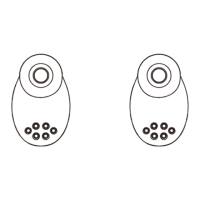
M1 basics
Power On/Power off
Pick up earbuds from the charging case , earbuds will be power on
automacally, you will hear "Power on"Put the earbuds into the charging
case, earbuds will be power off and start to charge, you will hear
"Power Off"
Accept Call/Reject Call
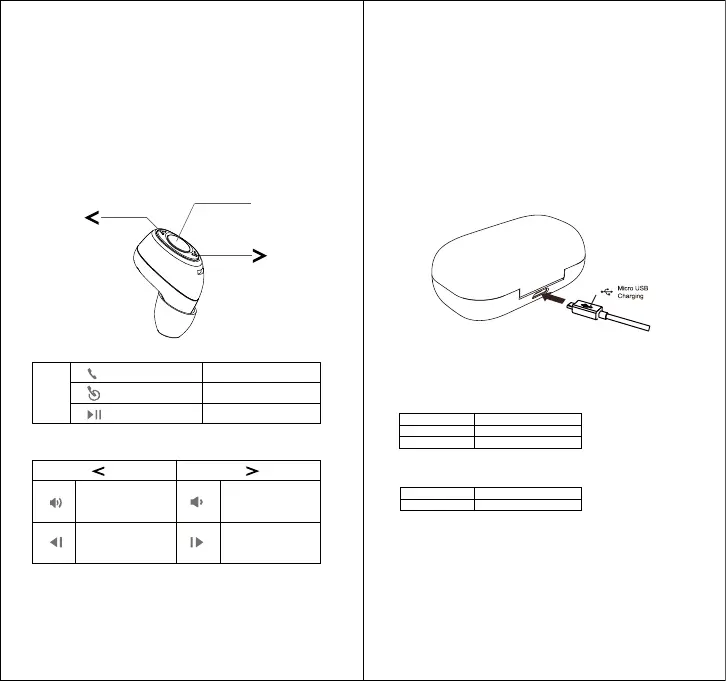
Short press MFB
Redial Last Call Press MFB twice
Play/Pause Music Short presss MFB
Volume"+"
Short press
Previous song
Long press
Volume"-"
Short press
Next song
Long press
Earbud status lights
Status Color
Charging Red
Fully charged Off
Case status lights
When your case is plugged into a charge cable for charging , you will see
charging lights.
Charging Slow blinking blue
Full charge Steady blue light
Note: Your baery is designed to last life of the product. It should only
be removed by a recycling facility. And aempt to remove or replace
your baery will damage the product and void your warranty.
Charge the case
Charging the case by plugging in the charging cable. The case light turns
on when it is charging.
Charge level
Your earbuds let you know when your baery level is low. Every 20
seconds you will hear“Baery low” when there is 2 minutes of
baery level.
Charge the earbuds
Put the earbuds into the case.
Push back the case unl it is completely closed.
The earbud green light turns on when it is charging and light turns off
when it is completely charged.
MFB
MFB


 To Next Page
 Loading...