7
Main Control Menu
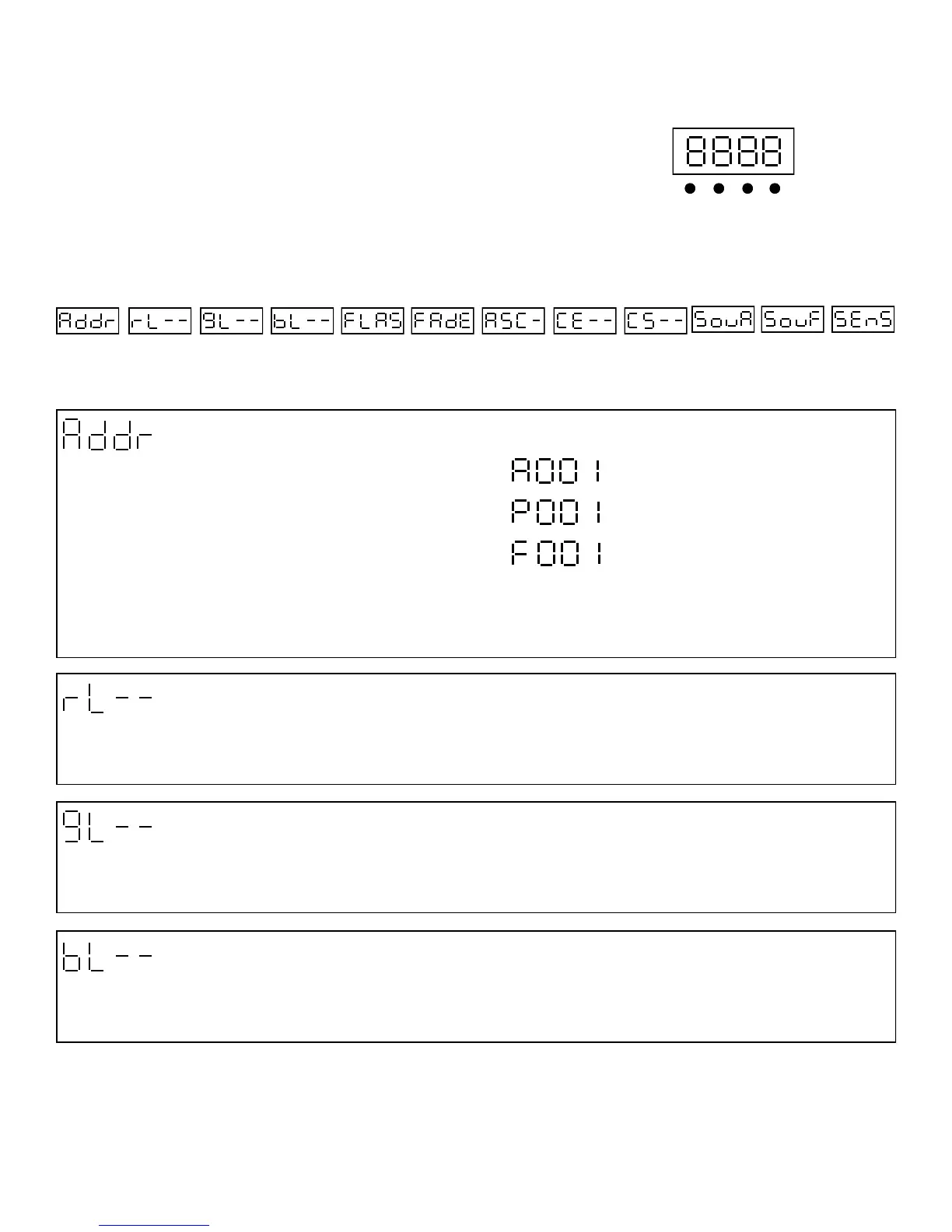
The control board on the fixture base is your interface to access and control
all the functions on the unit. Its digital display gives you a code view of the
options and functions. The following will explain each function and its options.
Menu Up Down Enter
CONTROL BOARD
Mode Setting & DMX Address
Red Dimmer
Press Enter to select the desired mode setting from A,P and H
Use the up/down keys to select the required DMX start channel. Press Enter to confirm
This function allows you to dim the red LED’s on the whole module. Press Enter use the up/down keys to select desired dimmer
settings. Press Enter to confirm the settings. (15 Steps)
DMX Address Red Dimmer
Green Dimmer Blue Dimmer Flash Fade Scroll
Flash Scroll
Chase Effect
Chase Speed
1-512 0-15 0-15 0-15 0-15 0-15 0-15 0-15 0-15
Mode A (3 Channels) R,G,B
Mode P (6 Channels) Dimmer, R,G,B, Strobe, Macro
Mode F (54 Channels) R,G,B, x 18
Green Dimmer
This function allows you to dim the green LED’s on the whole module. Press Enter use the up/down keys to select desired dim-
mer settings. Press Enter to confirm the settings. (15 Steps)
Blue Dimmer
This function allows you to dim the blue LED’s on the whole module. Press Enter use the up/down keys to select desired dimmer
settings. Press Enter to confirm the settings. (15 Steps)
Sound Chase
Sound Flash Sound Sensor
0-15 0-15 0-15


 To Next Page