07ENGLISH
3. Connecting the set-top box
3.1 Connecting the set-top box
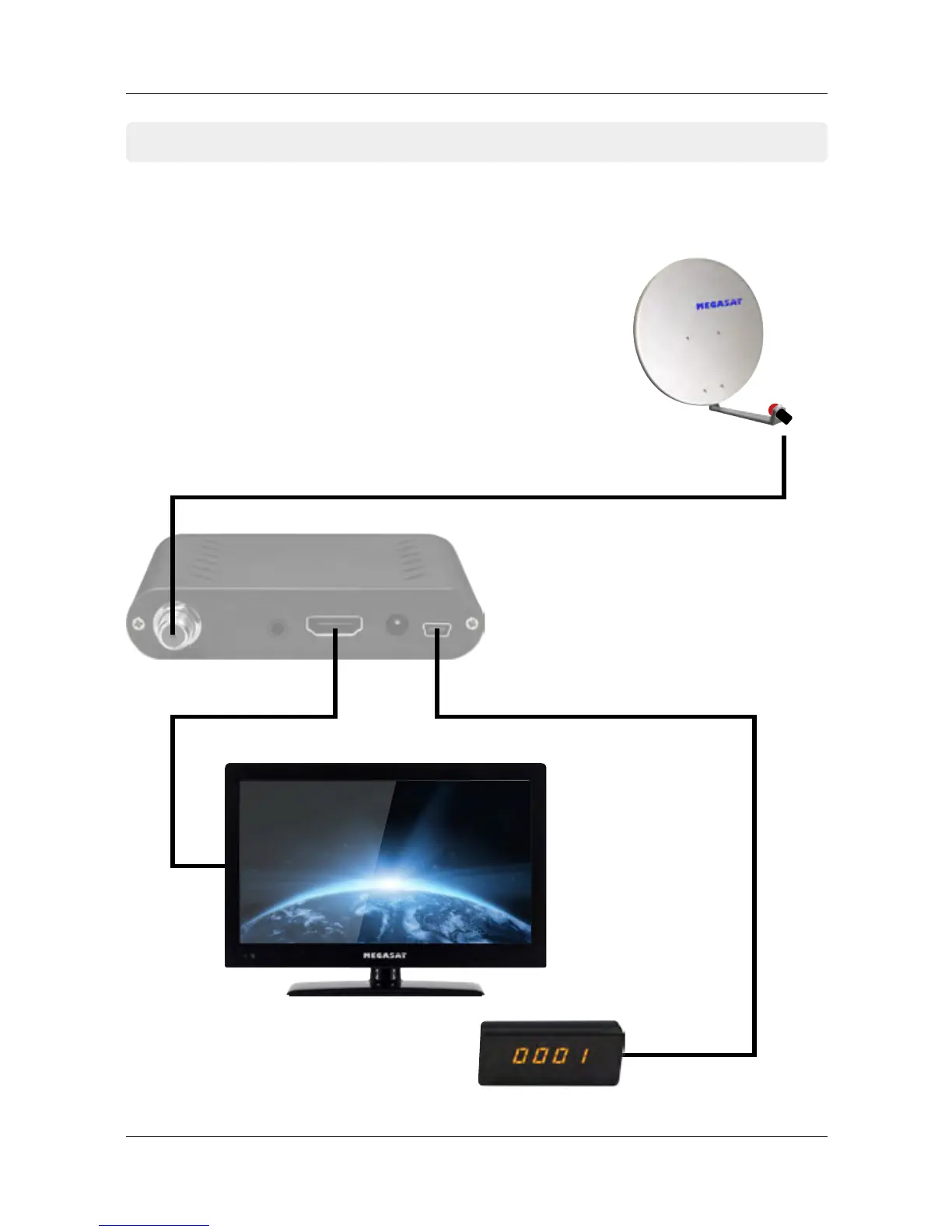
HDMI cable Infrared sensor
Coaxial cable
1. Connect the coaxial cable to the LNB.
(You can connect an LNB directly to the LNB IN,
or more LNBs through a DiSEqC switch or multiswitch.
2. Connect the HDMI cable with your TV.
3. Make sure that on your TV is selected corresponding
to the input channel (for example, HDMI 1).
4. Connect the infrared sensor and place in front of your TV.


 To Next Page