Transformer Testing
AVTMTO3XX Rev 3 Sept 2013
21
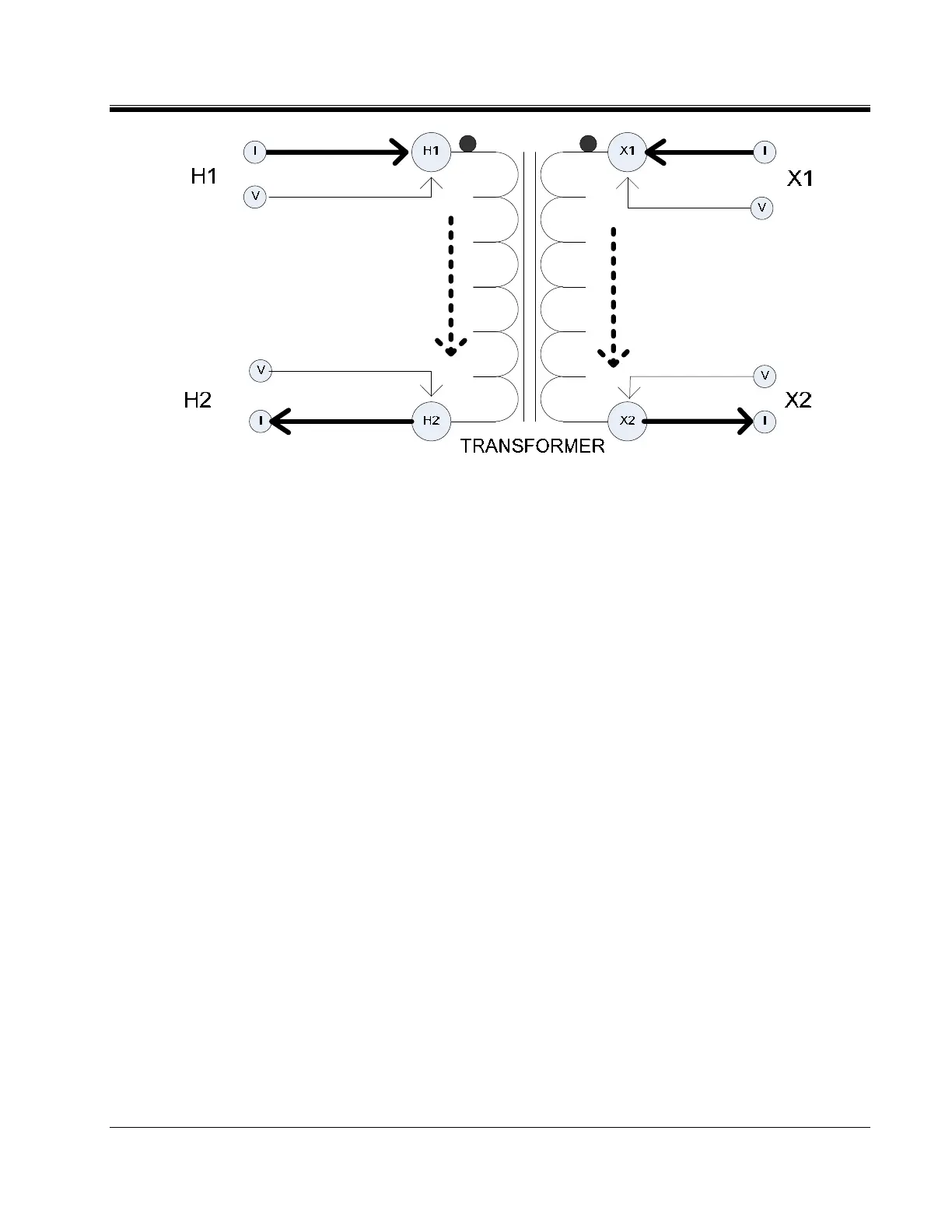
Figure 5: Dual Winding Measurement (Primary and Secondary)
F
WARNING
Do not disconnect leads until all indicators are OFF!
PROCEDURE:
1. Connect line cord to unit and plug into 120 V/230 V socket.
2. Connect Safety GND cord from Top Panel to Transformer GND.
3. MTO300- Connect Ethernet cable between PC and MTO300
4. Connect H and/or X lead set to the MTO3XX
5. Connect the H and/or X lead set to the Transformer as shown in above figures.
6. Turn the MTO300 power switch "ON" (-).
7. Turn the PC power “ON”.
8. MTO300 Start the PowerDB program. For detailed information on PowerDB, please refer to
the PowerDB user manual and additionally the Help Screen for the software. The Help screen and
PowerDB manuals will stay more up to date than this manual.
9. MTO300 and PowerDB Lite - Select the instrument MTO300 from the instrument
setup screen.



 To Next Page