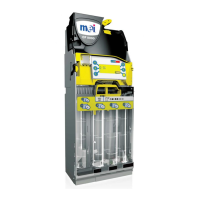
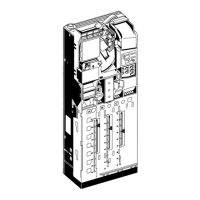
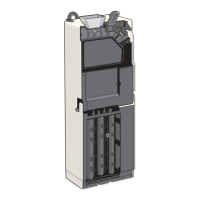
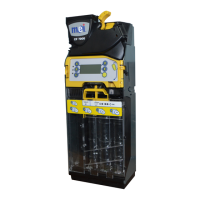
The MEI CASHFLOW® 7906 Series Change Manager is a sophisticated coin management system designed for integration into vending machines. Its primary function is to accept, validate, and dispense coins, ensuring accurate change delivery and efficient operation of the vending machine. The device is equipped with a user-friendly interface, including a keypad with LED indicators and an LCD display, which allows for easy setup, monitoring, and troubleshooting.
Function Description
The CASHFLOW® 7906 operates as a comprehensive coin validator and dispenser. It accurately identifies various coin denominations, stores them in six dedicated tubes, and dispenses the correct change when required. The device features an acoustic module that checks coin levels in the tubes, ensuring continuous operation. In the event of a coin jam or other operational issues, the system provides clear visual and textual alerts on its LCD display, guiding the user through the necessary steps to resolve the problem. The change manager also includes advanced features such as tube calibration, which automatically measures and adjusts for the currency value of inserted coins, and the ability to inhibit or enable specific coin denominations.
Usage Features
- Installation and Alignment: The CF7906 is designed for straightforward installation into vending machines. It mounts onto three studs and requires careful alignment with the vending machine's coin chute to ensure smooth coin flow. Before installation, it's crucial to verify that the vending machine's operating voltage matches the CF7906's requirements.
- Keypad Interface: The device features a keypad with three LEDs (Red, Amber, Green), six blue function buttons (A-F), and a large LCD display.
- LED Indicators: These provide visual cues about the CF7906's operating state, indicating normal operation, menu mode, or fault conditions through various ON, OFF, or FLASHING patterns.
- Blue Buttons (A-F): In idle mode, pressing a blue button dispenses a coin from the corresponding tube. Pressing and holding a blue button for approximately 3 seconds activates an auto-dispense function until the tube is empty.
- Menu Navigation: When the "D" and "F" buttons are pressed simultaneously, the blue buttons are used to navigate through the CF7906's Basic and Setup menus.
- LCD Display: The LCD provides detailed information, including menu options, warning messages, software revision, coin totals in currency value, and specific fault indications.
- Floating Coin Tubes: Coins can be loaded into the tubes either manually by removing the tube cassette and inserting coins directly or by using the Set-up Menu to insert coins through the discriminator. The device automatically calibrates the tubes after coins are inserted, displaying the total currency value.
- Parking Dispenser Disks: If coins are not dispensing correctly, the dispenser disks can be "parked" to their home position via the Set-up Menu, ensuring proper alignment.
- Setup Menu Options: The Setup Menu offers extensive configuration options, including:
- Language Selection: Allows users to choose the desired language for the display.
- Coin Configuration: Enables teaching tokens, inhibiting/enabling specific coins, and viewing coin details.
- Float Setup: Configures how tubes are filled (e.g., float to value, float to level, fill to max).
- Change Management: Manages cassette changes and payout mix.
- Audit Configuration: Provides access to audit data, including cashbox value, dispensed change, and sales information.
- Test Module: Allows testing of various components like coin sensors, accept gate, and dispenser.
- Predefined Cassette Selection: The CF7906 stores predefined tube cassettes, offering different payout options. Users can select the required cassette using a specific button code on the keypad.
- Symbol Indicators: The LCD display uses various symbols to communicate device status, such as menu navigation arrows, a smiley face for normal operation, a neutral face for required assistance, a sad face for replacement, and specific icons for maintenance required (e.g., discriminator jam, accept gate jam, separator sensor issues, dispenser jam). An envelope icon indicates a "Message Waiting," suggesting potential performance optimizations.
Maintenance Features
- Routine Maintenance: Maintenance should be performed by a properly trained service technician. The device can be cleaned with mild soap and a damp cloth. It is crucial to remove any soap residue and allow the CF7906 to dry completely before re-powering. Abrasives or solvents should not be used for cleaning.
- Troubleshooting Coin Jams: If a coin jams in the dispenser, the Amber LED will flash four times, and the display will show an "Alert" message with an arrow pointing to the jammed dispenser tube. To clear the jam, the user needs to remove the jammed coin(s) and then press the letter button corresponding to the jammed tube to cycle the dispenser disk back to its home position.
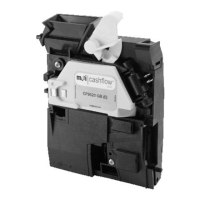
- Discriminator Assembly Access: For maintenance or installation, the discriminator assembly can be tilted forward by pressing a yellow button underneath the Reject Lever, revealing the internal components and mounting keyholes.
- Fault Indication: The amber LED light codes and LCD display messages provide clear indications of specific faults within the CF7906's main modules, such as acceptor jams, accept gate alarms, separator module issues, cassette out conditions, and dispenser jams. This helps in quickly identifying and resolving problems.
- Error Log: The Setup Menu includes an "Error Log" option, allowing users to view and reset recorded errors, which can aid in diagnosing recurring issues.

 Need help?
 General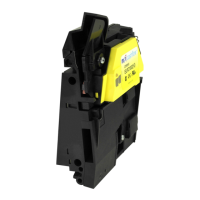



 To Next Page