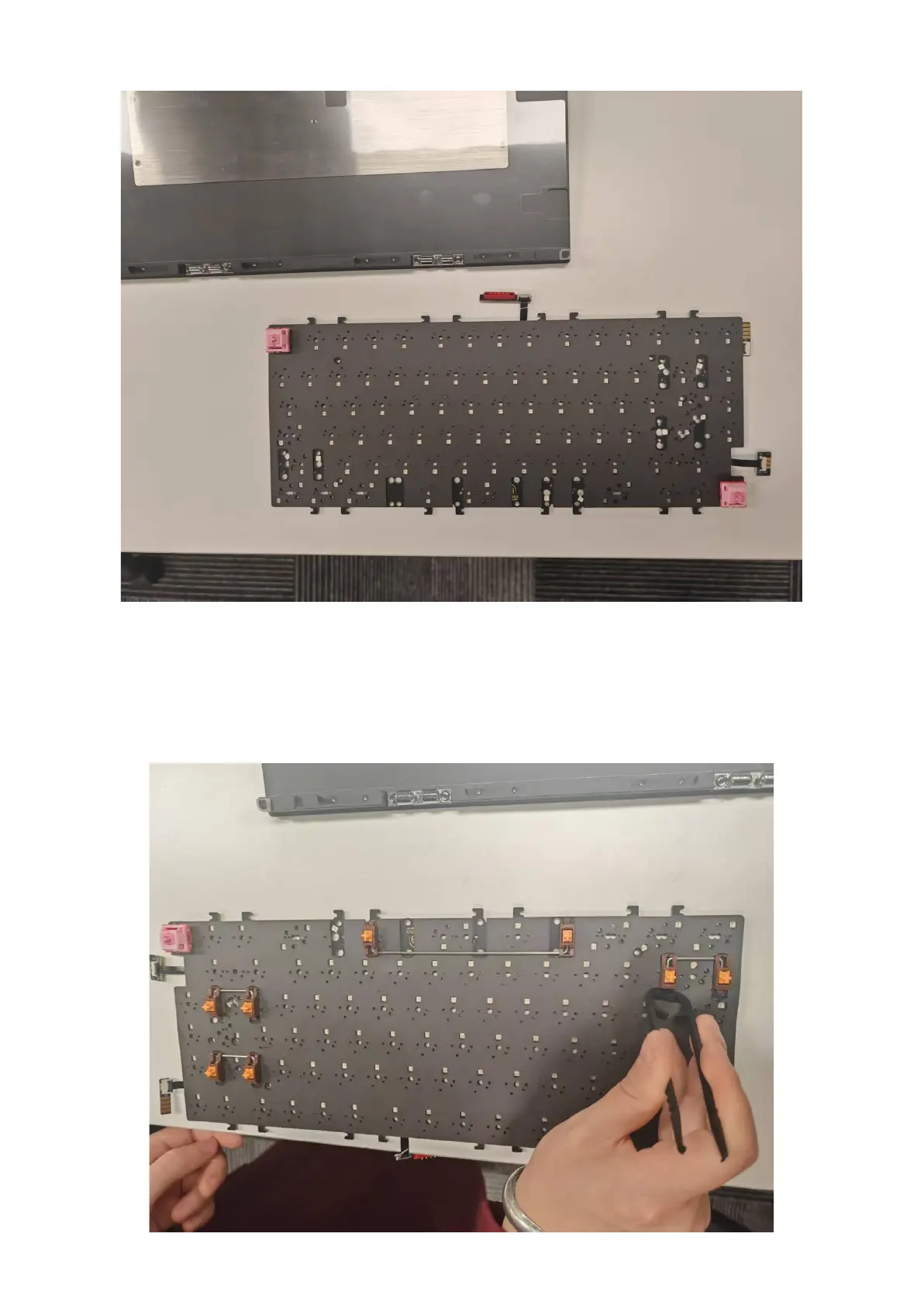
3. Insert switches in the top-left and bottom-right sockets to align the layers
4. Install the stabilizers:
○ Align the non-threaded/non-clip side with the larger hole.
○ Lower the screw/clip side into the smaller hole.
○ Tighten screws (if using screw-in stabilizers) or press clips into place.
○ If using screw-in stabilizers, install washers to prevent PCB shorts.
○ If using clip-in stabilizers, insert stopper wedges to prevent detachment.


 To Next Page