Need help?
Do you have a question about the Mellerware Comfy! and is the answer not in the manual?
Read these instructions carefully before switching on the appliance and keep them for future reference.
CAUTION: Some parts of this product can become very hot and cause burns. Particular attention has to be given where children and vulnerable people are present.
The appliance must not be placed below a power socket. Children of less than 3 years should be kept away.
Children aged from 3 years and less than 8 years shall only switch on/off the appliance provided that it has been placed or installed in its intended normal operating position...
Cleaning and user maintenance shall not be made by children unless they are supervised. This appliance is not a toy. Children should be supervised...
Do not use the appliance near bathtubs, showers or swimming pools. If the connection to the mains has been damaged... household use only... do not cover the appliance.
WARNING: This appliance is not equipped with a room temperature control device. Do not use this appliance in small rooms that are occupied by people who are unable to leave the room on their own, unless they are under constant surveillance.
Do not use the appliance in association with a programmer, timer or other device... Do not use the appliance if the cable or plug is damaged... Do not force the power cord. Never use the power cord to lift up, carry or unplug the appliance.
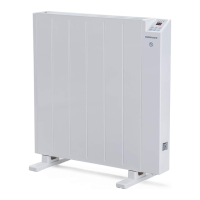
1- On/off indicator, 2 - Heating power indicator, 3- Comfort mode indicator, 4- ECO mode indicator, 5 - Screen, 6- Mode button, 7- On/off button, 8- Button +, 9 - Open window function button, 10 - Timer button, 11 - Button.
The appliance has a wall bracket (E) on which it can be supported. Fix the wall bracket as you think appropriate, using plugs, screws, and adhesive...
The appliance has anti-slip base feet (C) that support the product. To assemble the base feet, place the appliance face down.
 General
| Power | 2000W |
|---|---|
| Overheat Protection | Yes |
| Tip-over Switch | Yes |
| Heat Settings | 2 |
| Cord Length | 1.5m |
| Dimensions | Unspecified |
| Weight | Unspecified |

 To Next Page