
EasyManua.ls Logo

Member's Mark C249-A - User Manual

Member's Mark C249-A
8 pages
Print Icon
To Next Page IconTo Next Page
Loading...
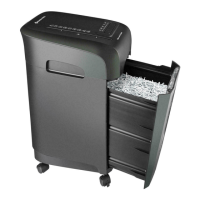
12-Sheet Micro-Cut Shredder
Operation Manual
Model C249-A

Questions and Answers

  • F
    frankdouglasAug 6, 2025
    What to do if my Member's Mark Paper Shredder is not working?
    • D
      Donna SmithAug 6, 2025
      If your Member's Mark Paper Shredder isn't functioning, here are a few things you can try: * Check and adjust the connections. * Make sure the bin is properly positioned until the door open indicator light turns off. * Empty the bin and place it back in the shredder. * Allow the machine to cool down until the overheat indicator light turns off. * Fold the sheets of paper before shredding. * Reduce the amount of paper you're trying to shred, ensuring you don't exceed the recommended 12 sheets, until the overload indicator light turns off.
  • L
    laura07Aug 17, 2025
    What to do if the blades on my Member's Mark C249-A Paper Shredder won't stop?
    • A
      Anthony PughAug 17, 2025
      If the blades on your Member's Mark Paper Shredder won't stop, remove any excess paper or unusual objects that might be blocking the photo sensor. Then, try using the shredder again.
  • P
    Phyllis VazquezAug 27, 2025
    How to unblock the blades on a Member's Mark Paper Shredder?
    • J
      Justin MurrayAug 27, 2025
      If the blades of your Member's Mark Paper Shredder are blocked, press the "

Summary

Important Safety Instructions

General Safety Guidelines

Provides essential safety warnings for operating the shredder, including avoiding contact with blades and keeping children away.

Shredder Overview and Components

Installation and Operation Guide

Auto Operation Mode

Instructions for using the automatic shredding function with the photo sensor.

Manual Operation Modes

Details on using the forward and reverse functions for manual control and jam clearing.

Overload Handling

Explanation of the overload indicator and how to resolve paper jams.

Machine Status Indicators and Actions

Overheat, Bin Full, and Door Open

Describes actions to take for overheat, bin full, and door open indicators.

Manual Paper Feed and Jam Removal

Guidance on manual paper feeding and safely removing excess paper.

Product Specifications

Warranty Claims Information

General Troubleshooting Guide

Equipment Maintenance and Cleaning

FCC Statement

Member's Mark C249-A Specifications

General IconGeneral
Cut TypeCross-Cut
Bin Capacity6 gallons
Security LevelP-4
Auto Start/StopYes
Overheat ProtectionYes
Jam ProtectionYes
Can ShredPaper, Credit Cards, Staples, Paper Clips
Shred Capacity12 sheets