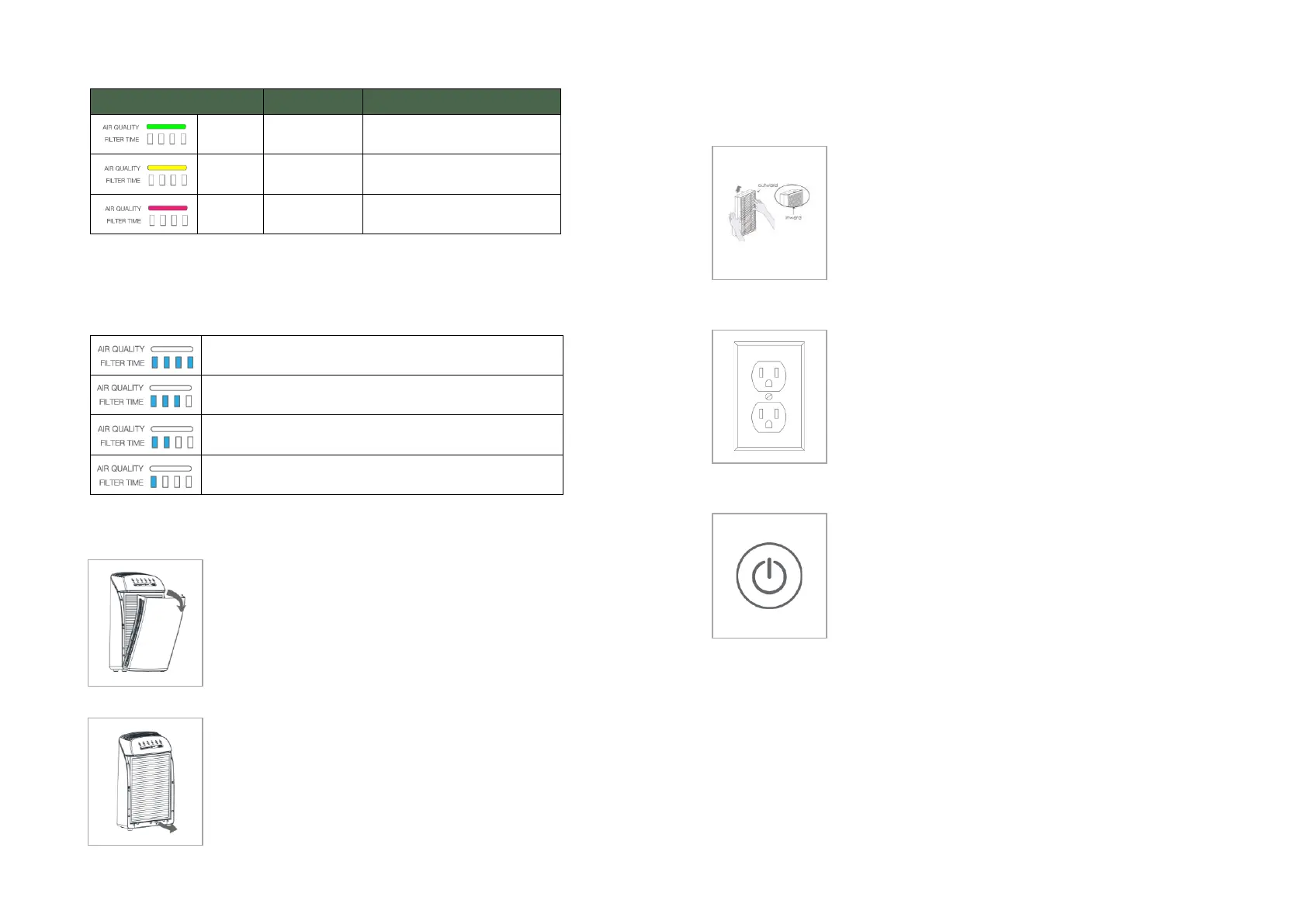
Note: The air purifier will take 30 seconds to detect the air quality each
time it is turned on. During this time the air quality light will be flashing
yellow. The air quality sensor detects airborne particles, but it cannot
detect gas.
Filter time
Filter life 100% remaining.
Filter life 75% remaining.
Filter life 50% remaining.
Filter life 25% remaining. Order a new filter; when
light flash, replace the filter.
Filter Replacement
Step 1
Press the power button to turn the air purifier
off and unplug the electrical outlet's power
cord.
Remove the panel of the air purifier.
Pull out the composite filter element using the
handle at the bottom of the filter.
Clean out any remaining dust, dirt, or lint inside
the purifier using a vacuum hose or dry cloth.
DO NOT use water or liquids to clean the
purifier.
Commissioning the system
Step 1
Before using the air purifier for the first time,
open the panel and remove the composite filter.
Make sure to remove any packaging from the
filter element, or the product will not function
correctly.
Make sure the panel is installed and locked on the
air purifier (see page 10).
Plug the air purifier power plug into an electrical
outlet; the unit will make a single beep.
The purifier should now be in standby mode.
Push the power button once to turn the air
purifier on.
The purifier should now be in operating mode.
Warning:
For your safety, the air purifier is equipped with a safety switch. If you
open the panel when the purifier is running, the fan will stop running
and sound two beeps. The panel must be in place for the purifier to
operate.


 To Next Page