
 Need help?
Do you have a question about the Memco Panachrome C2850 and is the answer not in the manual?
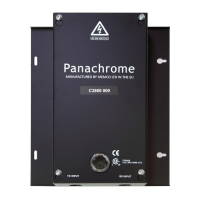
Position the Panachrome Controller on top of the car to prevent damage.
Connect the controller with correct supply voltage and inputs as per the instruction label.
Ensure detector and travelling cables are secured correctly and routed to the controller.
Manually cycle doors to check smooth free movement of travelling cables, avoiding snags.
Verify the display shows 3 Bars scanning and understand Green/Red indicator functions.
Note the availability of the Pana40 Plus Controller test tool for diagnostics.
Fit 3D detectors and set operating mode and sensitivity using switches 1-4.
Understand different 3D operating modes like 'As Doors Close' and '3D Timeout'.
Adjust 3D sensitivity using switches 3 & 4 to overcome spurious reflections.
Address issues like no 3D detection or false triggers by checking settings and sensitivity.
Configure nudging and external signals for door movement indication using LEDs.
Clean light curtains gently with a damp cloth to maintain performance and avoid damage.
 General
| Brand | Memco |
|---|---|
| Model | Panachrome C2850 |
| Category | Industrial Equipment |
| Language | English |

 To Next Page
