EasyManua.ls Logo

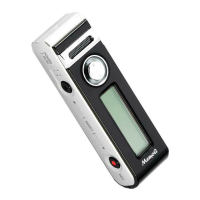
Memoq MR-740 - User Manual

Default Icon
27 pages
Print Icon
To Next Page IconTo Next Page
Loading...
Owner's Manual
MODELS : MR-710 / MR-720 / MR-740,
EVR-710/EVR-720/EVR-740
Before connecting, operating or adjusting this product,
please read this owner's manual carefully and completely.
Designs and specifications are subject to change without notice for improvement.
www.esonic.co.kr
Made in Korea
Digital Voice Recorder
Question and Answer IconNeed help?

Do you have a question about the Memoq MR-740 and is the answer not in the manual?

Summary

Features

Safety note

Caution and warning for the main body

Provides essential safety warnings and cautions for operating the device safely to prevent damage or injury.

Denomination of each part

Explanation of LCD screens

Preparation (charging)

Details the process of charging the device's internal battery using USB or an auxiliary battery pack.

Using the auxiliary battery pack

Initialization (RESET)

Explains how to reset the device to its default settings, often required for troubleshooting USB or operational issues.

Using the DC power supply

Using the PC USB port power supply

Describes how to power the device using a USB connection to a PC, including connection and disconnection procedures.

Using the USB DC adapter (5 V) power

Details powering the device via a standard USB DC adapter, enabling operation while charging.

Turning on;off the power

Selecting the play mode (VOICE;MUSIC)

Guides users on switching between modes for playing voice recordings or music files stored on the device.

Recording

Checking the recording time.

Explains how to view the remaining recording time or the duration of the currently selected file on the LCD.

Setting the microphone sensitivity

Playing the recorded file

Controlling the play speed

Details how to adjust the playback speed of recorded files, offering various speed increments for different needs.

Volume control

Uploading;downloading files

Provides instructions for transferring files between the device and a computer using a USB connection.

Browsing folder; file

Setting the mode

ERASE (deleting the file)

Setting the EQ (playing characteristics)

Setting the REP (repeated playing)

Setting the MIC (microphone) sensitivity

Setting the (recording) mode

Setting the automatic level control (ALC)

Selecting the LCD

Setting the voice operation system (VOS)

Setting the REC (recording) operation

Selecting the recording folder

Formatting

Exiting from the mode setting

Assembling; disassembling the clip

Connecting the strap

Recording the mobile phone call

Recording the normal phone call

Specifications

Memoq MR-740 Specifications

General IconGeneral
Recording FormatMP3
Memory8GB
MicrophoneBuilt-in microphone
BatteryRechargeable lithium battery
Recording TimeUp to 580 hours (MP3 format)
Playbackheadphone jack
USBYes

Related product manuals