6
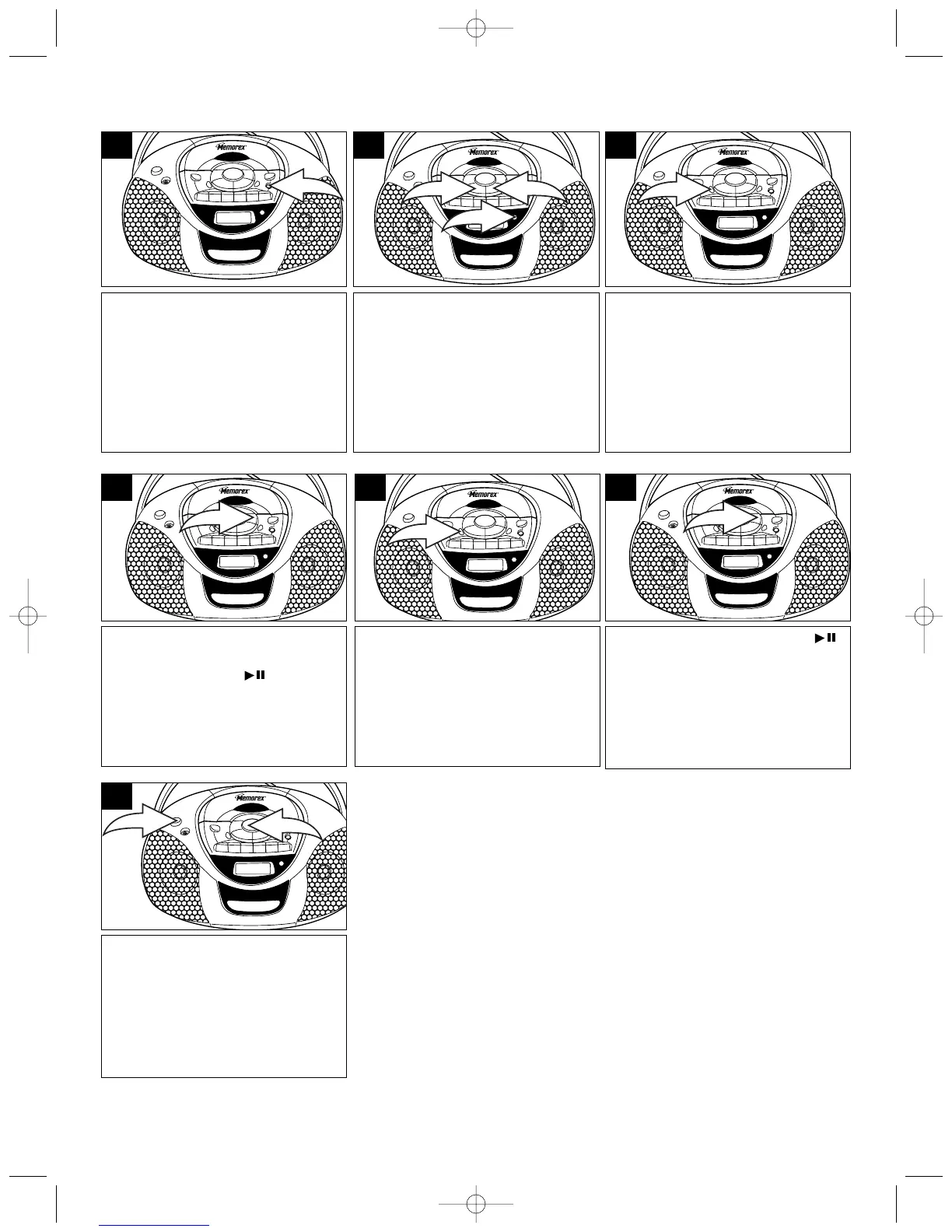
Press the TUNER Function button
to turn the unit on and select the
Tuner mode.
1
Select the desired preset number
(up to 15) by repeatedly pressing
the PLAY/PAUSE ( )/MEM-UP
button.
4
Press the MEMORY button again
to set the preset. Repeat steps 2
through 4 to set more presets.
5
Press the PLAY/PAUSE ( )
/MEM-UP button repeatedly to
recall the preset stations.
6
For an enhanced Bass sound,
press the BASS BOOST button
❶. Adjust the VOLUME control ❷
as desired.
7
Press the MEMORY button;
“MEMORY” will blink in the
display and a preset number will
appear.
3
Press the AM/FM Band button ❶
to select AM or FM.
Use the TUNING/Skip/Search Up
❷ or TUNING/Skip/Search Down
❸ button to select the desired AM
or FM station.



 To Next Page