7
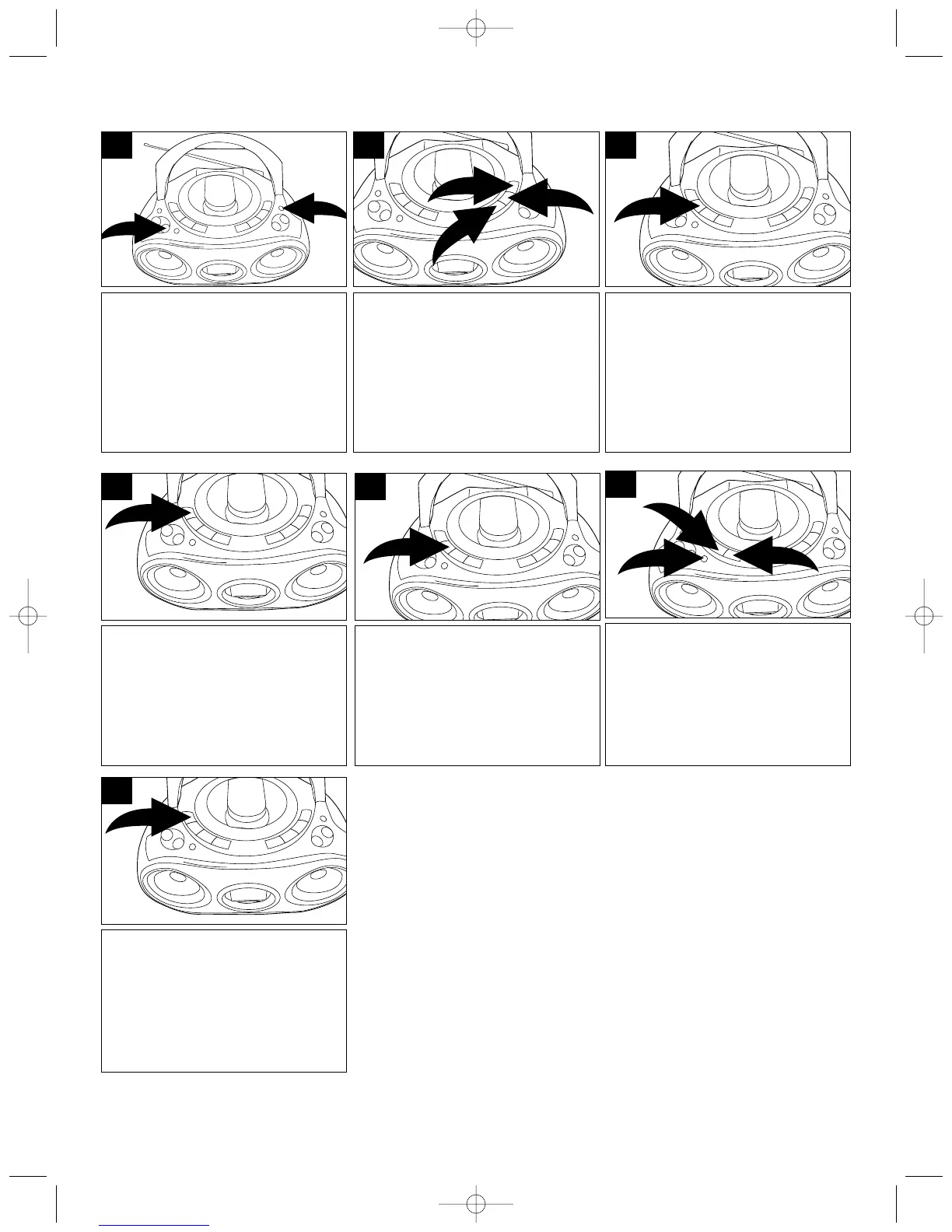
Press the POWER ON/OFF
button ❶ to turn the unit on.
Press the RADIO Function button
❷ to select the Tuner mode.
1
2
1
Select the desired preset number
(up to 10) by repeatedly pressing
the REPEAT/MEM-UP button.
4
Press the MEMORY/CLOCK ADJ
button again to set the preset.
Repeat steps 2 through 4 to set
more presets.
5
For an enhanced Bass sound,
press the X-BASS button ❶ .
Adjust the VOLUME ❷ as
desired.
2
1
2
6
Select the desired preset number
(up to 10 each band) by
repeatedly pressing the
REPEAT/MEM-UP button.
7
Press the MEMORY/CLOCK ADJ
button; “MEMORY” will blink in
the display and a preset number
will appear.
3
Press the STOP (■)/BAND button
❶ to select AM or FM.
Use the TUNING/SKIP/Search UP
❷ or TUNING/SKIP/Search
DOWN ❸ button to select the
desired AM or FM station.
3
1
2
2
TO SET/RECALL THE RADIO PRESETS (10 AM and 10 FM)
MP3223.QXD 3/3/03 9:53 AM Page 7


 To Next Page