– 24 –
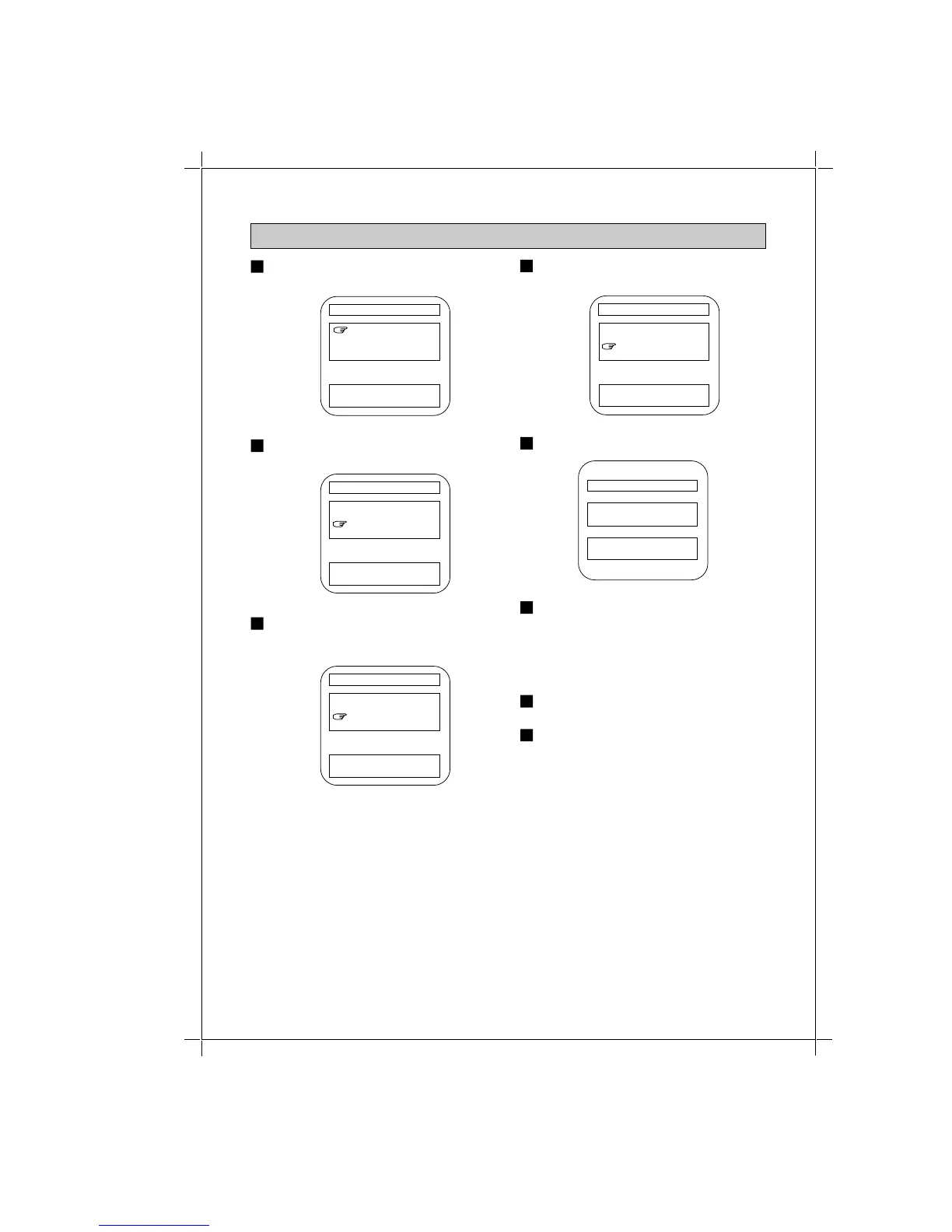
Go to menu display item no. 4 of
SETTING V-BLOCK.
V-BLOCK SET
V-BLOCK OFF
CHANGE RATING
CHANGE NUMBER 0000
EXIT
[+] / [-] : SELECT
[MENU] : ENTER
1
V-BLOCK SET
V-BLOCK OFF
CHANGE RATING
CHANGE NUMBER 0000
EXIT
[+] / [-] : SELECT
[MENU] : ENTER
Use the + or - button to highlight
CHANGE NUMBER.
2
V-BLOCK SET
V-BLOCK OFF
CHANGE RATING
CHANGE NUMBER 1234
EXIT
[0] - [9] : NUMBER
[MENU] : ENTER
Use the number buttons [0] ~ [9] to
input a pass number you want.
4
CHANGING A PASS NUMBER
Press the MENU button. The numbers
to the right of CHANGE NUMBER will
flash.
3
V-BLOCK SET
V-BLOCK OFF
CHANGE RATING
CHANGE NUMBER 0000
EXIT
[0] / [9] : NUMBER
[MENU] : ENTER
V-BLOCK SET
PASS NUMBER
1 2 3 4
[+] / [-] : NO
[MENU] : YES
Press the MENU button.
5
If pass number is correct then press
the MENU button and select exit. If not
correct, press the + or - button to
return to menu display of item 2 then
re-enter the number you desire.
6
Press the + or - button to select EXIT.
7
Press the MENU button to exit.
8



 To Next Page