9
OPERATING INSTRUCTIONS (CONTINUED)
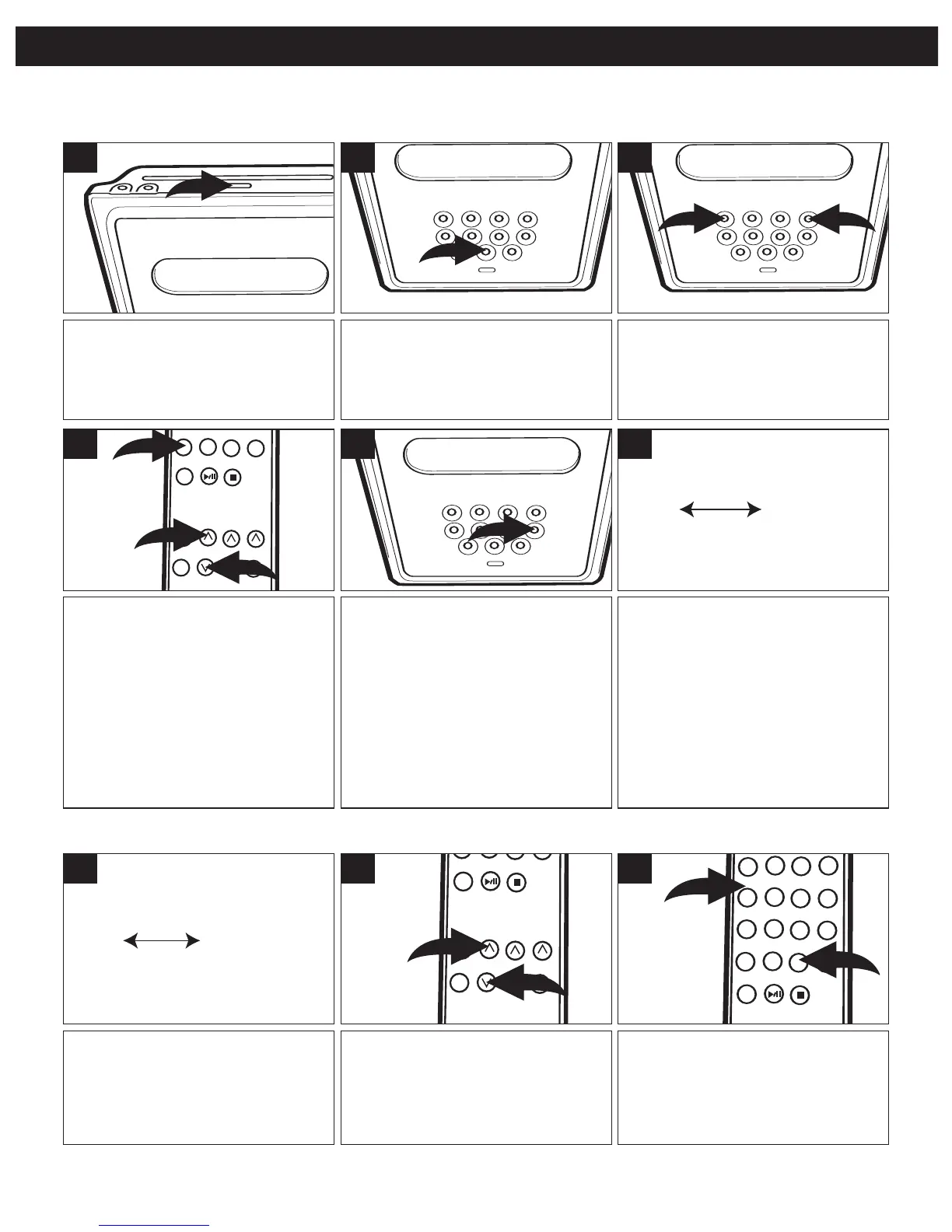
Press the ON/STANDBY button
to turn the unit on; the IR/Standby
indicator will turn off.
1
Press the MEMORY button 1; the
preset number will blink in the
display. Within three seconds,
press the REPEAT/MEM Up button
2 or RANDOM/MEM Down button
3 until the desired memory number
appears on the display.
NOTE: You can also use the
Number buttons to select the preset
number.
4
Press the Tune/Skip/Search n 1
or o 2 button to select a station.
3
Press the TUNER Function button
to select the radio.
Press the TUNER/BAND button
again to select AM or FM.
2
Press the MEMORY button again to
set the station in the selected
memory.
NOTE: If you use the Number
buttons to select a preset, it is no
longer necessary to press the
MEMORY button again to set the
station into the selected memory; the
station will be set automatically after
you press the Number button(s).
5
Repeat steps 3 through 5 to
program up to 20 stations in each
band, if desired.
In case the main power supply
is interrupted, the memory
presets will be erased.
6
SETTING RADIO PRESETS
This unit can preset 20 AM and 20 FM radio stations for convenient recall.
Follow steps 1 and 2 above.
1
You can directly select a preset
using the number buttons 1. If
selecting a preset over 9, press
the ≥10 button 2, followed by the
two digits.
3
Press the REPEAT/MEM Up 1 or
RANDOM/MEM Down 2 button to
select a preset; the station will
automatically be tuned in.
2
RECALLING RADIO PRESETS (20 EACH BAND)



 To Next Page