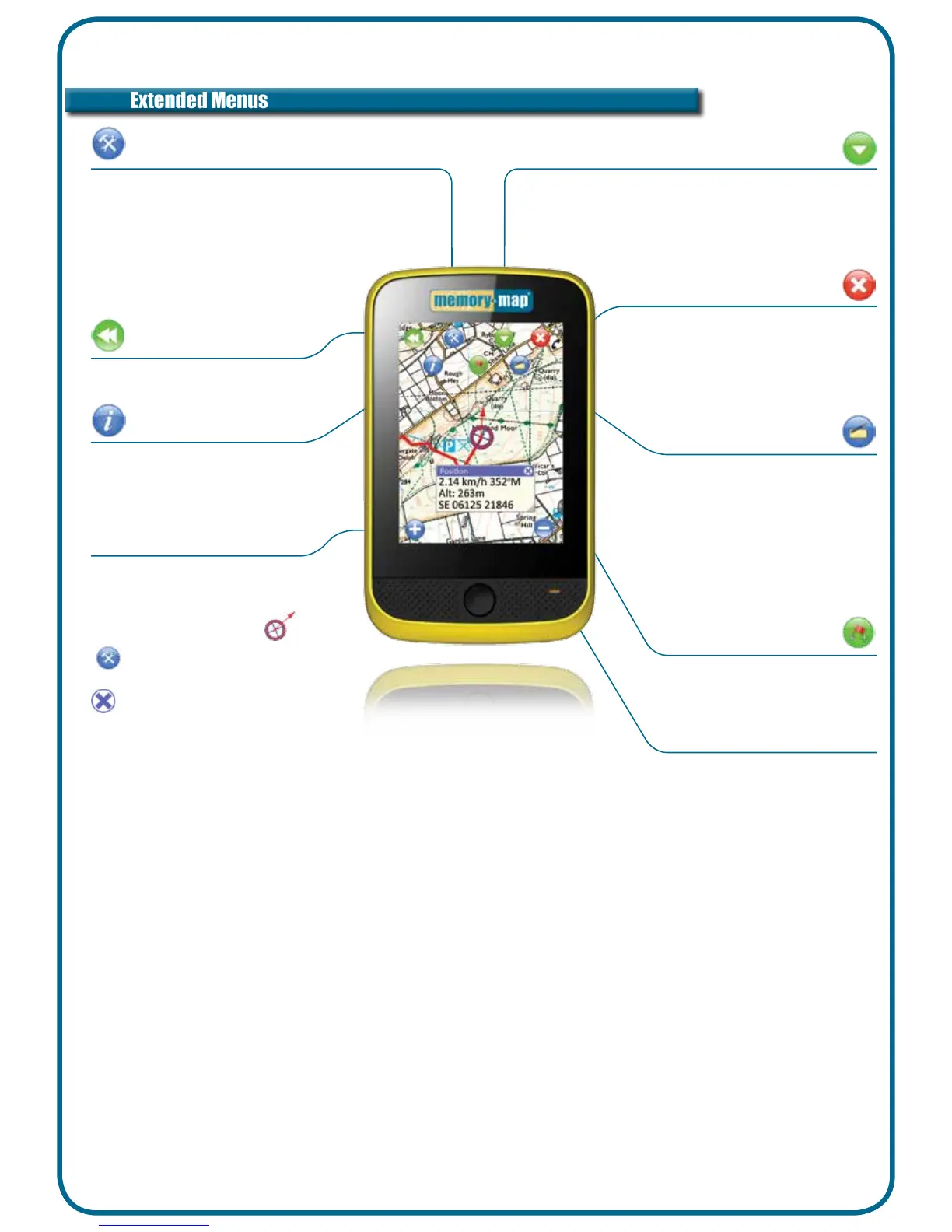
Turn on/off to display position
data when tapping screen
Change position format in
Settings & Overlay Options
Place a mark anywhere on the
map with a single tap
Tap & Drag on screen
to scroll the map
Tap to exit Memory-Map
Saves all overlays and returns
to startup menu
Data Display
Add Mark
Map Scrolling
Exit
Displays speed, bearing, altitude and
position. Customise units in Settings
menu
Tap & Hold GPS position
or use
Settings > GPS > Position
Tap & Drag to move or resize window
to close
Position Display
Tap to return to standard menu
Menu
Display GPS status
Info
Settings & Overlay Options
View map list and place name search.
Create, show, hide or search overlays
Manage settings including units, alarms, and time
zone
View GPS status
Help topics & Licence Management
Displays a list of available maps
at current location
Tip :
Tap & Hold on the screen
also accesses this menu
Map List


 To Next Page