Memory-Map Bike 250
25
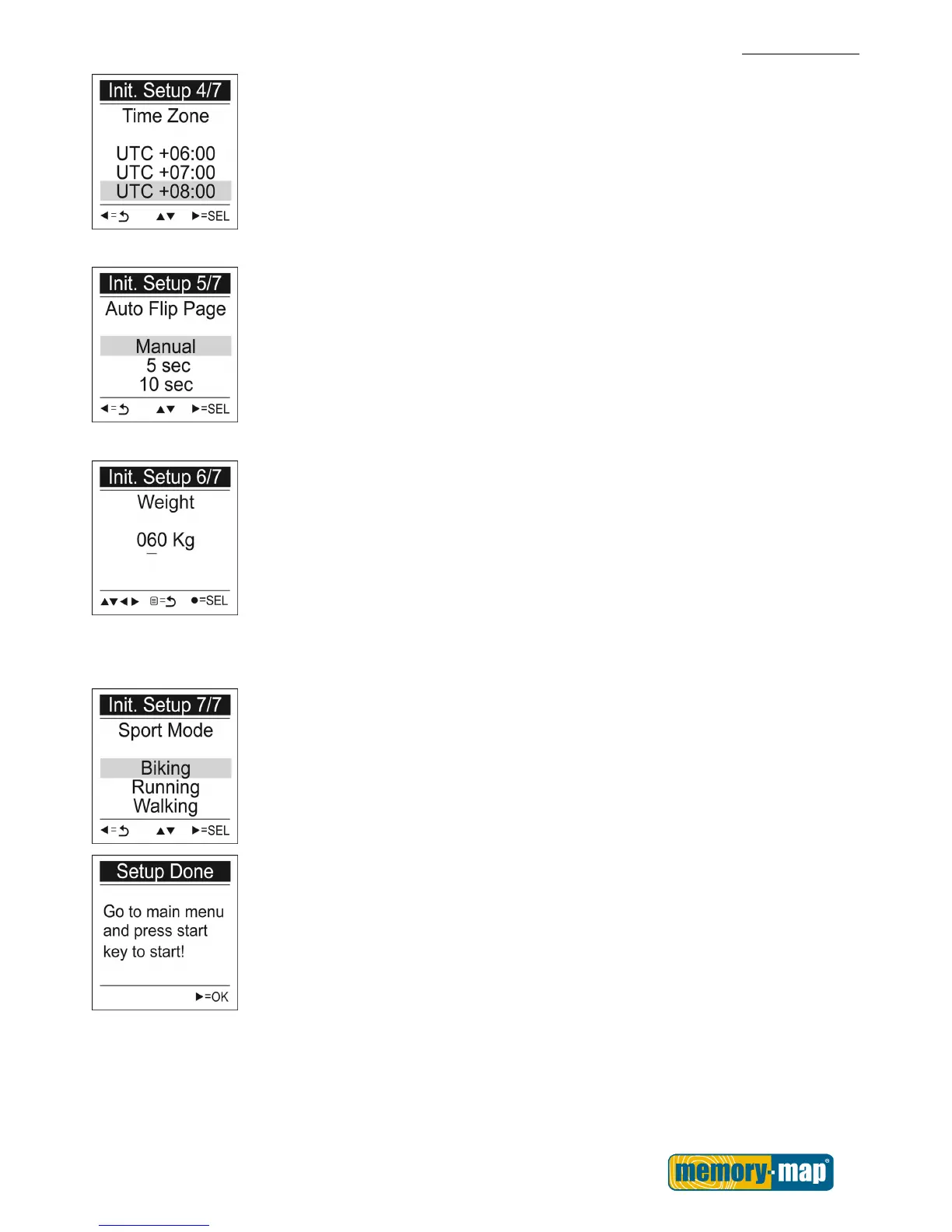
Time Zone
1. Use the Up▲/Down▼ button to move to
the desired time zone.
2. Press the SEL► button to confirm and
save.
「Auto Flip Page」setup appears.
Auto Flip Page
1. Use the Up▲/Down▼ button to move to
the desired setting.
2. Press the SEL► button to confirm and
save.
「Weight」setup appears.
Weight
1. Use the Left◄/ Right ►button to move the
cursor to the digit you want to edit.
2. Press the Up▲/Down▼ button to adjust
the value.
3. Press OK ● key to save the setting.
「Sport Mode」setup appears.
Sport Mode
1. Use the Up▲/Down▼ button to move to
the desired sport setting.
2. Press the SEL► button to confirm and
save.
Initial setup is now completed. Press OK ►
button to start.



 To Next Page