MXABTR PAIRING INSTRUCTIONS
Before starting, confirm your Bluetooth device is capable of streaming A2DP Bluetooth signals and that the Bluetooth
is ENABLED on the device. Typically that function is available by entering the settings menu, then finding the
‘Bluetooth’ controls on your device.
OPERATION:
Long press and hold the power button for 1.5 seconds, the unit will turn on and the buttons will illuminate. The BT
LED will flash rapidly when the unit is powered on. When the MXABTR is successfully paired, the BT indicator will be
lit blue continuously.
Make sure your phone is in pairing” or “discoverable” mode. Within a few seconds you should see “MEMPHISBTR
appear on your phone’s Bluetooth menu. Clicking the MXABTR name will authorize your phone to connect with the
MXABTR.
Once the MXABTR is connected, be certain the volume on your phone is set at a reasonably high level (at least 3/4 of
max volume) Adjusting the volume of the system can be done on the MXABTR when your phone is paired.
Long press the power button to turn off the unit.
CONTROL FUNCTIONS:
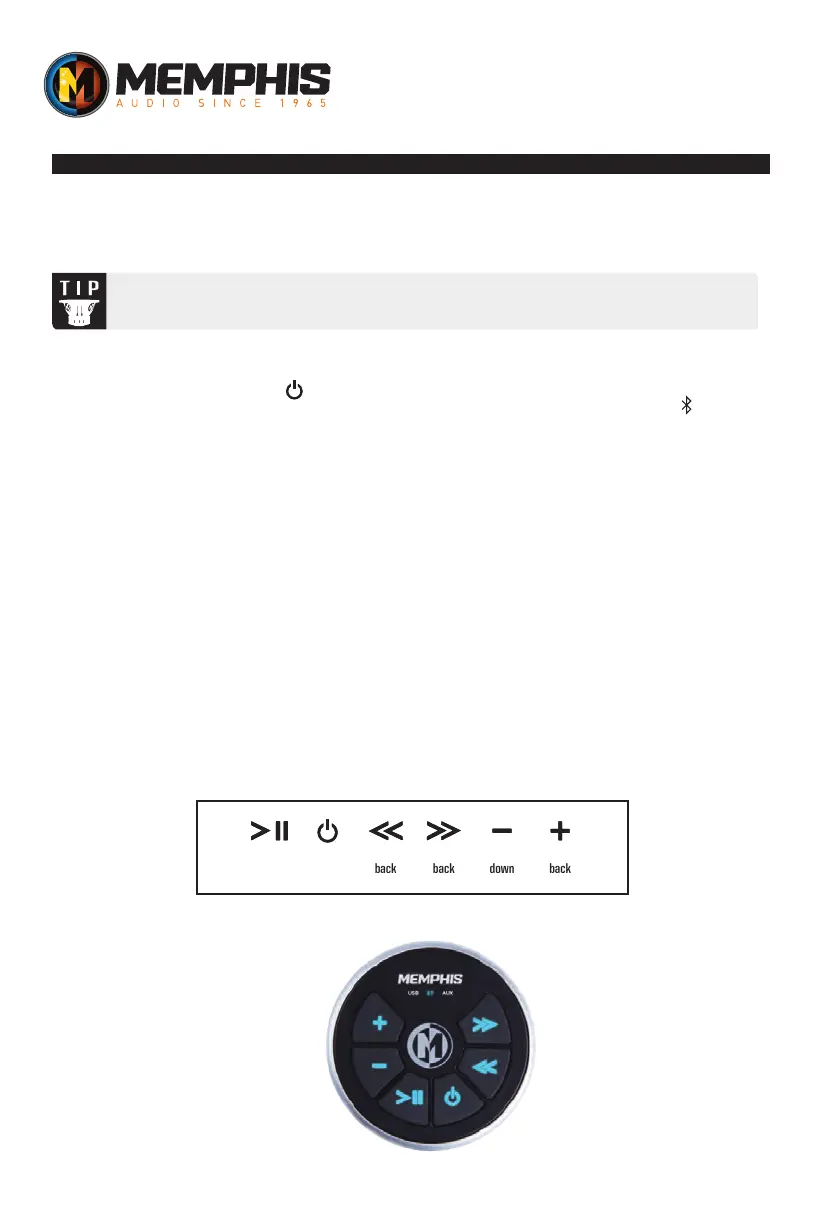
The controls will allow you to perform the following functions: track up, track down, volume up, volume down,
play/pause in bluetooth mode.
Bluetooth functions are typically depicted by a Bluetooth symbol. Look for the Bluetooth symbol on
your device when attempting to enable Bluetooth functionality.
play/pause power track
back
track
back
volume
down
track
back
FOR BLUETOOTH
VERSIONS ONLY


 To Next Page