Page 3 of 9
2.4 Using memory card
The device has a memory card slot for reading data from a micro-SD card.
To use a memory card,
(1) Insert a Micro-SD card to the card slot on the unit body.
(2) Press and hold the MENU button to display the main menu.
(3) Select “Explorer” and press the MENU button to enter the folder browser mode.
(4) In the folder browser mode, you see two folders named “Internal memory” and “Micro SD”. To play the audio or video
files stored on the memory card, access the “Micro SD” folder.
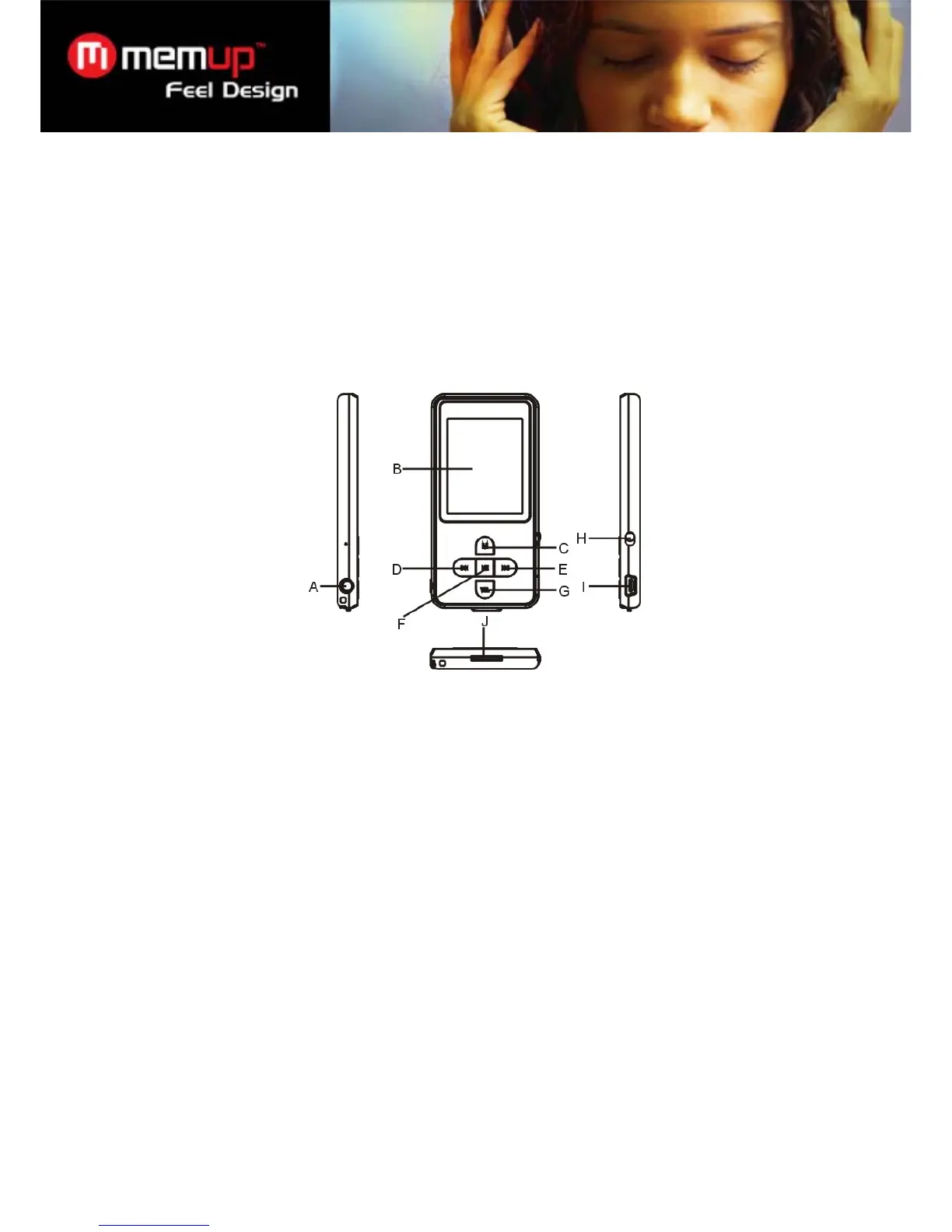
3 Keys Description
A. Earphone Jack
B. LCD Display
C. MENU: Hold for a while to enter the main menu. Briefly press to confirm selection confirm or enter the folder
navigation mode.
D. Previous: Play the previous track. Also move up.
E. Next: Play the next track. Also move down.
F. Play/Pause: Turn on or turn off the device. Also play or pause audios.
G. VOL (volume): Adjust the volume. Also return to the previous screen.
H. Power Switch: Turn on or turn off the power
I. USB Port: Connect to a computer
J. Memory Card Slot: For inserting a Micro SD-card
4 Power On/Off
To power on,
(1) Slide the Power Switch to the right to turn on the power.
(2) Press and hold the PLAY/PAUSE button until you see prompt on the display.
To power off,
(1) Press and hold the PLAY/PAUSE button until you see prompt on the display.
(2) Slide the Power Switch to the left to turn off the power. (Be sure to complete this step for saving battery charge.)



 To Next Page