- 12 -
Steps:
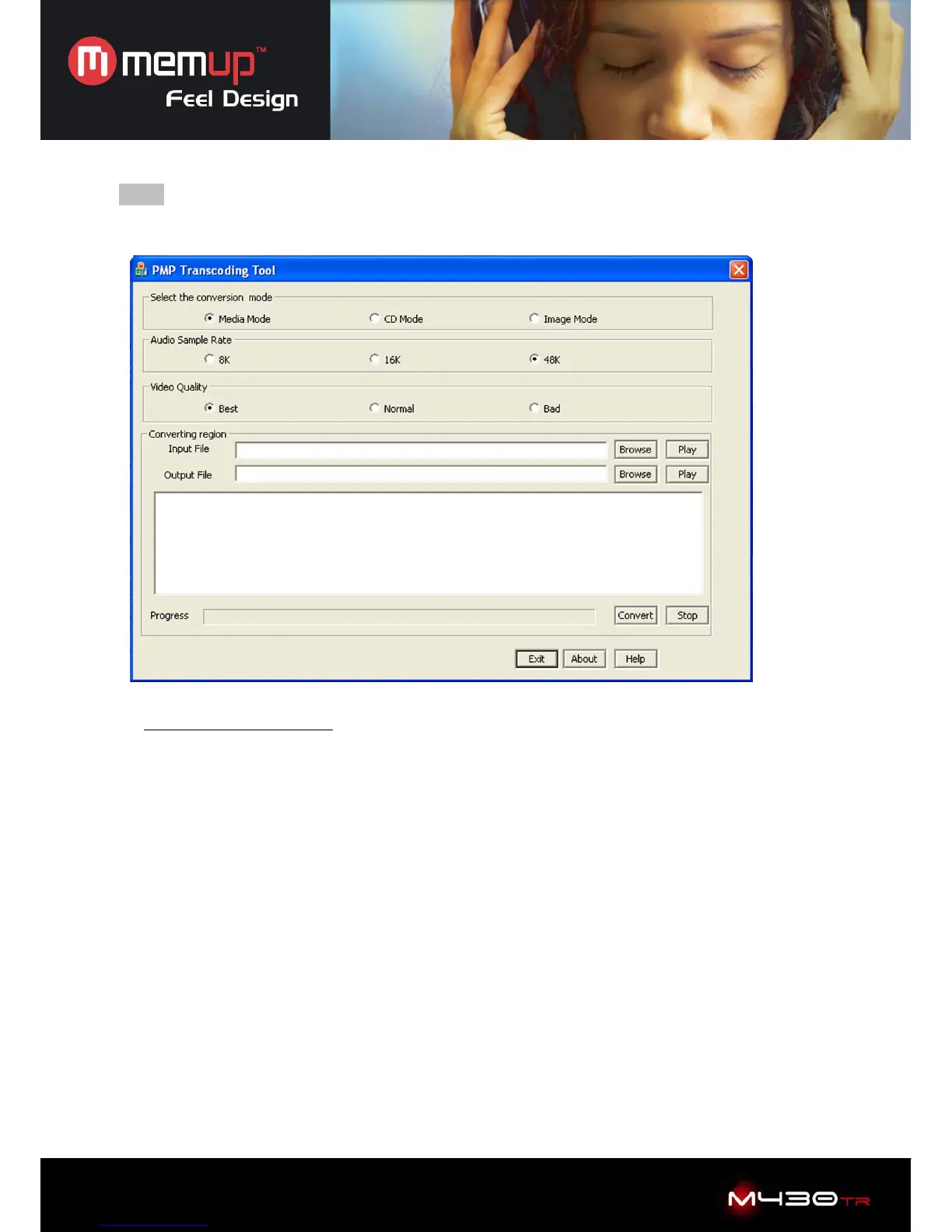
1. Running PMP Transcoding application Tool.
Functions of above picture
1. Select the conversion mode:
Media mode for video / CD mode for music / Image mode for picture
2. Audio sample rate: choose between 8K / 16K / 45K
3. Video quality: choose between Best / Normal / Bad
Converting region
4. Input file: Click on “Browse” and select the file you want to convert
5. Output file: Click on “Browse” and select the destination
6. Then click on “Convert” to start the conversion.
Help: Click to look help information
Progress bar: Display conversion progress
Movie Encoder: XVID, MPEG4;
Frame Rate: 15-30 (Frame rate:Number of displayed frame per second)
Quality: 50-100(better the quality is, larger output file size will be.)
Encoder: MP3



 To Next Page