 Need help?
Do you have a question about the Mercedes-Benz XENTRY Kit 2 and is the answer not in the manual?
General safety guidelines for operating the diagnostic system, emphasizing safe practices.
Specific safety instructions and warnings related to the XENTRY Connect device.
Safety precautions and guidelines for using the XENTRY Tab 2 tablet.
Safety instructions for the HMS 990 USB Measurement Technology hardware.
Information on securing the XENTRY Tab 2 and XENTRY Connect against theft.
Daimler AG's disclaimer regarding damages resulting from improper use.
Lists the components included in the XENTRY Kit 2 package.
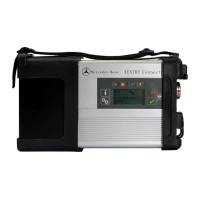
Details the items provided with the XENTRY Connect.
Lists the items included in the XENTRY Tab 2 package.
Describes different network connection modes like Workshop and Service24h.
Specifies minimum hardware and software requirements for a standard PC.
Provides a step-by-step overview of the initial system startup procedure.
Details system configuration options: Dialog-guided (ConfigAssist) and Expert.
How to verify connectivity to back-end systems and the internet.
Instructions for ordering and installing necessary StartKeys for system activation.
Specifications and performance characteristics of the XENTRY Connect hardware.
Details the available connection ports like USB, OBD, Ethernet, and power sockets.
Explains the functions of the display, LEDs, and buttons on the XENTRY Connect.
Procedures for powering on, switching to standby, and shutting down the device.
Information on accessing and managing the rechargeable battery.
Specifications and performance details of the XENTRY Tab 2 hardware.
Details the various connection ports and slots available on the tablet.
Describes the purpose and operation of the tablet's function buttons.
Information on connecting and using the optional docking station.
Guidance on installing and using printers with the XENTRY Tab 2.
Notes on important Windows 7 settings for optimal operation.
Details the connection and usage of the HMS 990 USB measurement device.
Information on connecting the SBC Flash Box accessory.
Describes the connection of the MoTelDis device.
Instructions for connecting and using the chip card reader.
Instructions for connecting 2D hand-held scanners.
Description of the diagnostic unit for HV batteries.
How to launch and initiate the XENTRY Control application.
Overview of the screen showing available XENTRY Connect devices and their statuses.
Guidance on establishing connections and navigating the diagnosis desktop.
Details the Support Tool for data compilation, manual access, and screenshots.
Explains how to access and manage StartKeys for system activation.
Assists with the steps required for system updates or recovery.
Tool for managing system add-ons and online updates.
Instructions for updating the XENTRY Connect using Blu-ray disc or online.
Steps to reset the XENTRY Connect to an earlier status.
Procedures for updating the XENTRY Tab 2 software.
Steps to restore the XENTRY Tab 2 using a repair mechanism.
Lists the items included in the HMS 990 USB Measurement Technology scope of supply.
Step-by-step instructions for physically connecting the HMS 990 USB device.
Information on the software used with the HMS 990 USB measurement technology.
Procedures for launching and closing the HMS 990 measurement software.
Details the automatic software download upon first use.
Explanation of the main menu display and status indicators.
Overview of the navigation structure within the measurement software.
Details measurement parameters for alternator testing.
Details measurement parameters for multimeter functions.
Details measurement parameters for ignition system analysis.
Details measurement parameters for ignition angle and exhaust gas.
Details options for using the universal oscilloscope.
Details options for using the 12-channel oscilloscope.
Conditions and requirements necessary before performing an AKT.
Steps to enable or disable the Automatic Quick Test mode.
Process for initiating and executing an automatic quick test.
Important notes regarding the XENTRY Portal and AKT functionality.
Information on which model series support the AKT function.
Contact information and services provided by the Diagnosis User Help Desk.
List of order numbers for available system accessories.
Steps to enable and activate the Wi-Fi adapter on the XENTRY Tab 2.
Details certifications for XENTRY Connect, XENTRY Tab 2, and Blu-ray drive.
Lists WLAN certification status for XENTRY Connect and Tab 2 by country.
 General
| Brand | Mercedes-Benz |
|---|---|
| Model | XENTRY Kit 2 |
| Category | Medical Equipment |
| Language | English |

 To Next Page