
 Need help?
Do you have a question about the MERCHSOURCE SHIFT 3 and is the answer not in the manual?
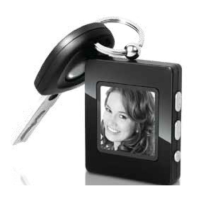
Details about the Digital Photo Keychain, its capacity, screen, and battery life.
Instructions to prevent damage and ensure safe operation, including avoiding extreme conditions and disassembly.
Warnings to reduce risk of shock and fire, such as not removing the cover or exposing to rain.
Diagrams illustrating the physical layout of the device and its buttons.
List of accessories, such as USB cable for transfer and charging.
Procedure for turning the photo viewer unit on and off using the MENU button.
Setting the clock display format to show date and time details.
Identifying low battery indication and how to charge the device via USB.
Instructions for resetting the photo viewer if it malfunctions.
Using arrow buttons to navigate and select items within the device menu.
Steps to delete individual or all photos from the photo viewer.
Configuring slideshow intervals, clock format, and backlight.
Overview of the software interface for managing photos.
Process for transferring photos from the computer to the photo viewer.
Features like zooming, cropping, and rotating photos before transfer.
Step-by-step guide for downloading photos using the software on Windows.
Instructions for downloading photos using the software on Mac OS.
Important reminder to follow system instructions for safely disconnecting the USB device.
Information regarding charging times for the device using USB or adapters.
Details for obtaining technical support via website or phone.
Statement regarding compliance with FCC Rules and operating conditions.
 General
| Brand | MERCHSOURCE |
|---|---|
| Model | SHIFT 3 |
| Category | Digital Photo Frame |
| Language | English |

 To Next Page